Phase 01
ROLE Visual Design, Product Design, Prototyping
CLIENT Logitech, 2016
STUDIO Method
TEAM Mily McClelland (Senior Visual Designer), Blake Hudelson (Interaction Designer), Anna Soto (Interaction Designer), Nicolas Bourquin (Creative Director), Chris MacDonald (Project Manager)
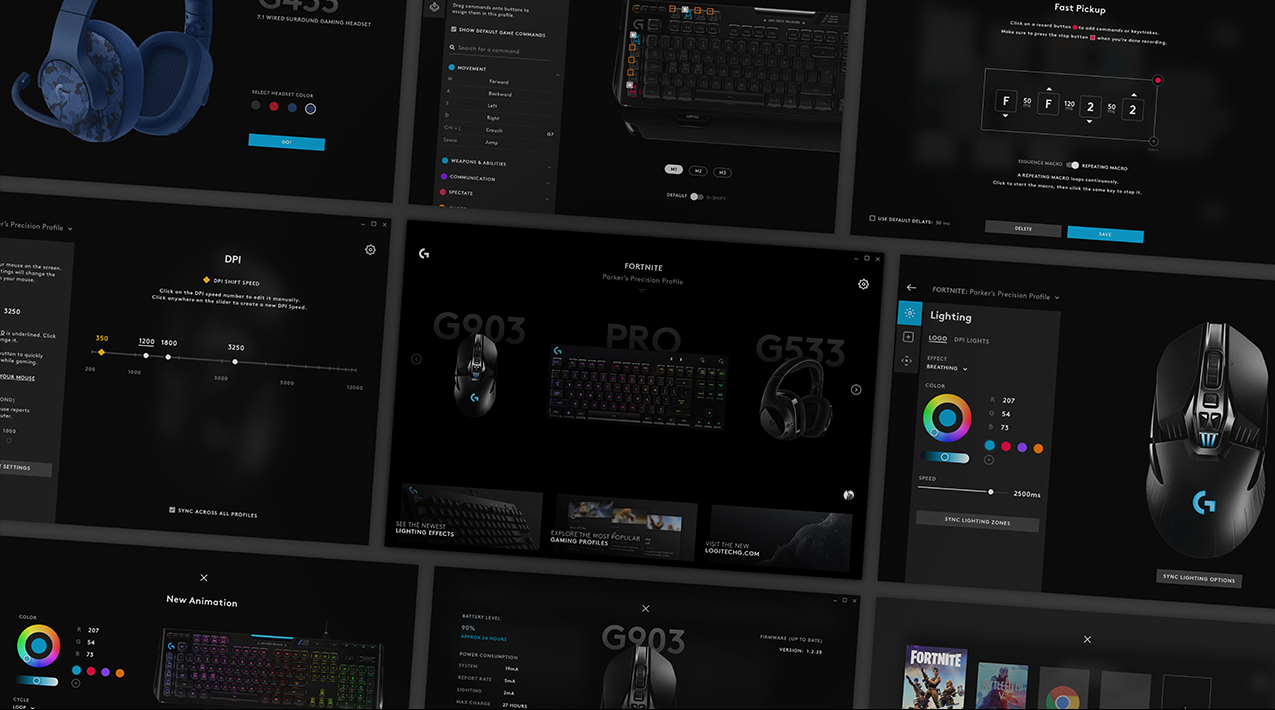
Logitech's gaming division (Logitech G) approached Method to reimagine their gaming configuration software (LGS). Geared toward hardcore gamers, the existing interface was dated and unnecessarily complex.
Logitech sought a refresh that supported existing users, while being accessible to audiences of all levels. Our scope also included building a new brand language that was a logical extension of Logitech's existing Obsidian design language.
Phase 01
ROLE Visual Design, Product Design, Prototyping
CLIENT Logitech, 2016
STUDIO Method
TEAM Mily McClelland (Senior Visual Designer), Blake Hudelson (Interaction Designer), Anna Soto (Interaction Designer), Nicolas Bourquin (Creative Director), Chris MacDonald (Project Manager)
Logitech's gaming division (Logitech G) approached Method to reimagine their gaming configuration software (LGS). Geared toward hardcore gamers, the existing interface was dated and unnecessarily complex.
Logitech sought a refresh that supported existing users, while being accessible to audiences of all levels. Our scope also included building a new brand language that was a logical extension of Logitech's existing Obsidian design language.
Phase 01
ROLE Visual Design, Product Design, Prototyping
CLIENT Logitech, 2016
STUDIO Method
TEAM Mily McClelland (Senior Visual Designer), Blake Hudelson (Interaction Designer), Anna Soto (Interaction Designer), Nicolas Bourquin (Creative Director), Chris MacDonald (Project Manager)
Logitech's gaming division (Logitech G) approached Method to reimagine their gaming configuration software (LGS). Geared toward hardcore gamers, the existing interface was dated and unnecessarily complex.
Logitech sought a refresh that supported existing users, while being accessible to audiences of all levels. Our scope also included building a new brand language that was a logical extension of Logitech's existing Obsidian design language.
Phase 01
ROLE Visual Design, Product Design, Prototyping
CLIENT Logitech, 2016
STUDIO Method
TEAM Mily McClelland (Senior Visual Designer), Blake Hudelson (Interaction Designer), Anna Soto (Interaction Designer), Nicolas Bourquin (Creative Director), Chris MacDonald (Project Manager)
Logitech's gaming division (Logitech G) approached Method to reimagine their gaming configuration software (LGS). Geared toward hardcore gamers, the existing interface was dated and unnecessarily complex.
Logitech sought a refresh that supported existing users, while being accessible to audiences of all levels. Our scope also included building a new brand language that was a logical extension of Logitech's existing Obsidian design language.
Phase 01
ROLE Visual Design, Product Design, Prototyping
CLIENT Logitech, 2016
STUDIO Method
TEAM Mily McClelland (Senior Visual Designer), Blake Hudelson (Interaction Designer), Anna Soto (Interaction Designer), Nicolas Bourquin (Creative Director), Chris MacDonald (Project Manager)
Logitech's gaming division (Logitech G) approached Method to reimagine their gaming configuration software (LGS). Geared toward hardcore gamers, the existing interface was dated and unnecessarily complex.
Logitech sought a refresh that supported existing users, while being accessible to audiences of all levels. Our scope also included building a new brand language that was a logical extension of Logitech's existing Obsidian design language.
WHAT DO GAMERS NEED?
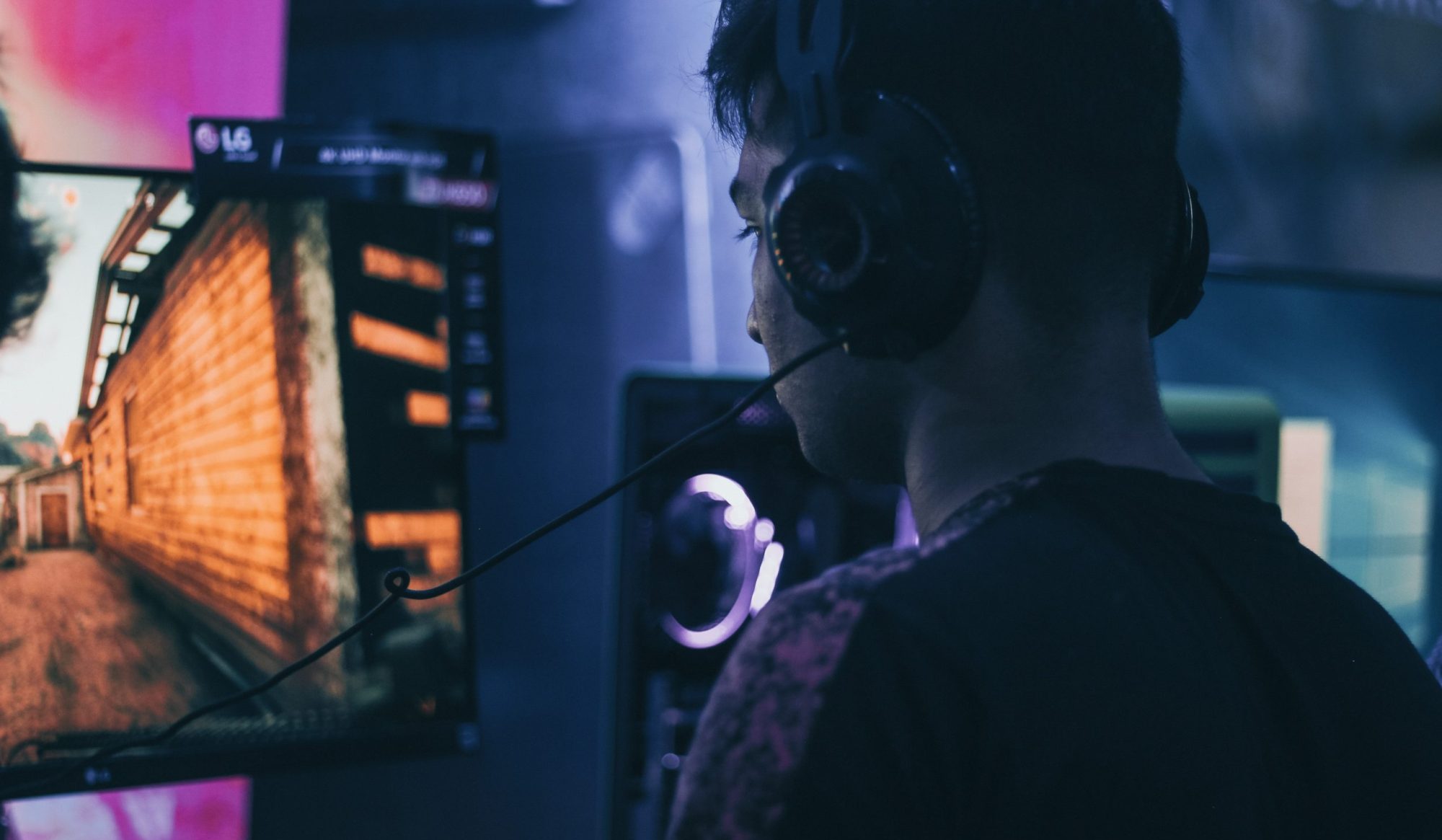
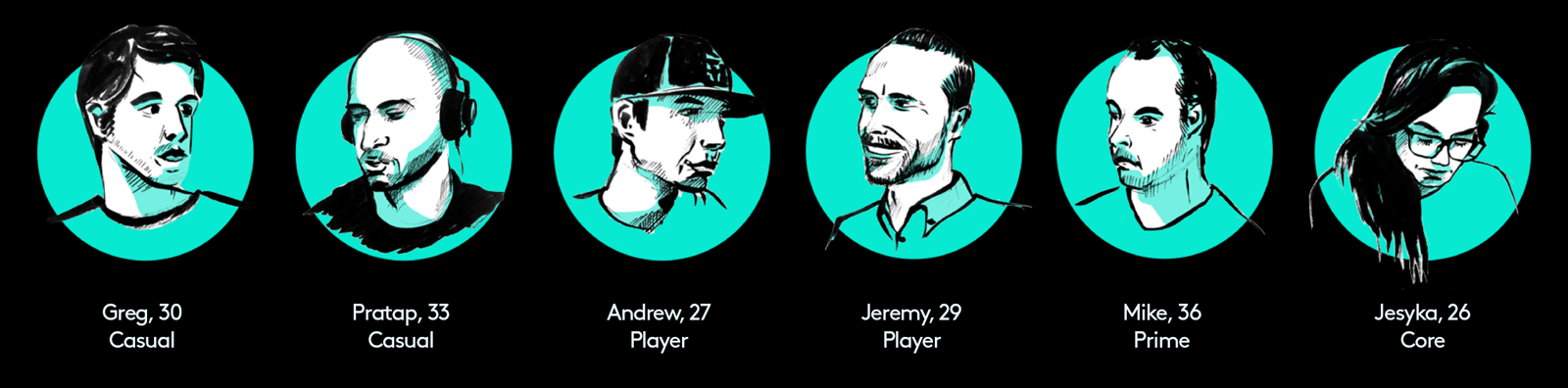
During our first phase, our set off to understand the market, consumer desires, and establish functional needs. We audited competitor products (Corsair, Steelseries, Razer) to identify key areas for differentiation. Our team gathered six individuals who each identified as one of Logitech's four established gamer personas — casual, player, prime, and core. We interviewed them about their gaming configuration habits and observed them test-drive the current LGS.
WHAT DO GAMERS NEED?
During our first phase, our set off to understand the market, consumer desires, and establish functional needs. We audited competitor products (Corsair, Steelseries, Razer) to identify key areas for differentiation. Our team gathered six individuals who each identified as one of Logitech's four established gamer personas — casual, player, prime, and core. We interviewed them about their gaming configuration habits and observed them test-drive the current LGS.
WHAT DO GAMERS NEED?
During our first phase, our set off to understand the market, consumer desires, and establish functional needs. We audited competitor products (Corsair, Steelseries, Razer) to identify key areas for differentiation. Our team gathered six individuals who each identified as one of Logitech's four established gamer personas — casual, player, prime, and core. We interviewed them about their gaming configuration habits and observed them test-drive the current LGS.
WHAT DO GAMERS NEED?
During our first phase, our set off to understand the market, consumer desires, and establish functional needs. We audited competitor products (Corsair, Steelseries, Razer) to identify key areas for differentiation. Our team gathered six individuals who each identified as one of Logitech's four established gamer personas — casual, player, prime, and core. We interviewed them about their gaming configuration habits and observed them test-drive the current LGS.
WHAT DO GAMERS NEED?
During our first phase, our set off to understand the market, consumer desires, and establish functional needs. We audited competitor products (Corsair, Steelseries, Razer) to identify key areas for differentiation. Our team gathered six individuals who each identified as one of Logitech's four established gamer personas — casual, player, prime, and core. We interviewed them about their gaming configuration habits and observed them test-drive the current LGS.
Our key findings:
–Less is more, huge need for simplicity
–Ideal setup is no setup, ability to come back later to configure advanced options
–Features must be prioritized and have a sense of finality
–Usage increases if product can provide value beyond just configuring hardware
Our key findings:
–Less is more, huge need for simplicity
–Ideal setup is no setup, ability to come back later to configure advanced options
–Features must be prioritized and have a sense of finality
–Usage increases if product can provide value beyond just configuring hardware
Our key findings:
–Less is more, huge need for simplicity
–Ideal setup is no setup, ability to come back later to configure advanced options
–Features must be prioritized and have a sense of finality
–Usage increases if product can provide value beyond just configuring hardware
Our key findings:
–Less is more, huge need for simplicity
–Ideal setup is no setup, ability to come back later to configure advanced options
–Features must be prioritized and have a sense of finality
–Usage increases if product can provide value beyond just configuring hardware
Our key findings:
–Less is more, huge need for simplicity
–Ideal setup is no setup, ability to come back later to configure advanced options
–Features must be prioritized and have a sense of finality
–Usage increases if product can provide value beyond just configuring hardware
MAPPING THE USER JOURNEY
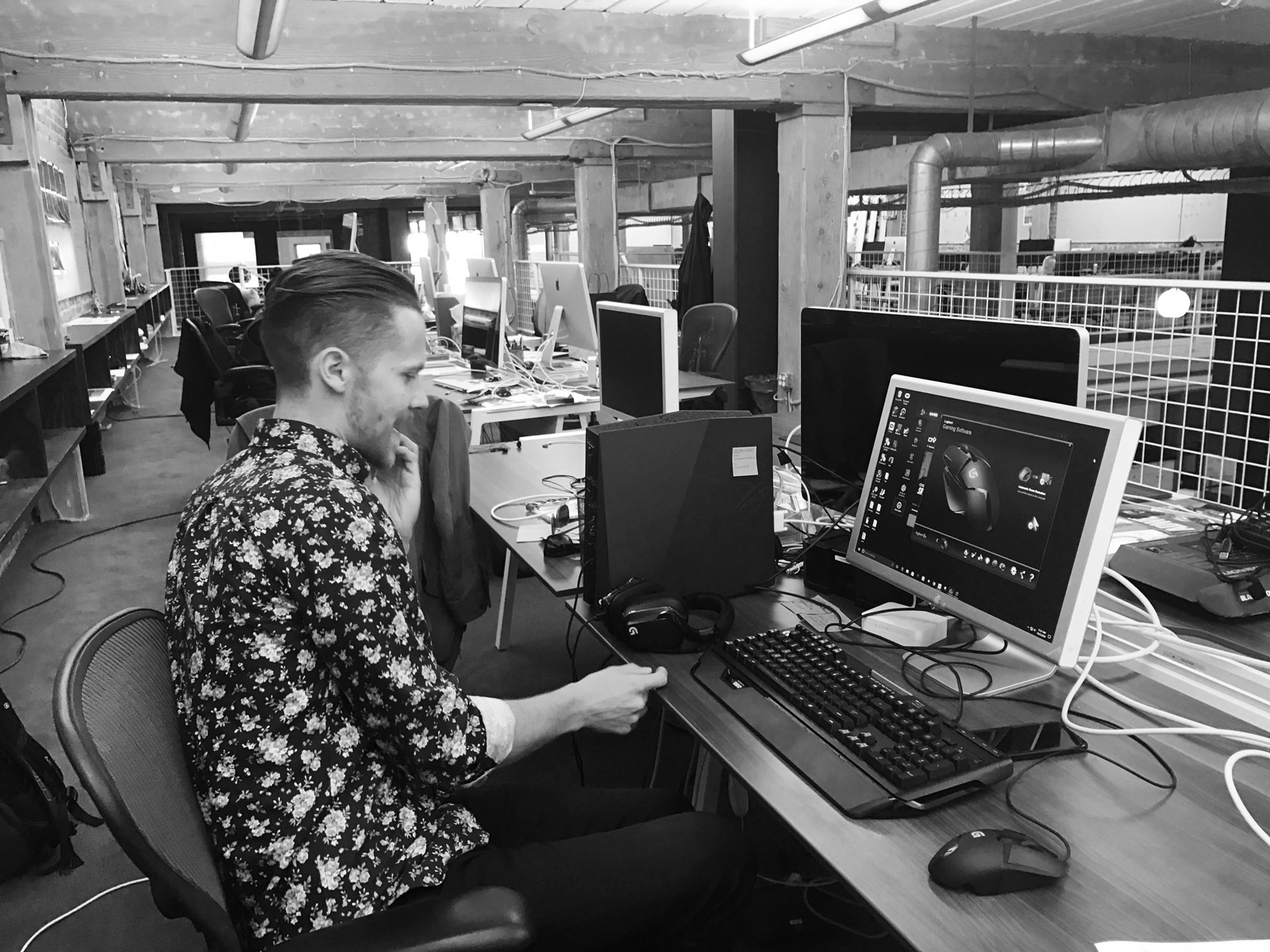
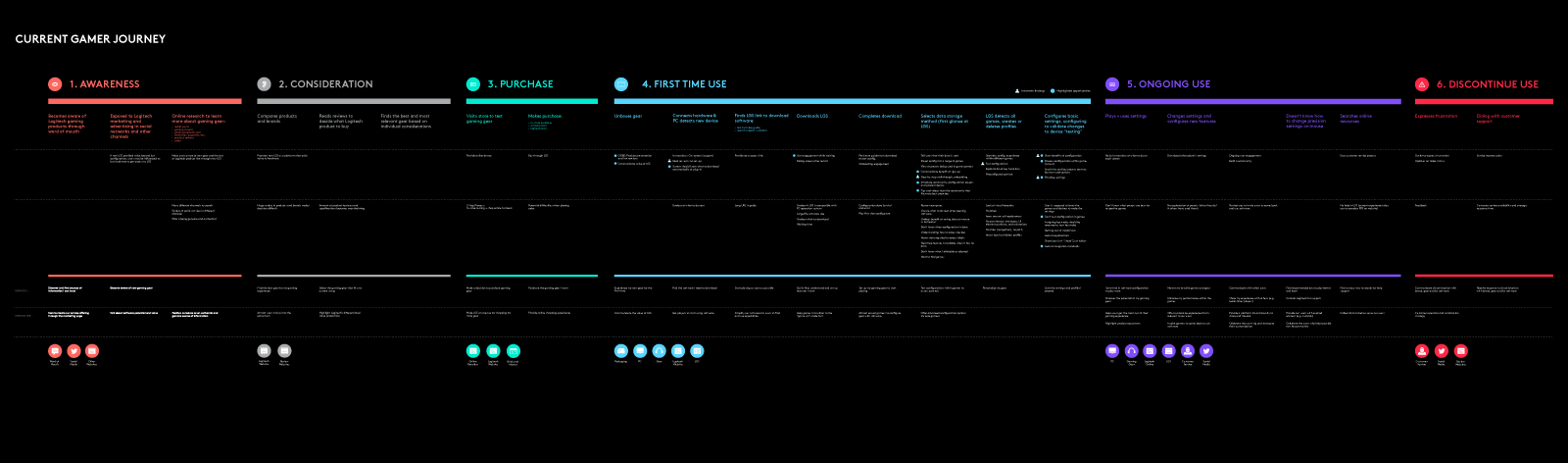
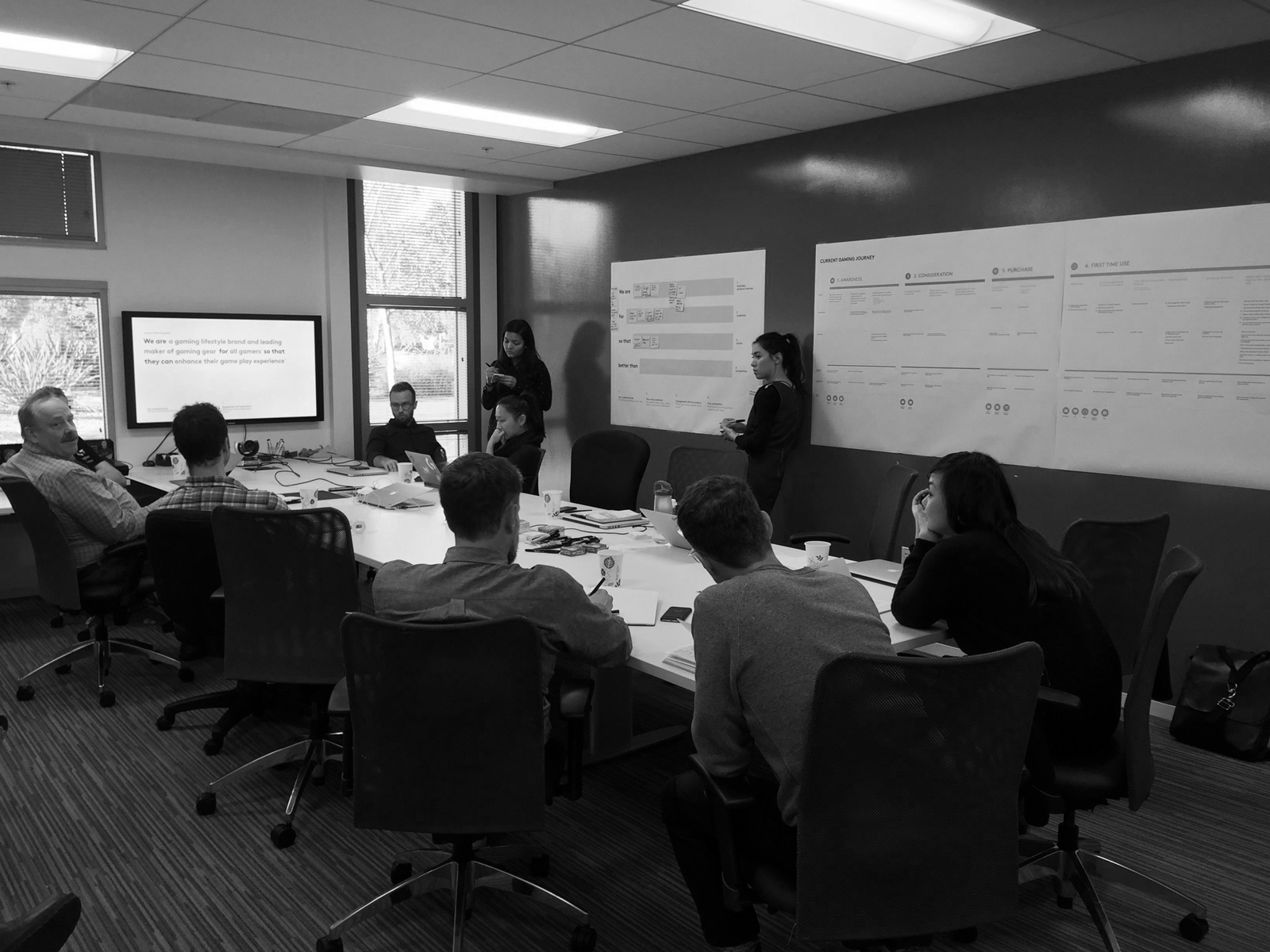
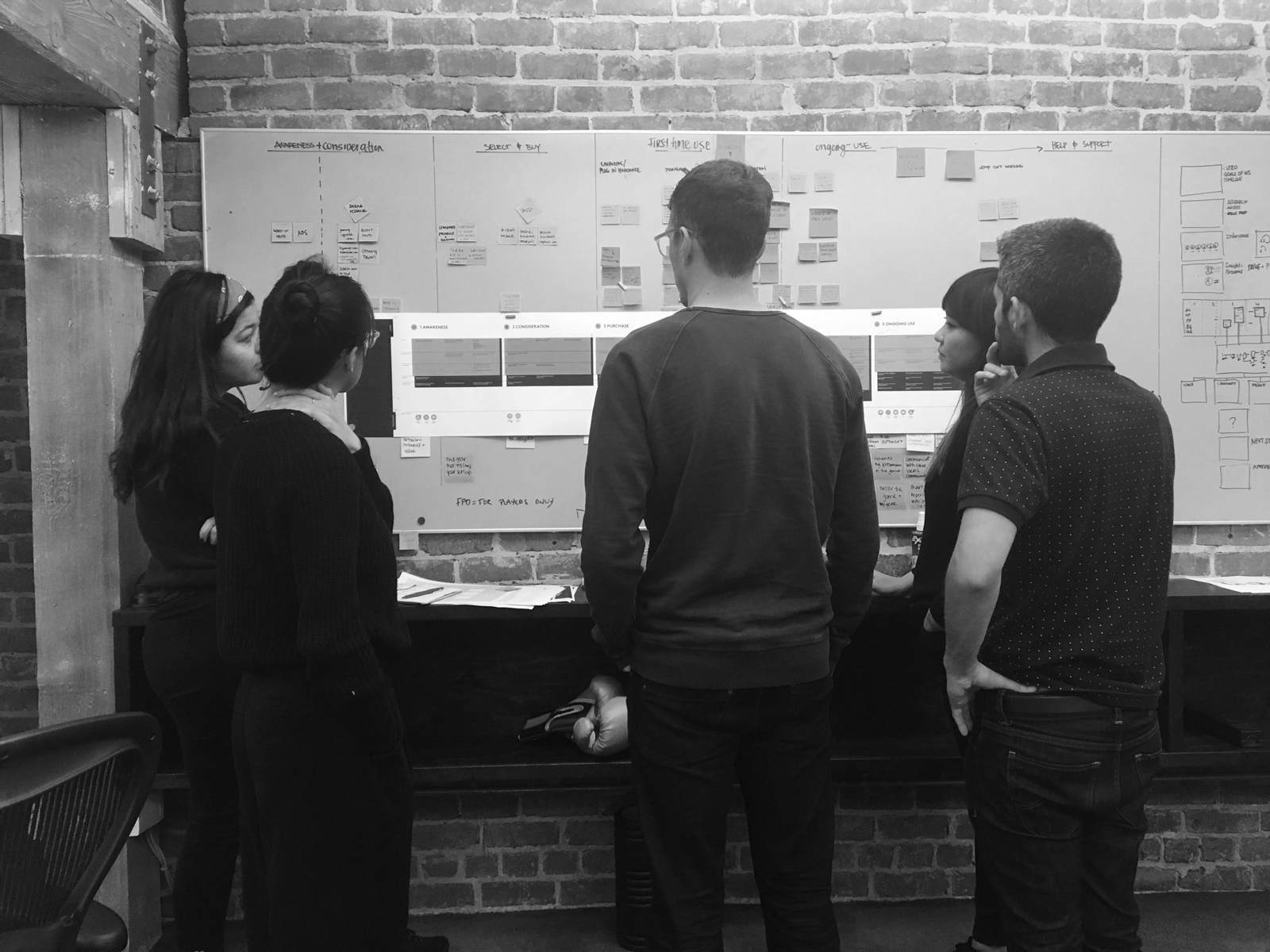
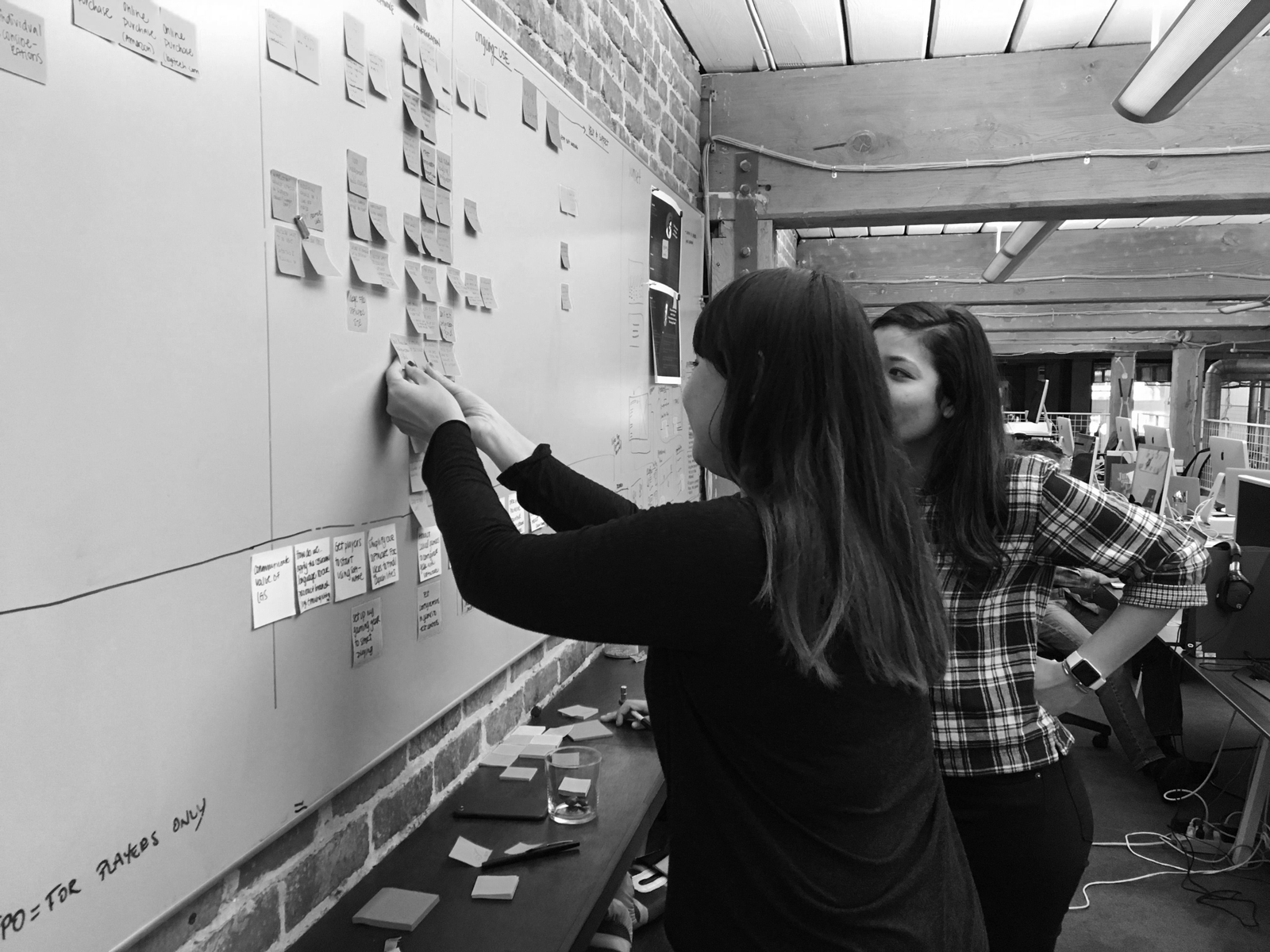
From our interviews and our research, we collected actions, pain points, opportunities, business goals, and user goals, mapping them along a gamer journey.
MAPPING THE USER JOURNEY
From our interviews and our research, we collected actions, pain points, opportunities, business goals, and user goals, mapping them along a gamer journey.
MAPPING THE USER JOURNEY
From our interviews and our research, we collected actions, pain points, opportunities, business goals, and user goals, mapping them along a gamer journey.
MAPPING THE USER JOURNEY
From our interviews and our research, we collected actions, pain points, opportunities, business goals, and user goals, mapping them along a gamer journey.
MAPPING THE USER JOURNEY
From our interviews and our research, we collected actions, pain points, opportunities, business goals, and user goals, mapping them along a gamer journey.
CREATING THEMES
As the team started concepting user flows, we developed 4 high-level themes to bracket our ideas and guide the experience. We grouped them under human roles, with traits that the software could take on. How should it feel like to interact with the software: would it be like talking to a coach or friend? Where should it guide us? How much should it guide us?
CREATING THEMES
As the team started concepting user flows, we developed 4 high-level themes to bracket our ideas and guide the experience. We grouped them under human roles, with traits that the software could take on. How should it feel like to interact with the software: would it be like talking to a coach or friend? Where should it guide us? How much should it guide us?
CREATING THEMES
As the team started concepting user flows, we developed 4 high-level themes to bracket our ideas and guide the experience. We grouped them under human roles, with traits that the software could take on. How should it feel like to interact with the software: would it be like talking to a coach or friend? Where should it guide us? How much should it guide us?
CREATING THEMES
As the team started concepting user flows, we developed 4 high-level themes to bracket our ideas and guide the experience. We grouped them under human roles, with traits that the software could take on. How should it feel like to interact with the software: would it be like talking to a coach or friend? Where should it guide us? How much should it guide us?
CREATING THEMES
As the team started concepting user flows, we developed 4 high-level themes to bracket our ideas and guide the experience. We grouped them under human roles, with traits that the software could take on. How should it feel like to interact with the software: would it be like talking to a coach or friend? Where should it guide us? How much should it guide us?
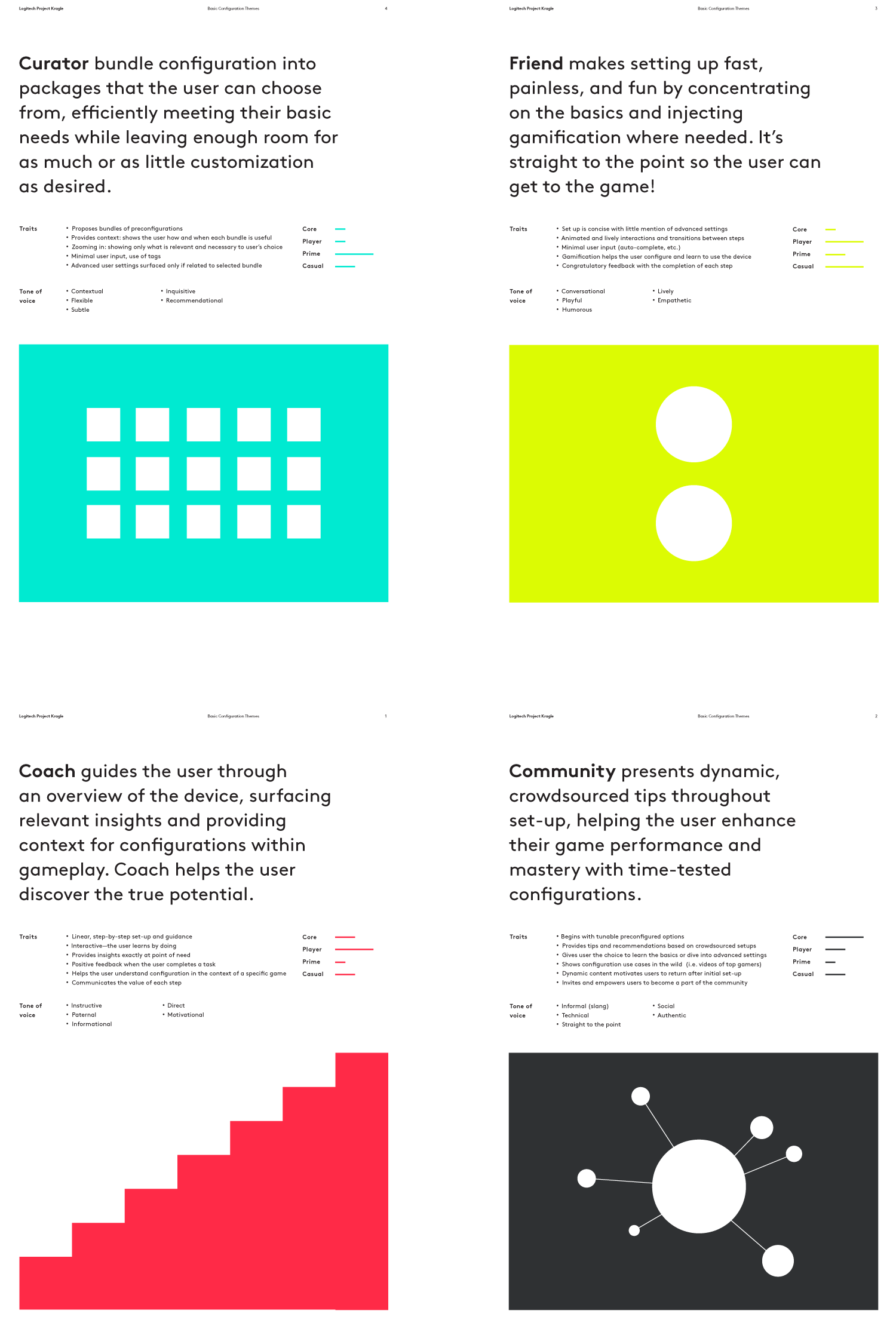
The client gravitated most to Curator and Friend, and sought to explore two user flows and visual directions that would embody both themes (as well as aspects of Coach and Community) in varying degrees.
The client gravitated most to Curator and Friend, and sought to explore two user flows and visual directions that would embody both themes (as well as aspects of Coach and Community) in varying degrees.
The client gravitated most to Curator and Friend, and sought to explore two user flows and visual directions that would embody both themes (as well as aspects of Coach and Community) in varying degrees.
The client gravitated most to Curator and Friend, and sought to explore two user flows and visual directions that would embody both themes (as well as aspects of Coach and Community) in varying degrees.
The client gravitated most to Curator and Friend, and sought to explore two user flows and visual directions that would embody both themes (as well as aspects of Coach and Community) in varying degrees.
CREATING A CURATOR
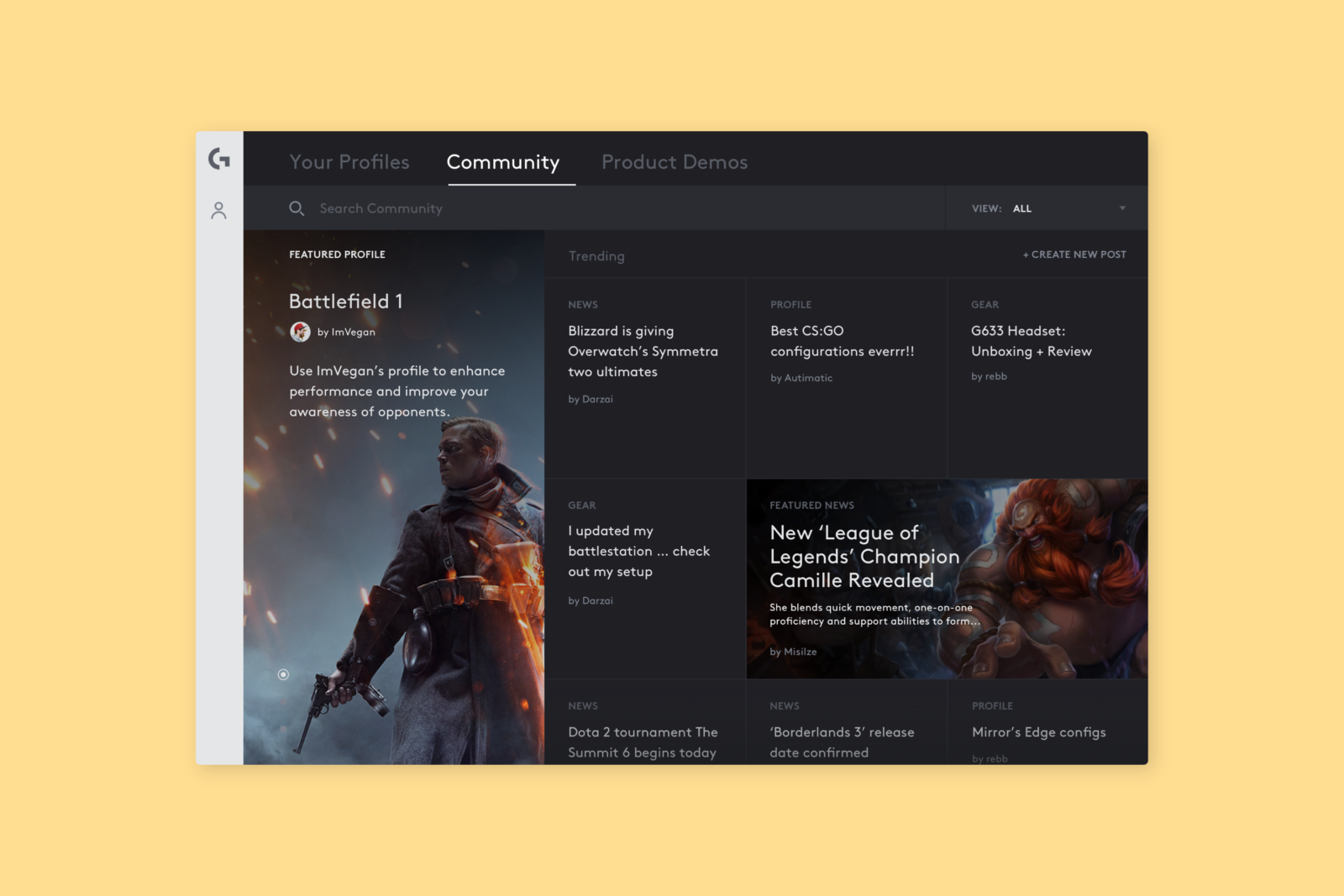
Blake and I explored a direction that mainly saw the software as a "Curator" for the user, serving up configuration options that were most relevant to the gamer persona. This meant reducing user input to the bare minimum, while allowing them to dig deeper if they wish. Ultimately, controls don't vary drastically per user, per game — and gamers just want to get to the game. To reflect that, we optimized an information architecture and interaction model to be as efficient and intuitive as possible.
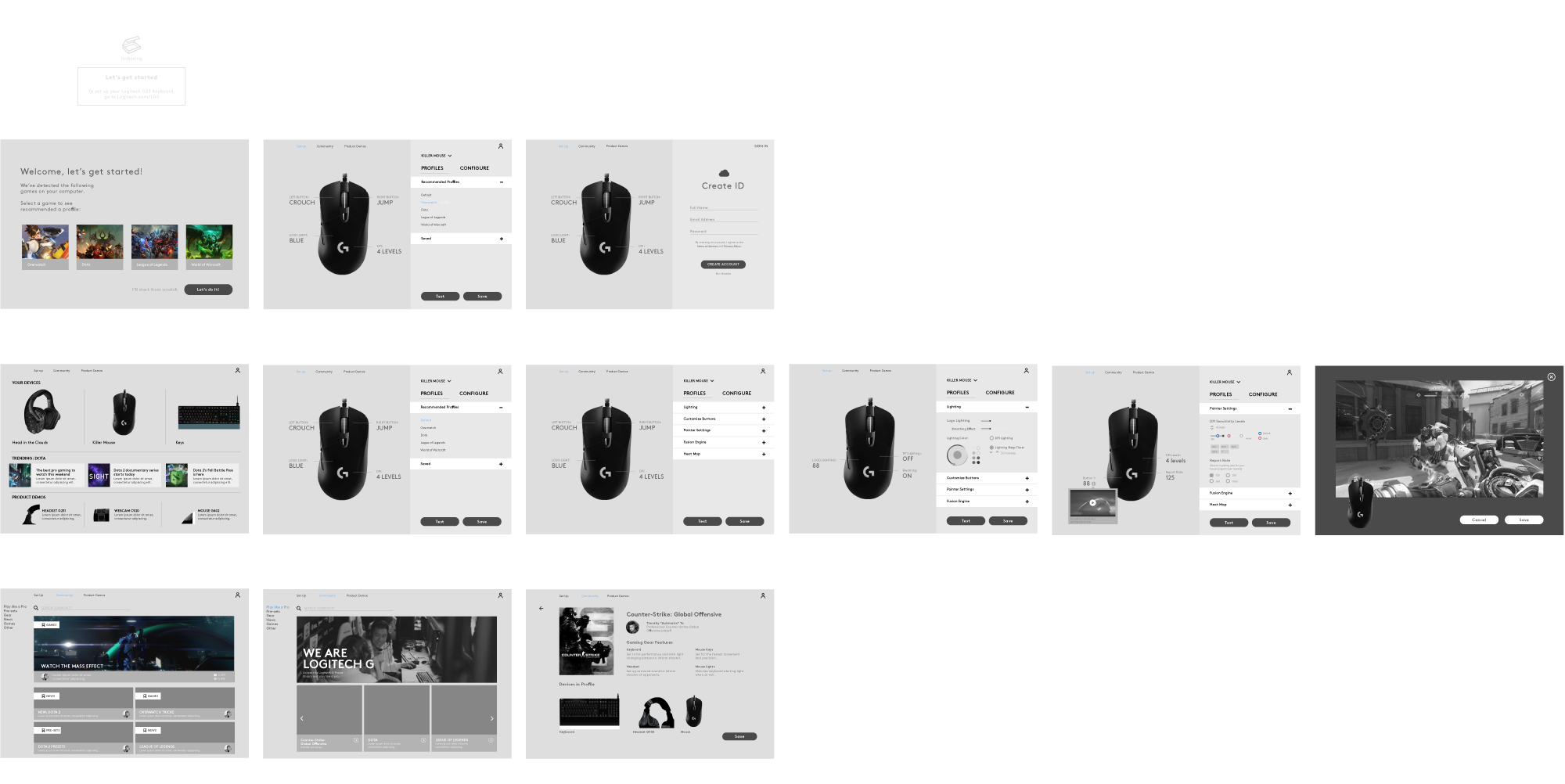
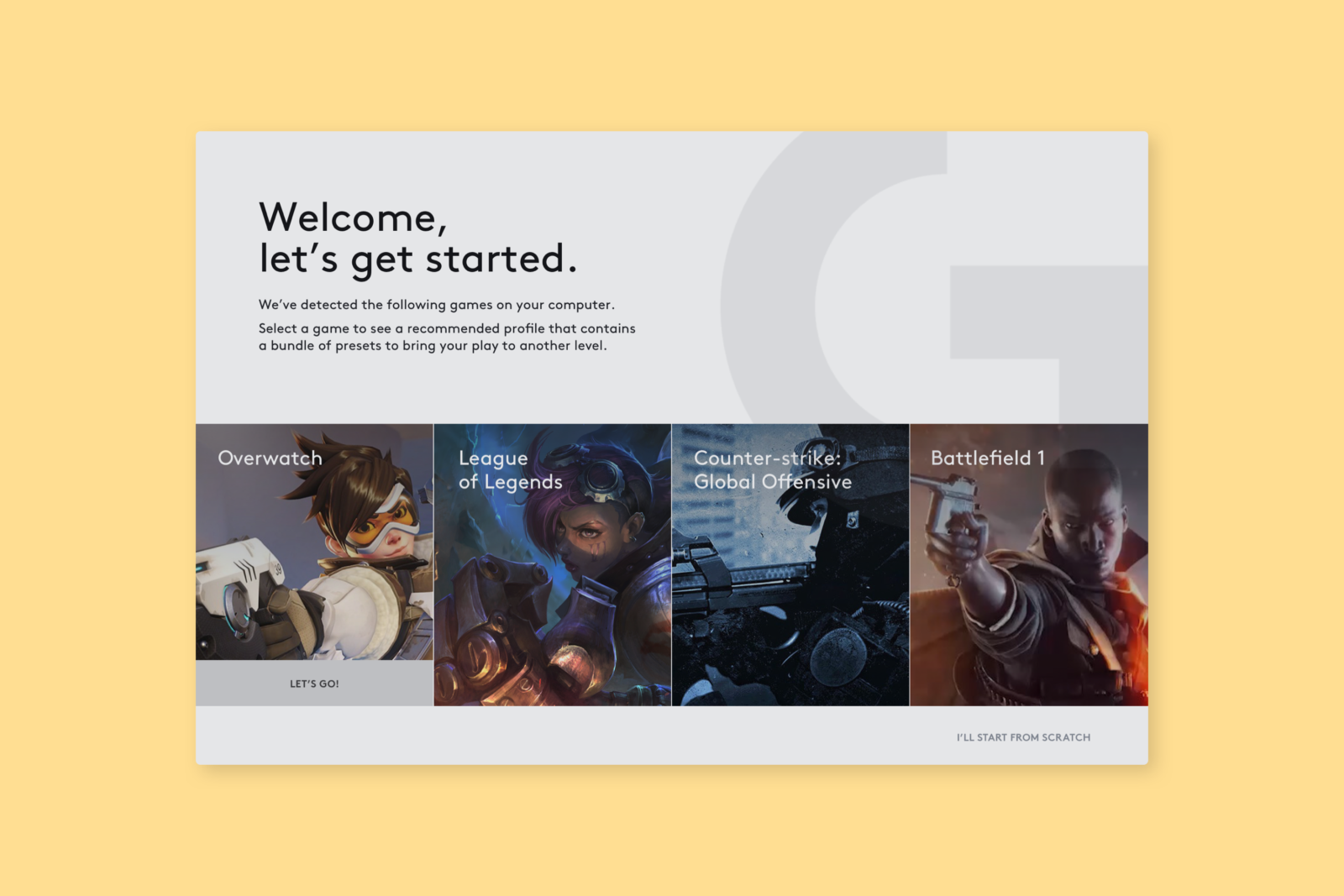
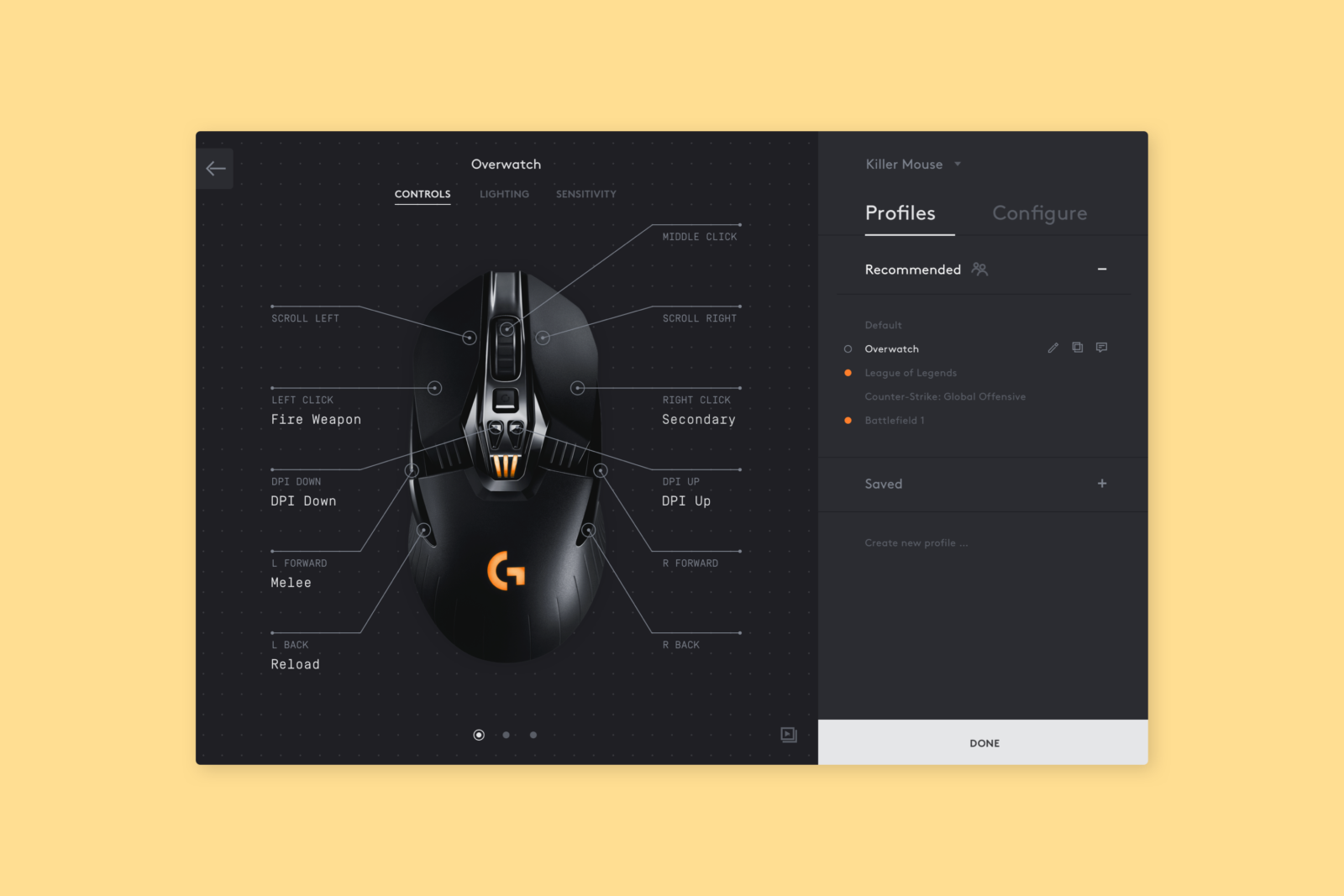
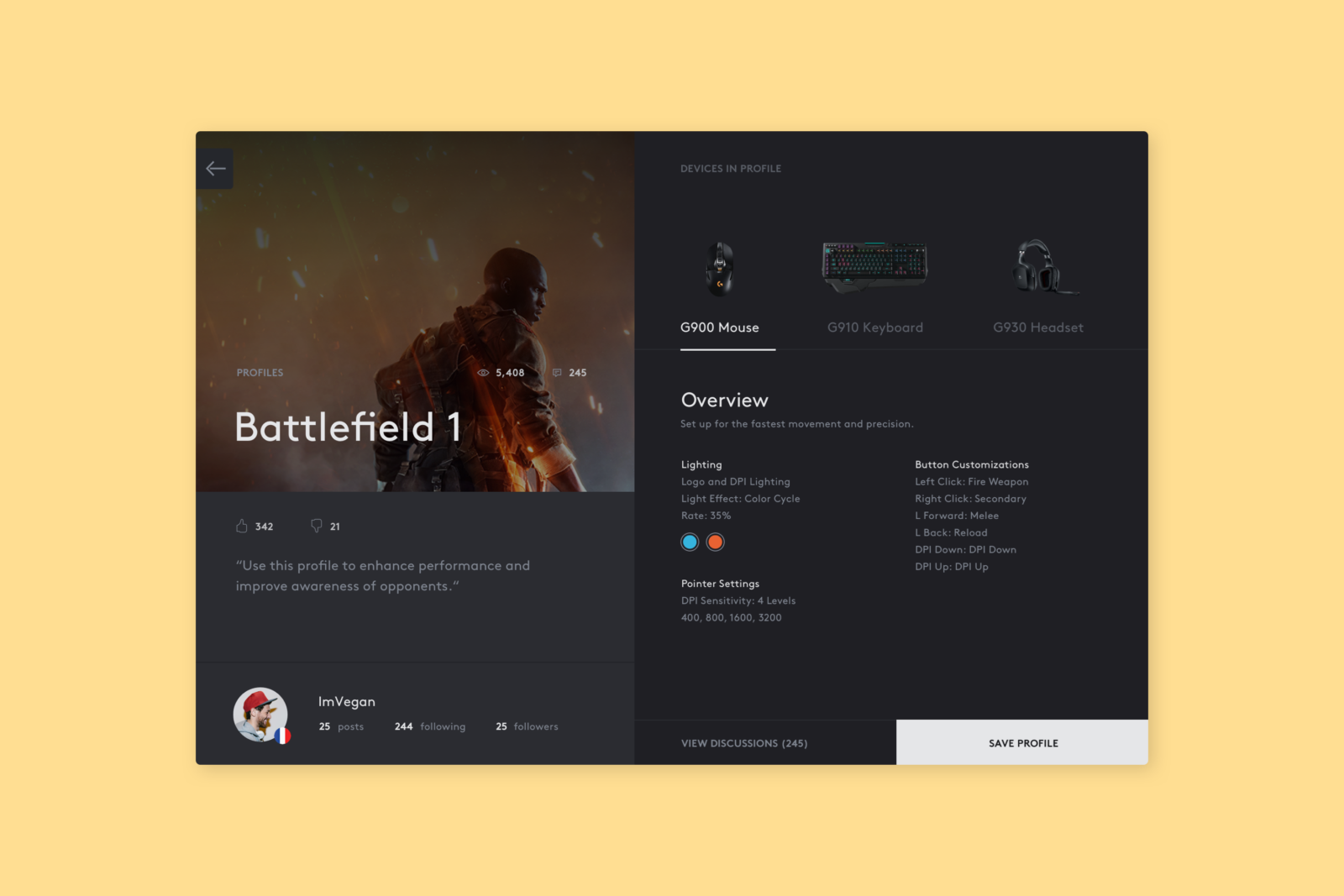
During onboarding, for instance, gamers are able to select from premade bundles optimized for the games they have installed, rather than going through the grueling process of manually configuring their peripherals. Users are also able to browse and install profiles created by pro-gamers. One click and you're ready to go.
CREATING A CURATOR
Blake and I explored a direction that mainly saw the software as a "Curator" for the user, serving up configuration options that were most relevant to the gamer persona. This meant reducing user input to the bare minimum, while allowing them to dig deeper if they wish. Ultimately, controls don't vary drastically per user, per game — and gamers just want to get to the game. To reflect that, we optimized an information architecture and interaction model to be as efficient and intuitive as possible.
During onboarding, for instance, gamers are able to select from premade bundles optimized for the games they have installed, rather than going through the grueling process of manually configuring their peripherals. Users are also able to browse and install profiles created by pro-gamers. One click and you're ready to go.
CREATING A CURATOR
Blake and I explored a direction that mainly saw the software as a "Curator" for the user, serving up configuration options that were most relevant to the gamer persona. This meant reducing user input to the bare minimum, while allowing them to dig deeper if they wish. Ultimately, controls don't vary drastically per user, per game — and gamers just want to get to the game. To reflect that, we optimized an information architecture and interaction model to be as efficient and intuitive as possible.
During onboarding, for instance, gamers are able to select from premade bundles optimized for the games they have installed, rather than going through the grueling process of manually configuring their peripherals. Users are also able to browse and install profiles created by pro-gamers. One click and you're ready to go.
CREATING A CURATOR
Blake and I explored a direction that mainly saw the software as a "Curator" for the user, serving up configuration options that were most relevant to the gamer persona. This meant reducing user input to the bare minimum, while allowing them to dig deeper if they wish. Ultimately, controls don't vary drastically per user, per game — and gamers just want to get to the game. To reflect that, we optimized an information architecture and interaction model to be as efficient and intuitive as possible.
During onboarding, for instance, gamers are able to select from premade bundles optimized for the games they have installed, rather than going through the grueling process of manually configuring their peripherals. Users are also able to browse and install profiles created by pro-gamers. One click and you're ready to go.
CREATING A CURATOR
Blake and I explored a direction that mainly saw the software as a "Curator" for the user, serving up configuration options that were most relevant to the gamer persona. This meant reducing user input to the bare minimum, while allowing them to dig deeper if they wish. Ultimately, controls don't vary drastically per user, per game — and gamers just want to get to the game. To reflect that, we optimized an information architecture and interaction model to be as efficient and intuitive as possible.
During onboarding, for instance, gamers are able to select from premade bundles optimized for the games they have installed, rather than going through the grueling process of manually configuring their peripherals. Users are also able to browse and install profiles created by pro-gamers. One click and you're ready to go.
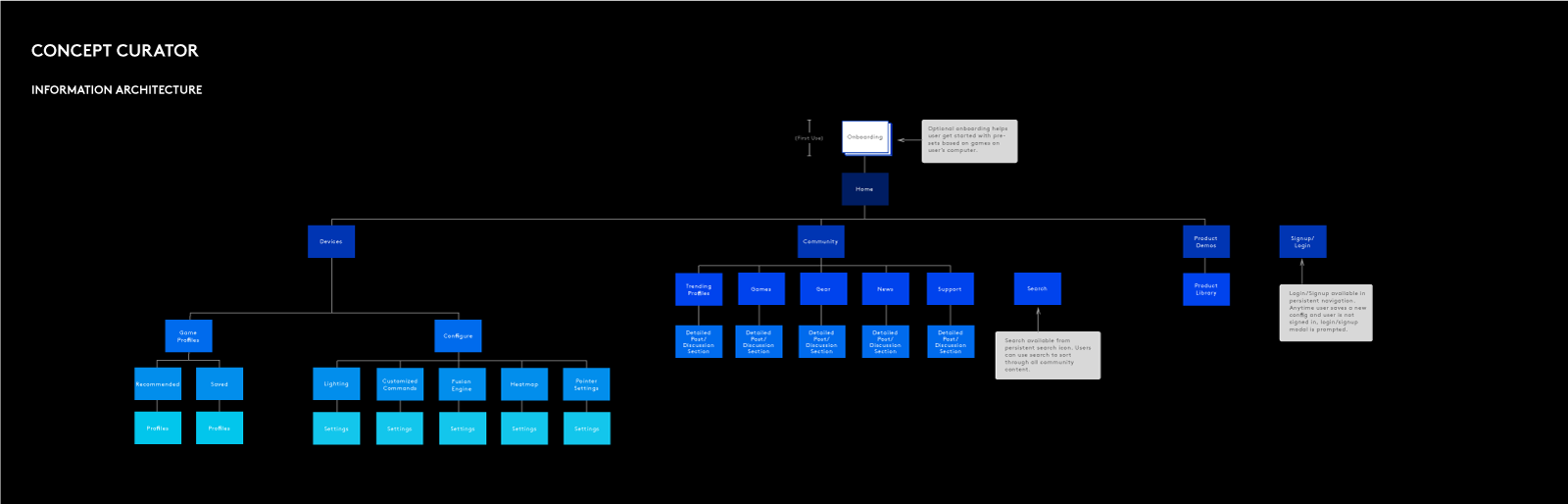
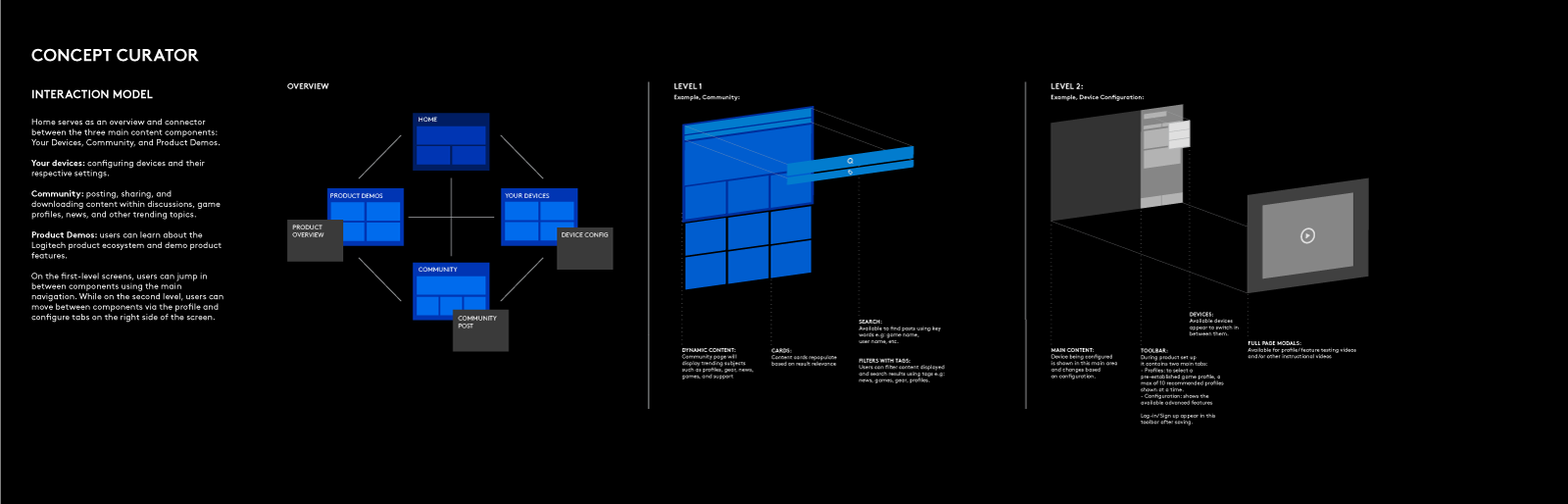
The level of configuration might range from simple to complex, depending on user preferences and hardware. The capabilities also vary significantly from device to device—the configuration of a pair of headphones is wildly different than that of a mouse. Therefore, it was important that we created an intuitive interface that was able to flex to accommodate the wide spectrum of devices and features.
The level of configuration might range from simple to complex, depending on user preferences and hardware. The capabilities also vary significantly from device to device—the configuration of a pair of headphones is wildly different than that of a mouse. Therefore, it was important that we created an intuitive interface that was able to flex to accommodate the wide spectrum of devices and features.
The level of configuration might range from simple to complex, depending on user preferences and hardware. The capabilities also vary significantly from device to device—the configuration of a pair of headphones is wildly different than that of a mouse. Therefore, it was important that we created an intuitive interface that was able to flex to accommodate the wide spectrum of devices and features.
The level of configuration might range from simple to complex, depending on user preferences and hardware. The capabilities also vary significantly from device to device—the configuration of a pair of headphones is wildly different than that of a mouse. Therefore, it was important that we created an intuitive interface that was able to flex to accommodate the wide spectrum of devices and features.
The level of configuration might range from simple to complex, depending on user preferences and hardware. The capabilities also vary significantly from device to device—the configuration of a pair of headphones is wildly different than that of a mouse. Therefore, it was important that we created an intuitive interface that was able to flex to accommodate the wide spectrum of devices and features.
BLENDING ART & SCIENCE
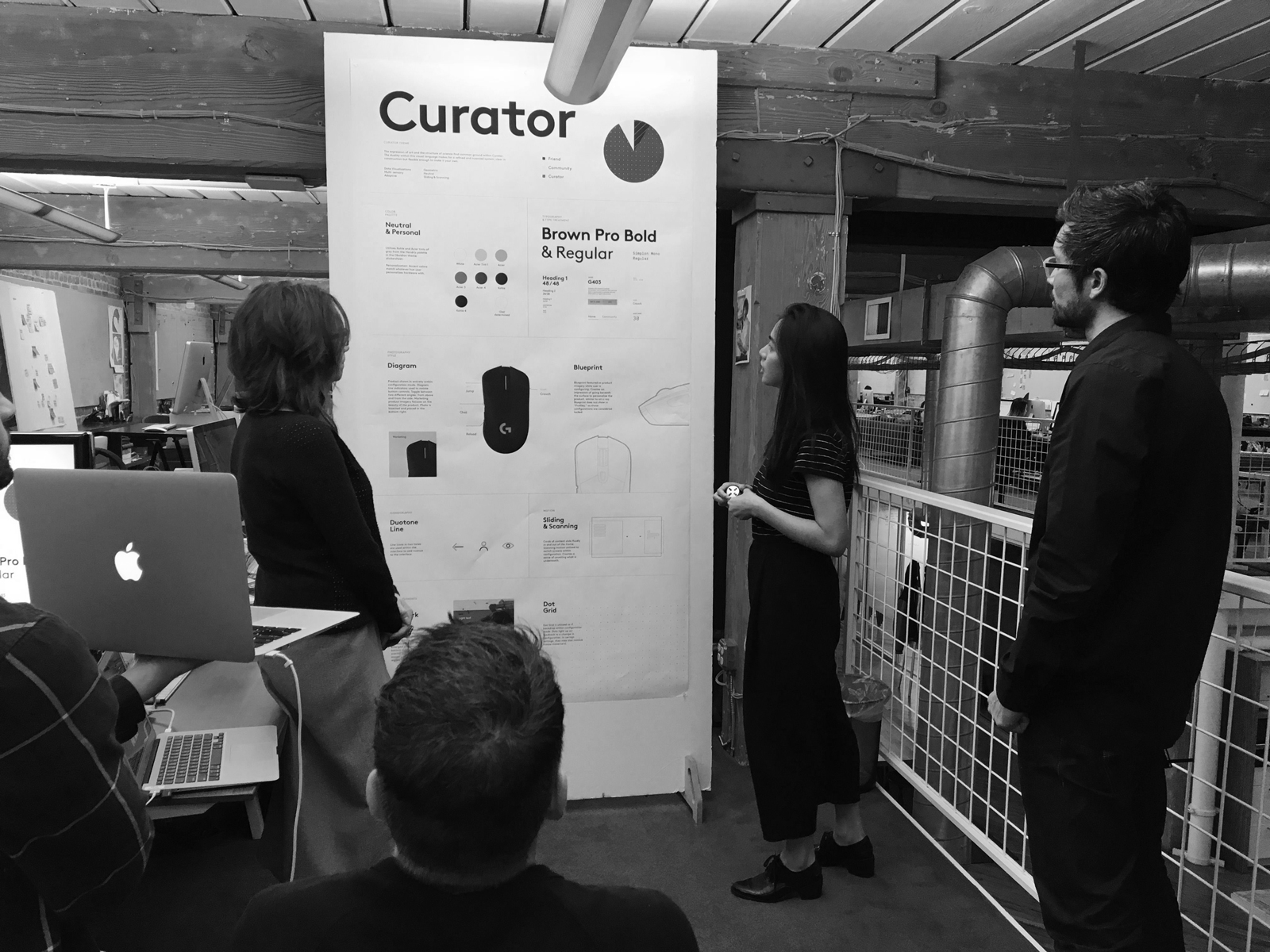
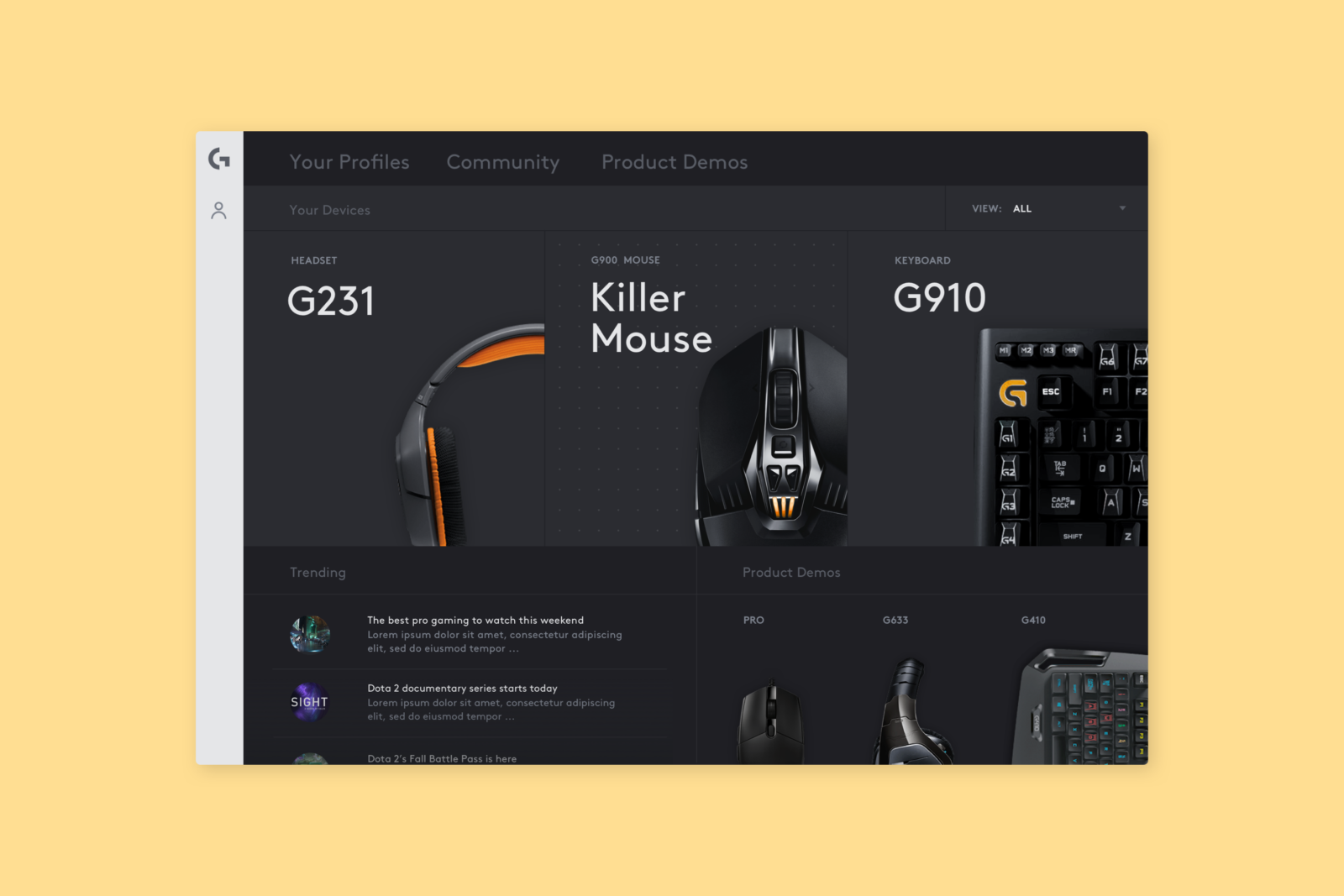
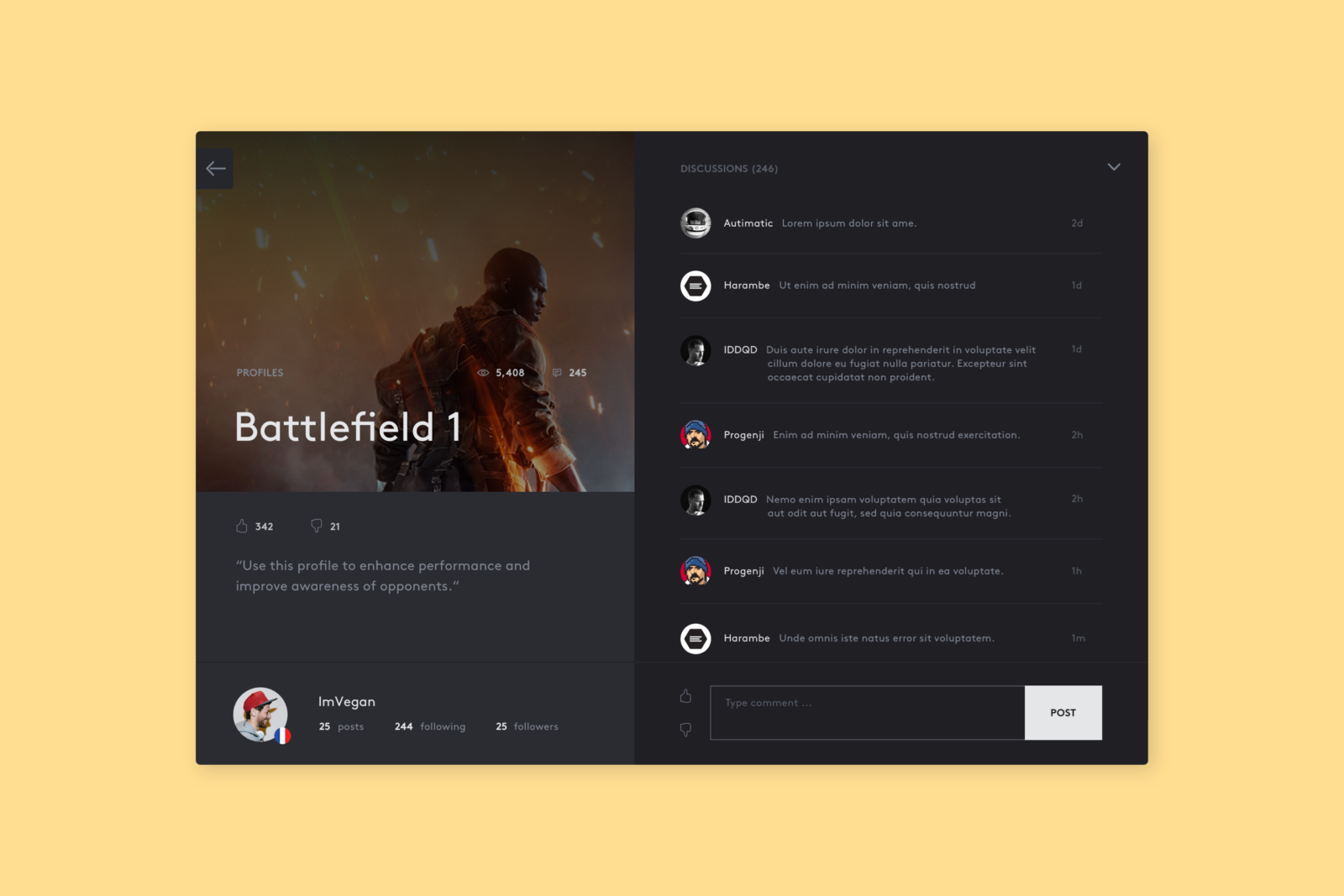
We rooted the visual system in Logitech's history as an innovative and design-forward leader. This concept explored a common ground between the expression of art and the structure of science. The duality of the resulting visual language made for a refined and nuanced system, clear in construction but flexible enough to make it your own. The concept would engage the senses, relying on audio and visual stimuli and data visualizations to make LGS intuitive.
Purposeful and clever microinteractions would surface information at key moments and invite users to explore more. The software leans into the Friend theme with a playful tone of voice, connecting to users with genuine and friendly dialogue.
BLENDING ART & SCIENCE
We rooted the visual system in Logitech's history as an innovative and design-forward leader. This concept explored a common ground between the expression of art and the structure of science. The duality of the resulting visual language made for a refined and nuanced system, clear in construction but flexible enough to make it your own. The concept would engage the senses, relying on audio and visual stimuli and data visualizations to make LGS intuitive.
Purposeful and clever microinteractions would surface information at key moments and invite users to explore more. The software leans into the Friend theme with a playful tone of voice, connecting to users with genuine and friendly dialogue.
BLENDING ART & SCIENCE
We rooted the visual system in Logitech's history as an innovative and design-forward leader. This concept explored a common ground between the expression of art and the structure of science. The duality of the resulting visual language made for a refined and nuanced system, clear in construction but flexible enough to make it your own. The concept would engage the senses, relying on audio and visual stimuli and data visualizations to make LGS intuitive.
Purposeful and clever microinteractions would surface information at key moments and invite users to explore more. The software leans into the Friend theme with a playful tone of voice, connecting to users with genuine and friendly dialogue.
BLENDING ART & SCIENCE
We rooted the visual system in Logitech's history as an innovative and design-forward leader. This concept explored a common ground between the expression of art and the structure of science. The duality of the resulting visual language made for a refined and nuanced system, clear in construction but flexible enough to make it your own. The concept would engage the senses, relying on audio and visual stimuli and data visualizations to make LGS intuitive.
Purposeful and clever microinteractions would surface information at key moments and invite users to explore more. The software leans into the Friend theme with a playful tone of voice, connecting to users with genuine and friendly dialogue.
BLENDING ART & SCIENCE
We rooted the visual system in Logitech's history as an innovative and design-forward leader. This concept explored a common ground between the expression of art and the structure of science. The duality of the resulting visual language made for a refined and nuanced system, clear in construction but flexible enough to make it your own. The concept would engage the senses, relying on audio and visual stimuli and data visualizations to make LGS intuitive.
Purposeful and clever microinteractions would surface information at key moments and invite users to explore more. The software leans into the Friend theme with a playful tone of voice, connecting to users with genuine and friendly dialogue.
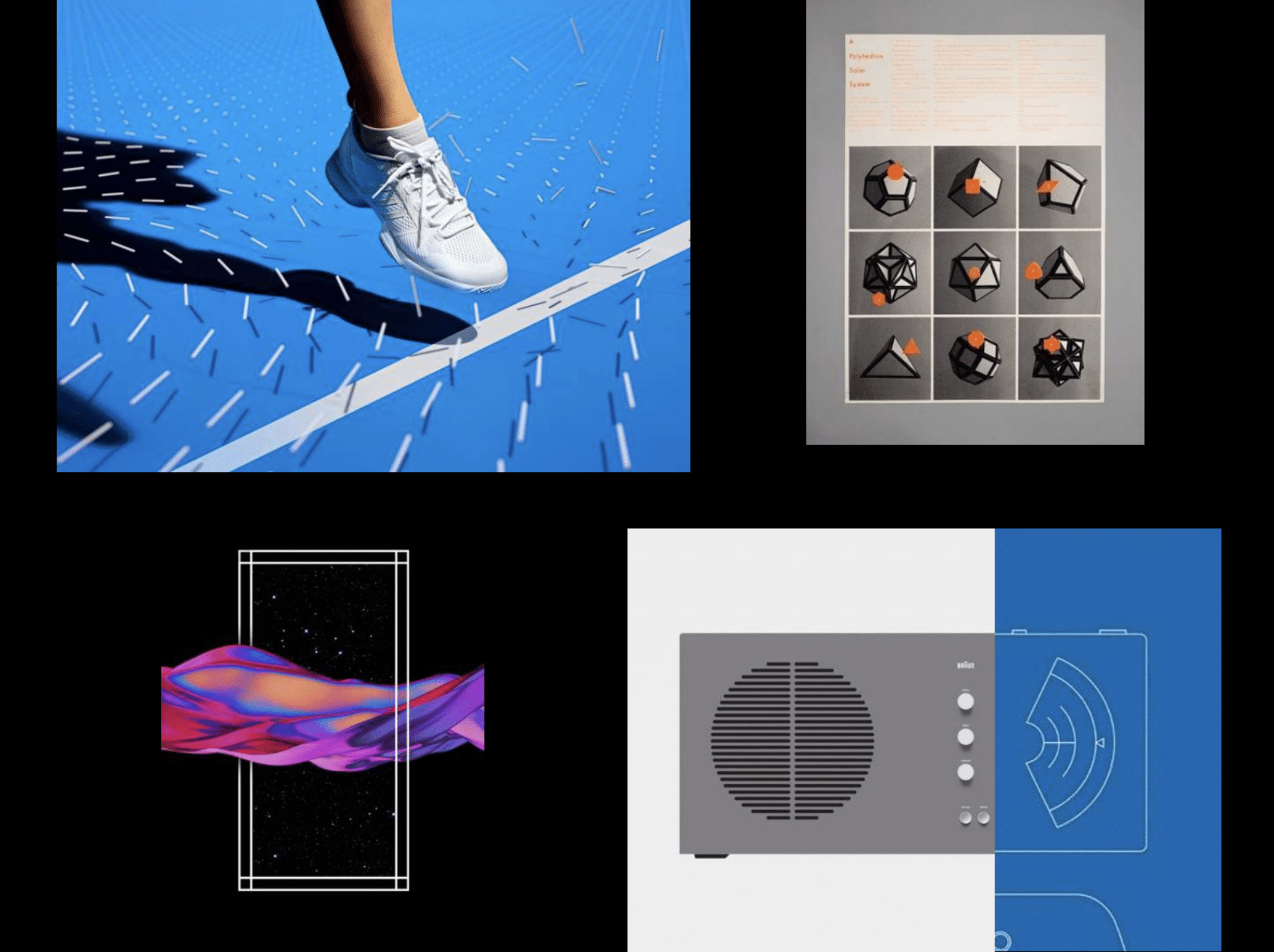
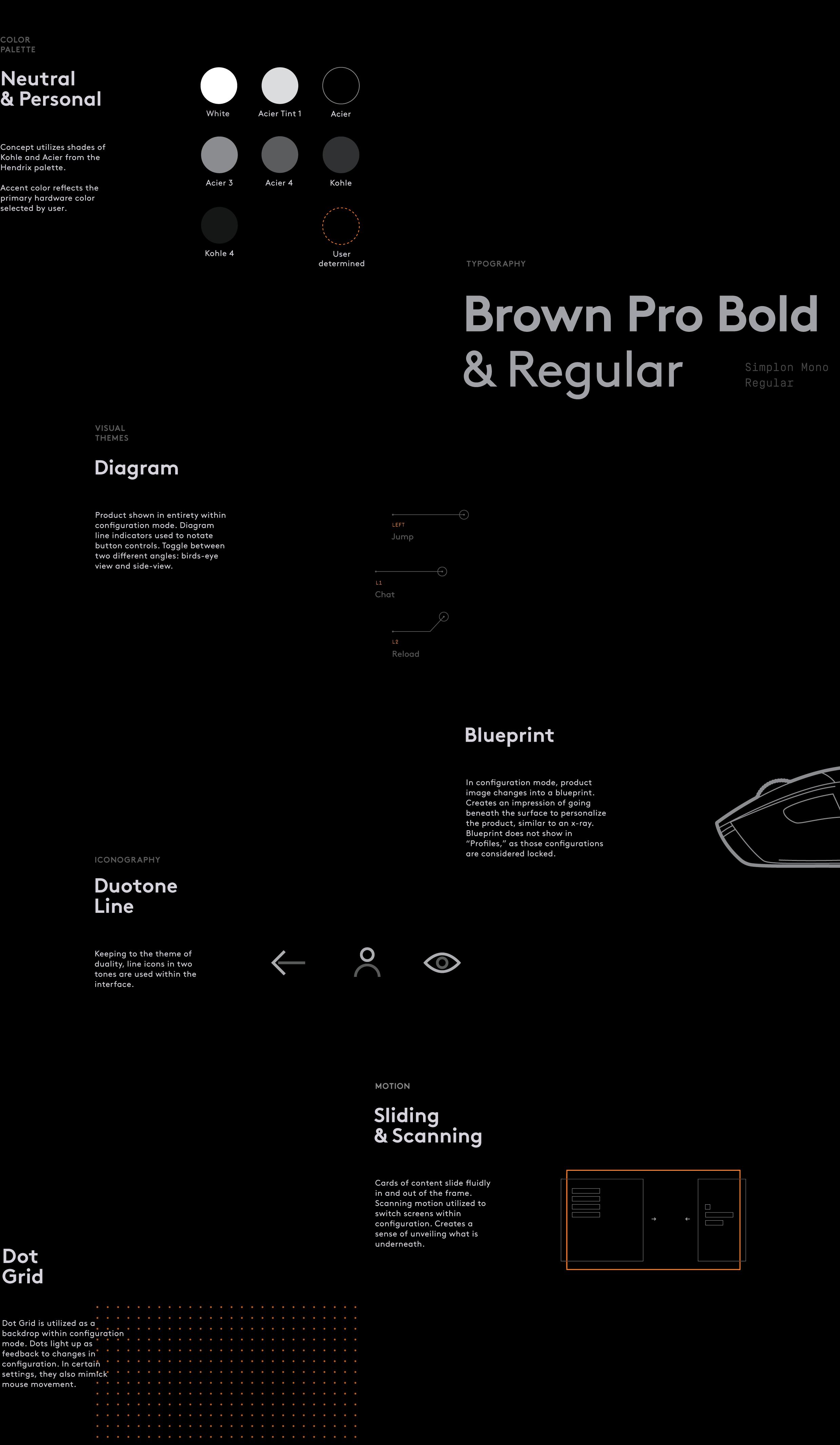
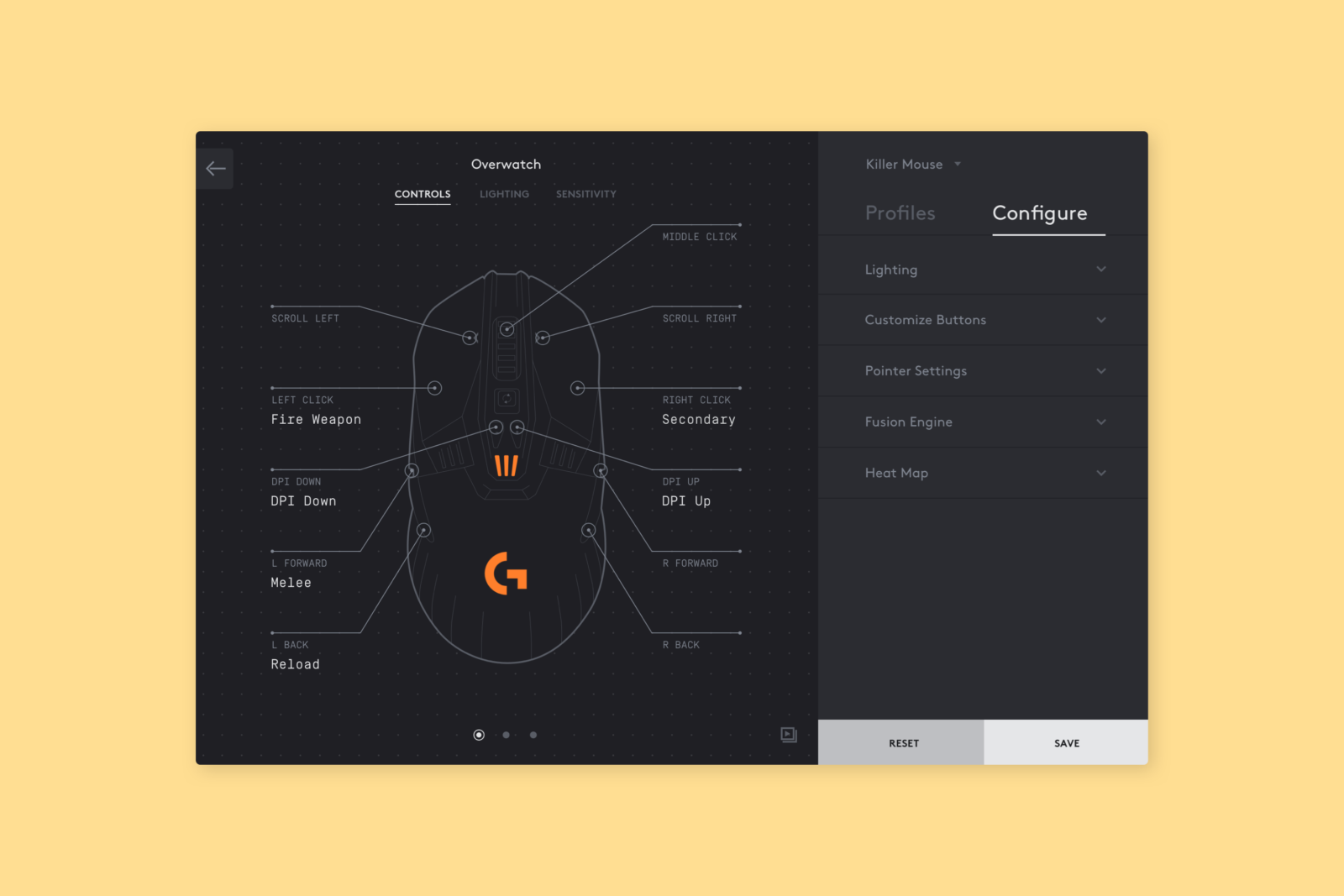
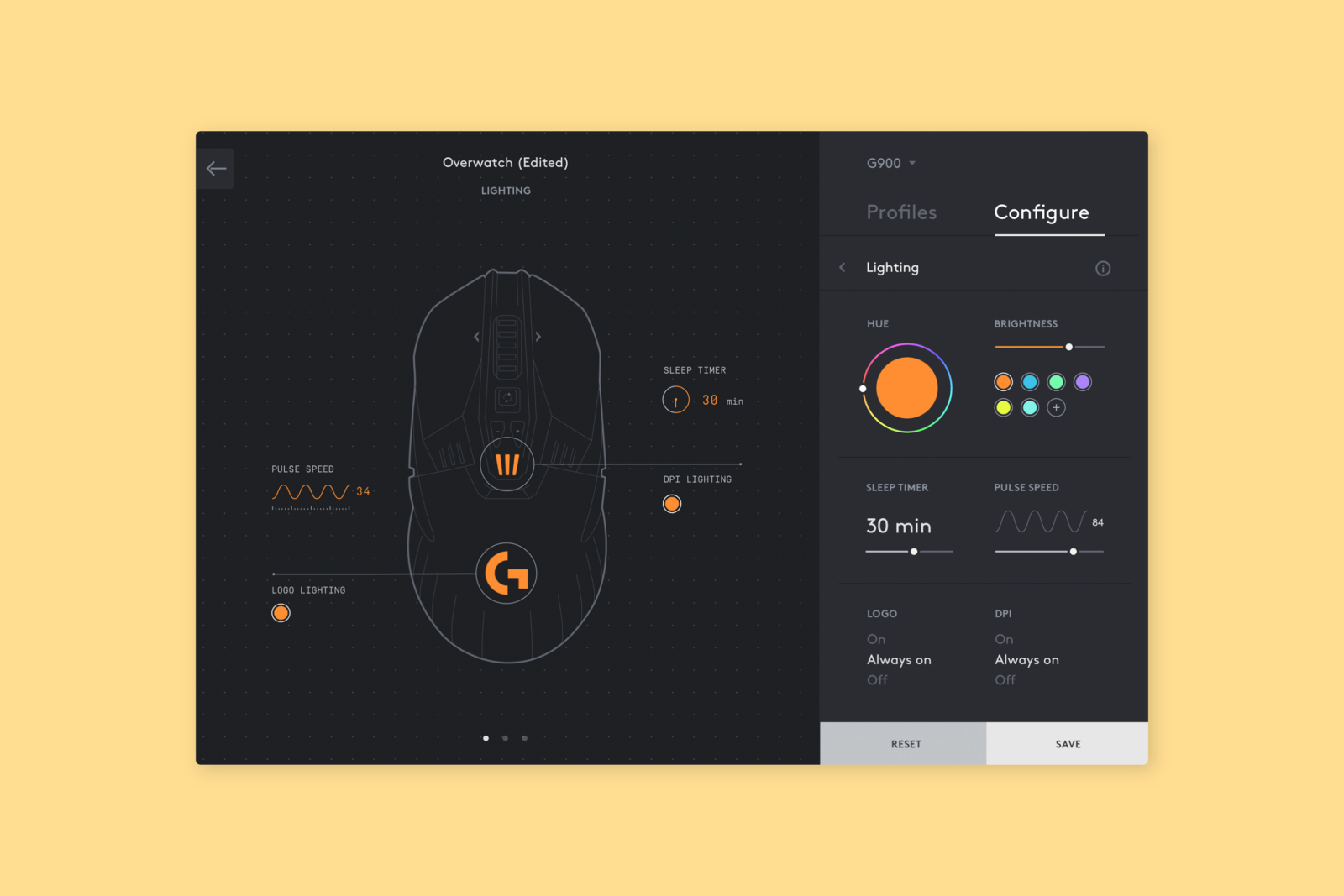
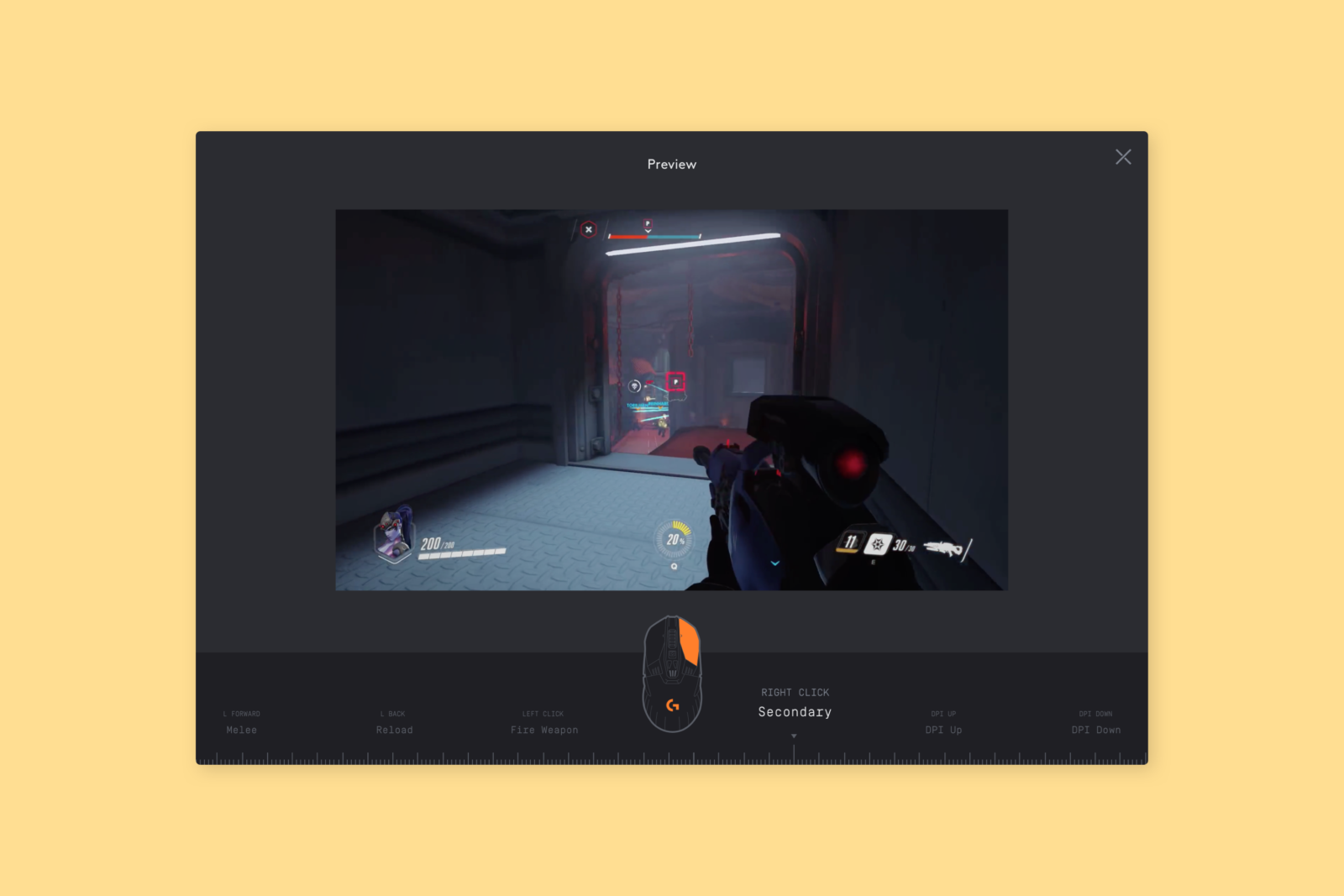
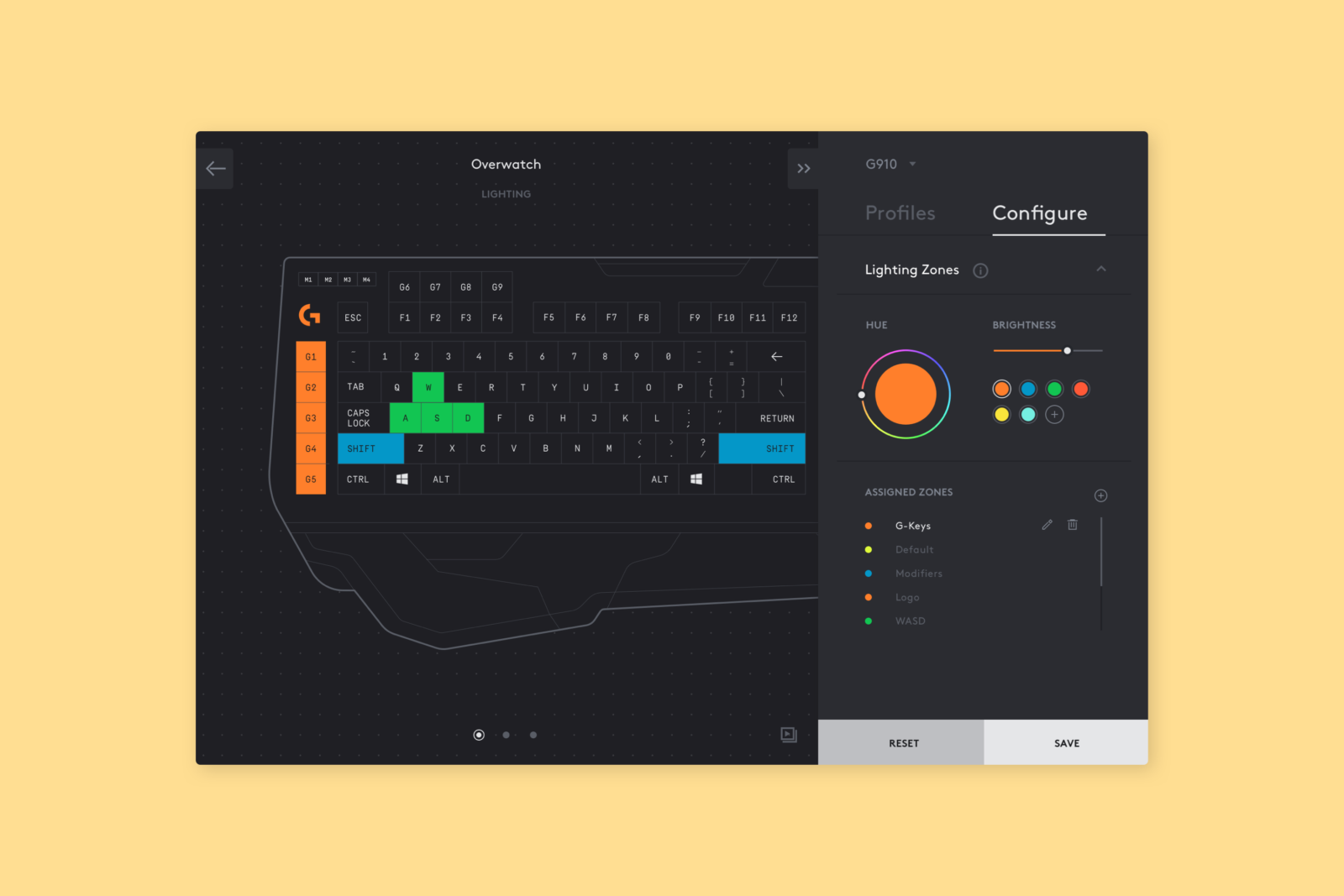
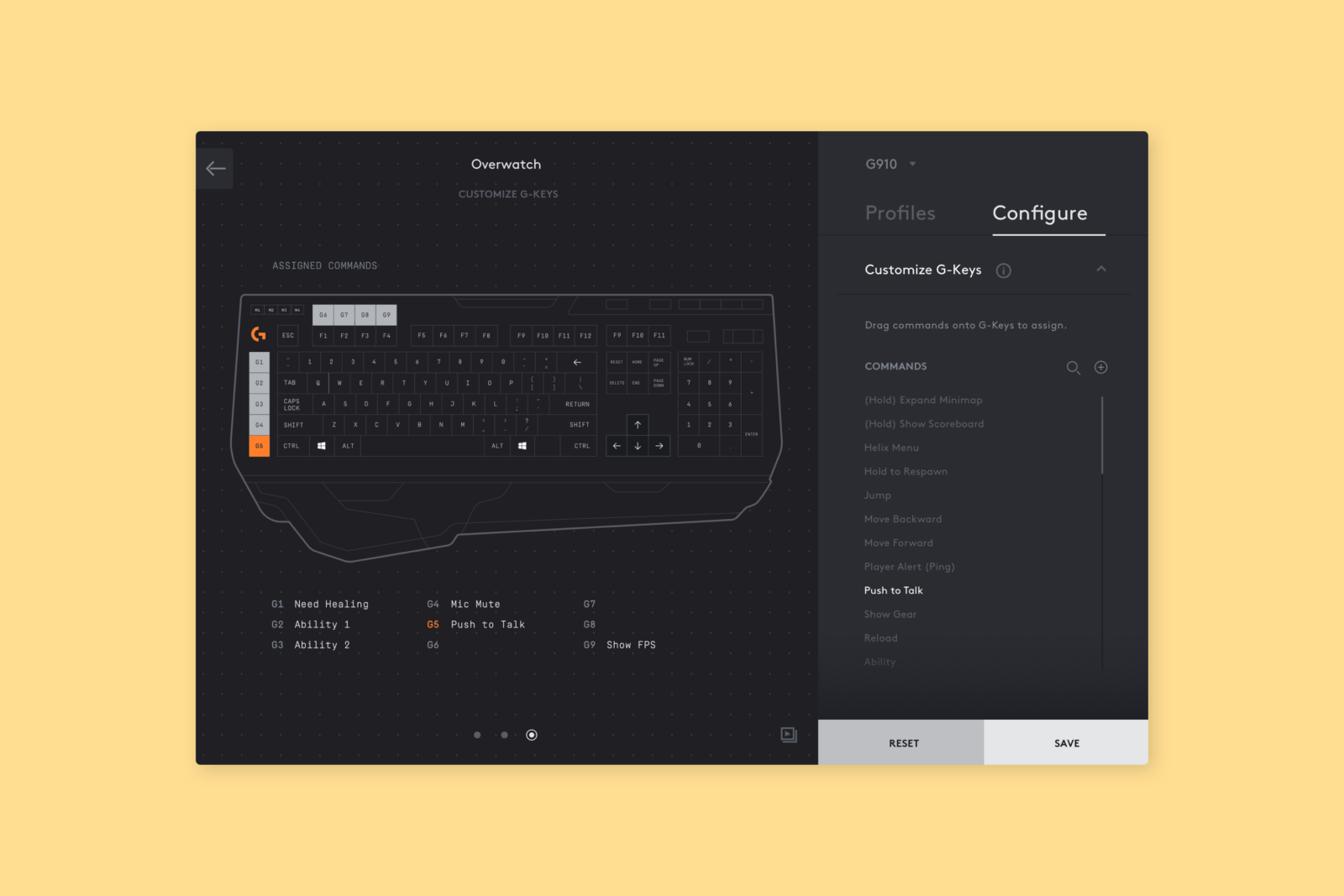
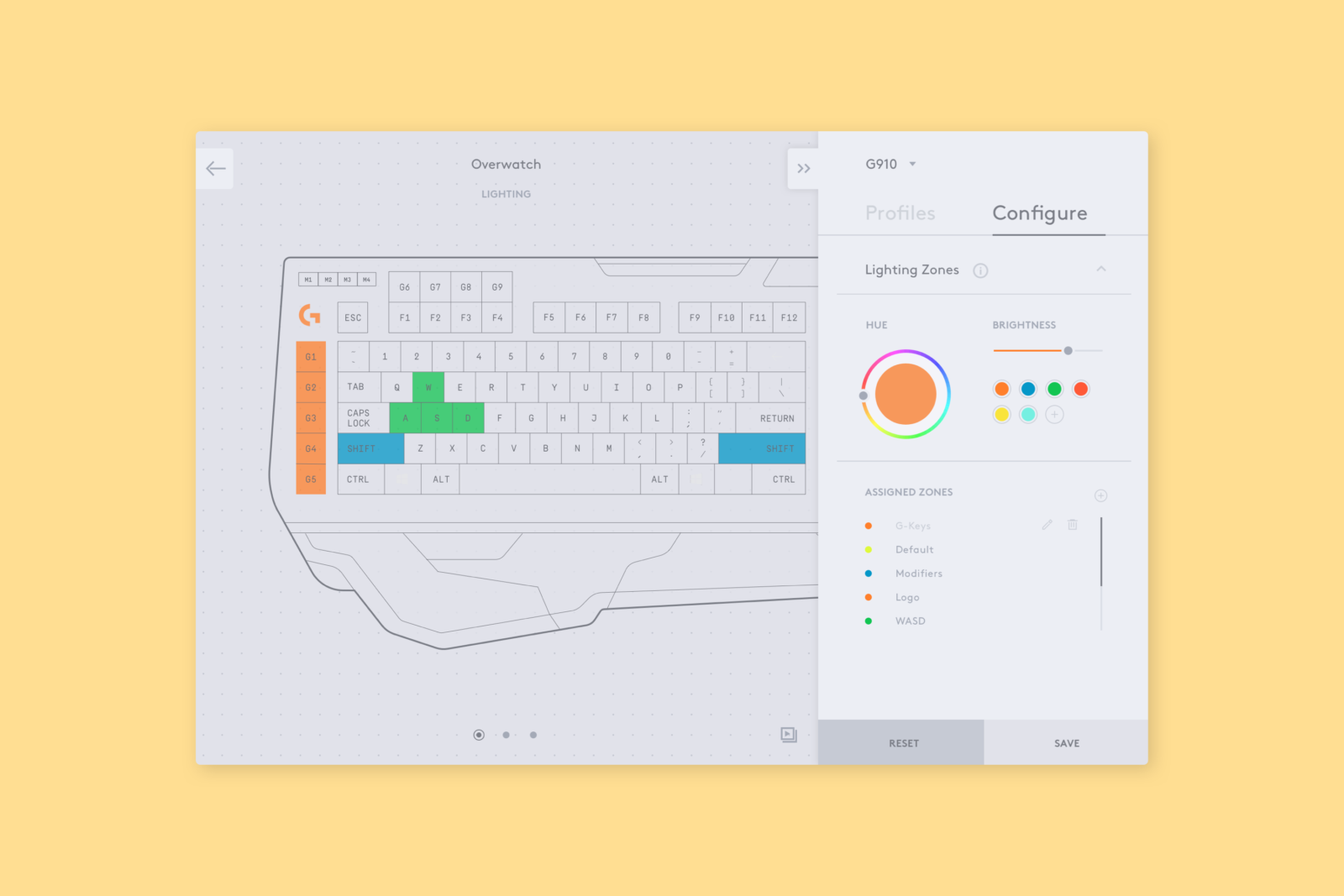
Design elements played on the duality: blueprint illustrations replace devices in configuration mode (seeing inside vs. outside), a background dot grid mimics mouse movements with haptic feedback (physical vs. digital), and illustrations are two-toned. Plates of content slide fluidly in and out of the frame. A scanning motion is utilized to switch screens within configuration, which creates a sense of unveiling what is underneath.
Design elements played on the duality: blueprint illustrations replace devices in configuration mode (seeing inside vs. outside), a background dot grid mimics mouse movements with haptic feedback (physical vs. digital), and illustrations are two-toned. Plates of content slide fluidly in and out of the frame. A scanning motion is utilized to switch screens within configuration, which creates a sense of unveiling what is underneath.
Design elements played on the duality: blueprint illustrations replace devices in configuration mode (seeing inside vs. outside), a background dot grid mimics mouse movements with haptic feedback (physical vs. digital), and illustrations are two-toned. Plates of content slide fluidly in and out of the frame. A scanning motion is utilized to switch screens within configuration, which creates a sense of unveiling what is underneath.
Design elements played on the duality: blueprint illustrations replace devices in configuration mode (seeing inside vs. outside), a background dot grid mimics mouse movements with haptic feedback (physical vs. digital), and illustrations are two-toned. Plates of content slide fluidly in and out of the frame. A scanning motion is utilized to switch screens within configuration, which creates a sense of unveiling what is underneath.
Design elements played on the duality: blueprint illustrations replace devices in configuration mode (seeing inside vs. outside), a background dot grid mimics mouse movements with haptic feedback (physical vs. digital), and illustrations are two-toned. Plates of content slide fluidly in and out of the frame. A scanning motion is utilized to switch screens within configuration, which creates a sense of unveiling what is underneath.
PHASE 01 DELIVERY
At the end of this phase, we delivered our visions for the refreshed LGS system, including two core flows and visual directions.
PHASE 01 DELIVERY
At the end of this phase, we delivered our visions for the refreshed LGS system, including two core flows and visual directions.
PHASE 01 DELIVERY
At the end of this phase, we delivered our visions for the refreshed LGS system, including two core flows and visual directions.
PHASE 01 DELIVERY
At the end of this phase, we delivered our visions for the refreshed LGS system, including two core flows and visual directions.
PHASE 01 DELIVERY
At the end of this phase, we delivered our visions for the refreshed LGS system, including two core flows and visual directions.
Our client enjoyed this concept and returned for a second phase (design refinement, user testing, & final handoff).
↓
Our client enjoyed this concept and returned for a second phase (design refinement, user testing, & final handoff).
↓
Our client enjoyed this concept and returned for a second phase (design refinement, user testing, & final handoff).
↓
Our client enjoyed this concept and returned for a second phase (design refinement, user testing, & final handoff).
↓
Our client enjoyed this concept and returned for a second phase (design refinement, user testing, & final handoff).
↓
Phase 02
ROLE Visual Design, Product Design, Prototyping, User Validation
TEAM David Mayman (Interaction Designer), Anna Soto (Interaction Designer), Nicolas Bourquin (Creative Director), initial visual concept by Mily McClelland
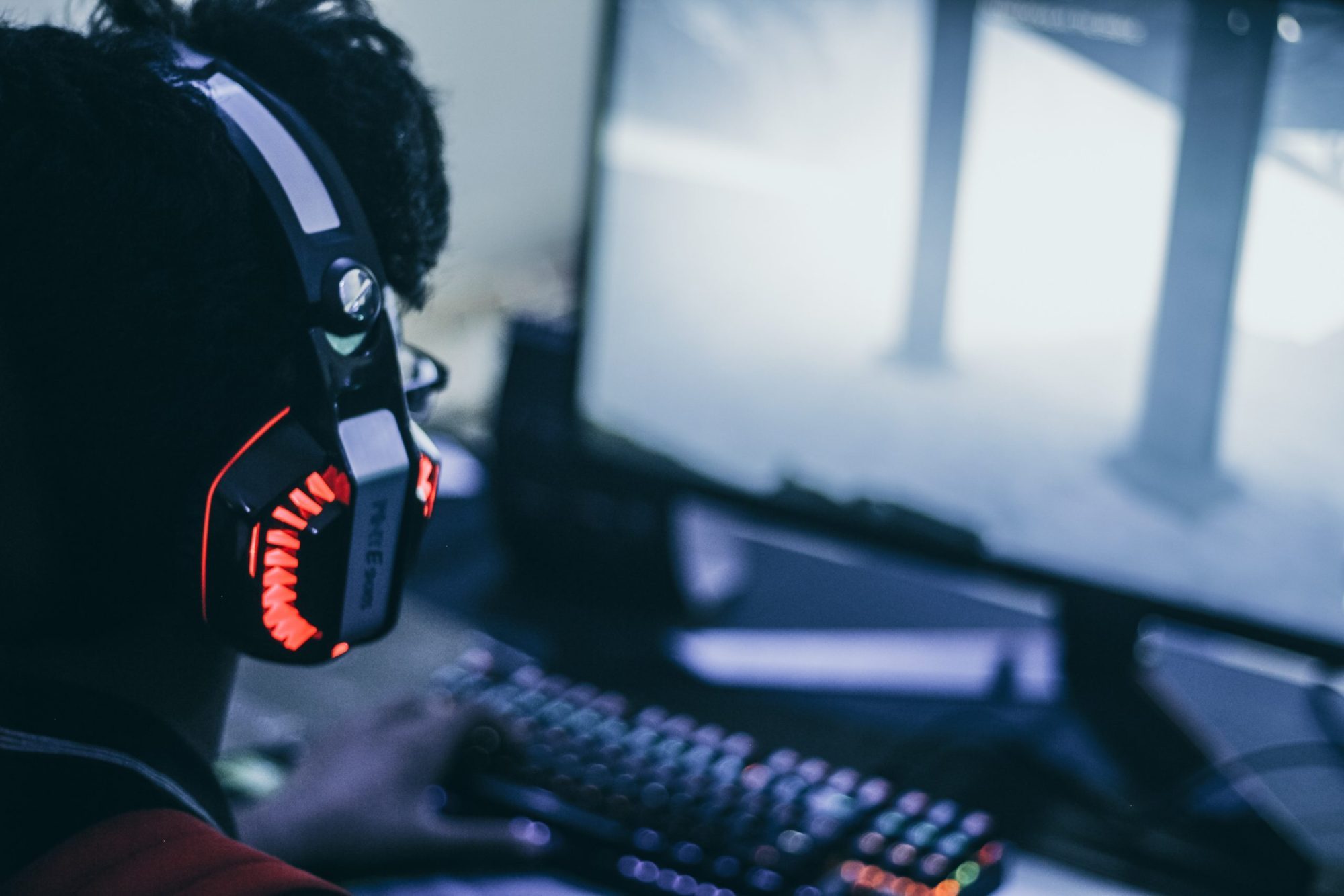
Method's engagement during this phase began with the refinement of our initial concept and the development of a new visual direction—a more cinematic approach. Our goal was to strengthen the robustness of the interface by testing it against more devices, capabilities, and use cases.
Phase 02
ROLE Visual Design, Product Design, Prototyping, User Validation
TEAM David Mayman (Interaction Designer), Anna Soto (Interaction Designer), Nicolas Bourquin (Creative Director), initial visual concept by Mily McClelland
Method's engagement during this phase began with the refinement of our initial concept and the development of a new visual direction—a more cinematic approach. Our goal was to strengthen the robustness of the interface by testing it against more devices, capabilities, and use cases.
Phase 02
ROLE Visual Design, Product Design, Prototyping, User Validation
TEAM David Mayman (Interaction Designer), Anna Soto (Interaction Designer), Nicolas Bourquin (Creative Director), initial visual concept by Mily McClelland
Method's engagement during this phase began with the refinement of our initial concept and the development of a new visual direction—a more cinematic approach. Our goal was to strengthen the robustness of the interface by testing it against more devices, capabilities, and use cases.
Phase 02
ROLE Visual Design, Product Design, Prototyping, User Validation
TEAM David Mayman (Interaction Designer), Anna Soto (Interaction Designer), Nicolas Bourquin (Creative Director), initial visual concept by Mily McClelland
Method's engagement during this phase began with the refinement of our initial concept and the development of a new visual direction—a more cinematic approach. Our goal was to strengthen the robustness of the interface by testing it against more devices, capabilities, and use cases.
Phase 02
ROLE Visual Design, Product Design, Prototyping, User Validation
TEAM David Mayman (Interaction Designer), Anna Soto (Interaction Designer), Nicolas Bourquin (Creative Director), initial visual concept by Mily McClelland
Method's engagement during this phase began with the refinement of our initial concept and the development of a new visual direction—a more cinematic approach. Our goal was to strengthen the robustness of the interface by testing it against more devices, capabilities, and use cases.
BACK TO THE DRAWING BOARD
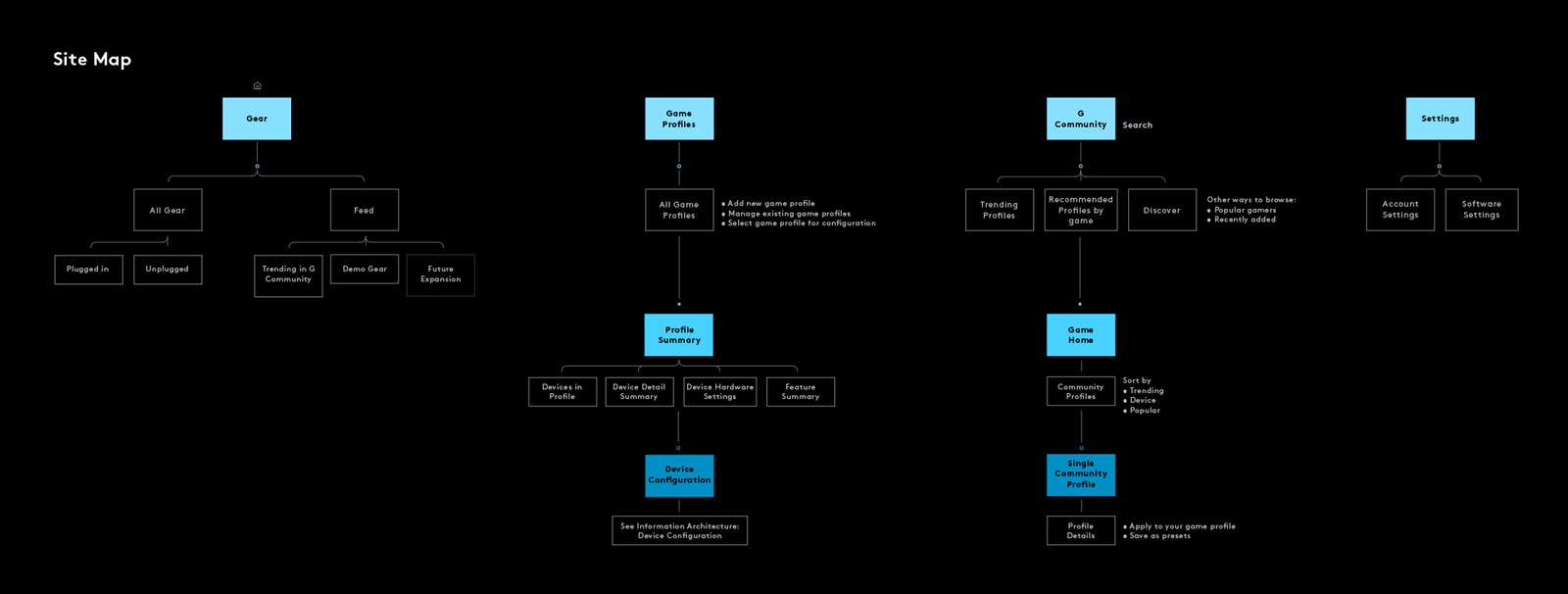
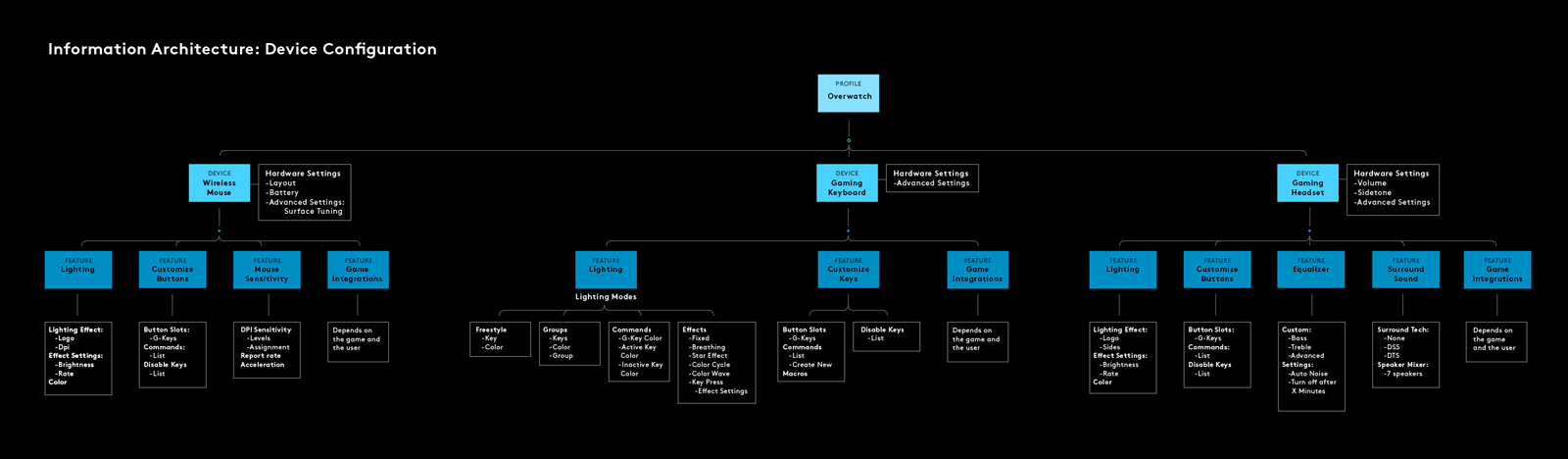
Building on our navigation structure and interaction paradigm, we began defining, testing, and refining the information hierarchy to ensure simplicity and clarity for users. This comprised of minimizing the cognitive load of information, managing new and unknown devices, designing an overall interaction model and behaviors, and managing added functionality.
BACK TO THE DRAWING BOARD
Building on our navigation structure and interaction paradigm, we began defining, testing, and refining the information hierarchy to ensure simplicity and clarity for users. This comprised of minimizing the cognitive load of information, managing new and unknown devices, designing an overall interaction model and behaviors, and managing added functionality.
BACK TO THE DRAWING BOARD
Building on our navigation structure and interaction paradigm, we began defining, testing, and refining the information hierarchy to ensure simplicity and clarity for users. This comprised of minimizing the cognitive load of information, managing new and unknown devices, designing an overall interaction model and behaviors, and managing added functionality.
BACK TO THE DRAWING BOARD
Building on our navigation structure and interaction paradigm, we began defining, testing, and refining the information hierarchy to ensure simplicity and clarity for users. This comprised of minimizing the cognitive load of information, managing new and unknown devices, designing an overall interaction model and behaviors, and managing added functionality.
BACK TO THE DRAWING BOARD
Building on our navigation structure and interaction paradigm, we began defining, testing, and refining the information hierarchy to ensure simplicity and clarity for users. This comprised of minimizing the cognitive load of information, managing new and unknown devices, designing an overall interaction model and behaviors, and managing added functionality.
USER TESTING
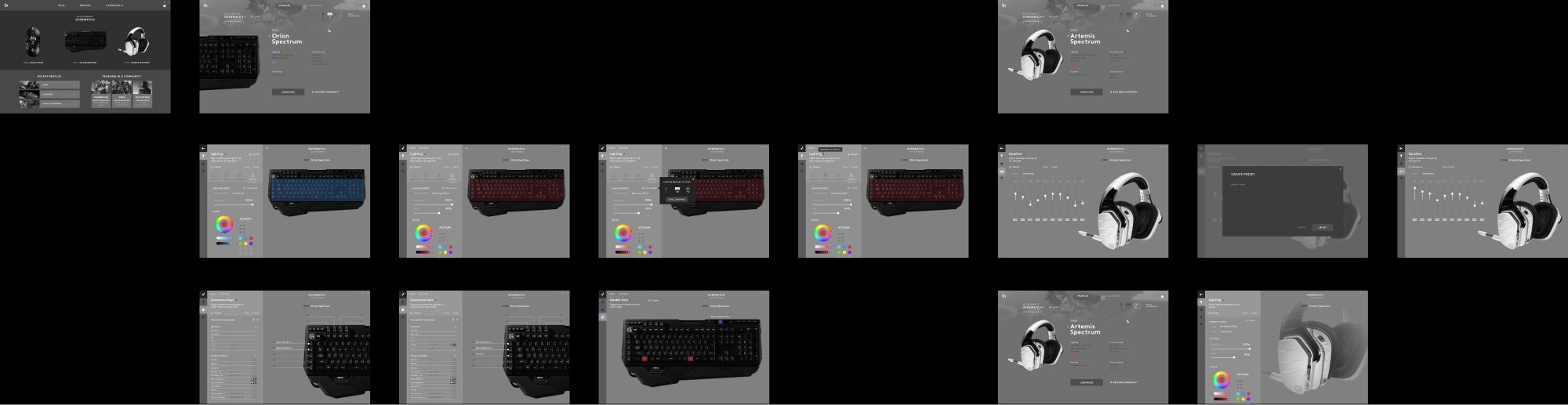
Our team performed a RITE user study over four days to validate the information hierarchy and visual design. We developed our direction into a functional prototype and tested with 12 real users belonging to one of Logitechs G's four market segments. The concept went through four iterations based on daily user testing.
USER TESTING
Our team performed a RITE user study over four days to validate the information hierarchy and visual design. We developed our direction into a functional prototype and tested with 12 real users belonging to one of Logitechs G's four market segments. The concept went through four iterations based on daily user testing.
USER TESTING
Our team performed a RITE user study over four days to validate the information hierarchy and visual design. We developed our direction into a functional prototype and tested with 12 real users belonging to one of Logitechs G's four market segments. The concept went through four iterations based on daily user testing.
USER TESTING
Our team performed a RITE user study over four days to validate the information hierarchy and visual design. We developed our direction into a functional prototype and tested with 12 real users belonging to one of Logitechs G's four market segments. The concept went through four iterations based on daily user testing.
USER TESTING
Our team performed a RITE user study over four days to validate the information hierarchy and visual design. We developed our direction into a functional prototype and tested with 12 real users belonging to one of Logitechs G's four market segments. The concept went through four iterations based on daily user testing.
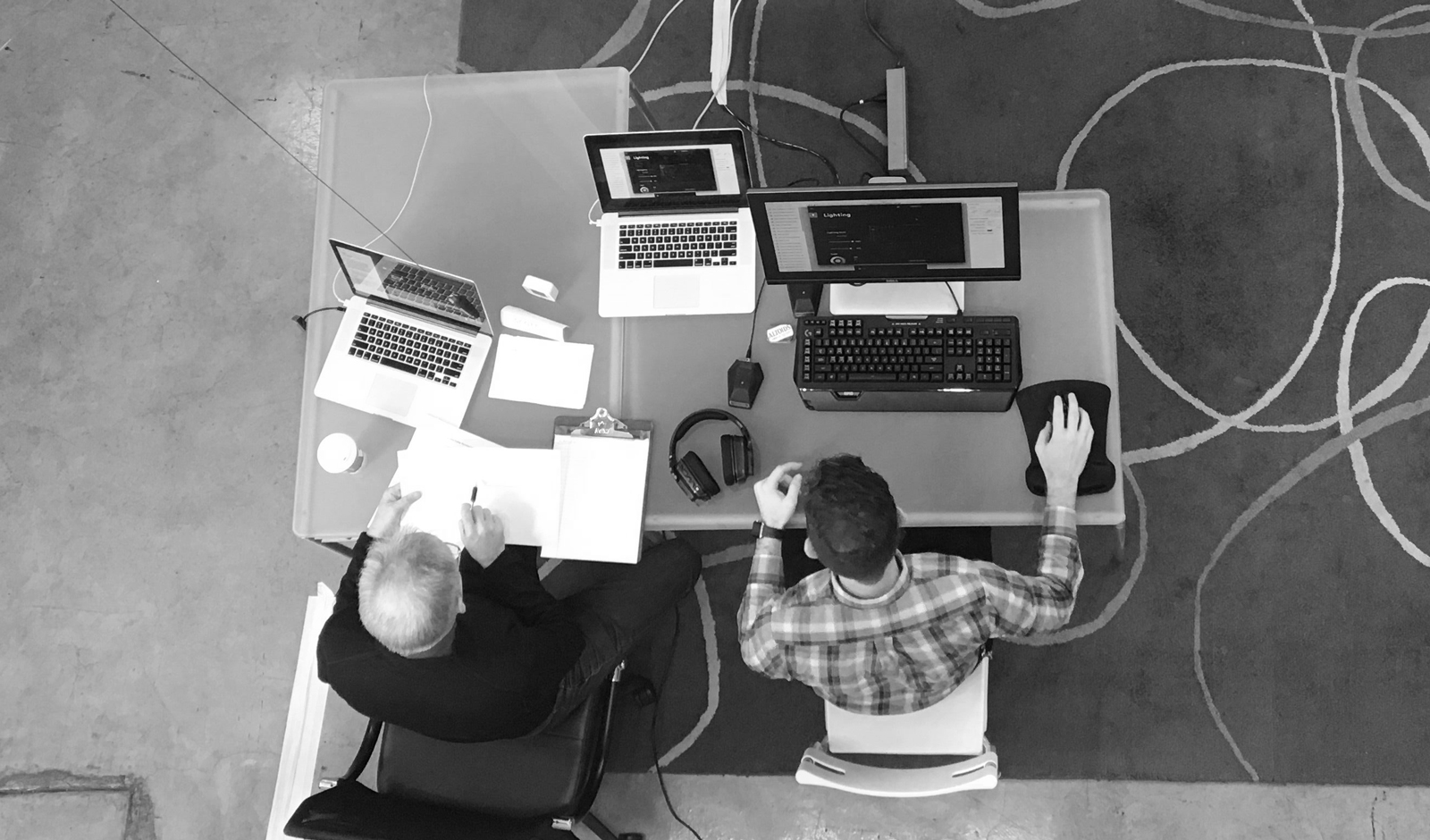
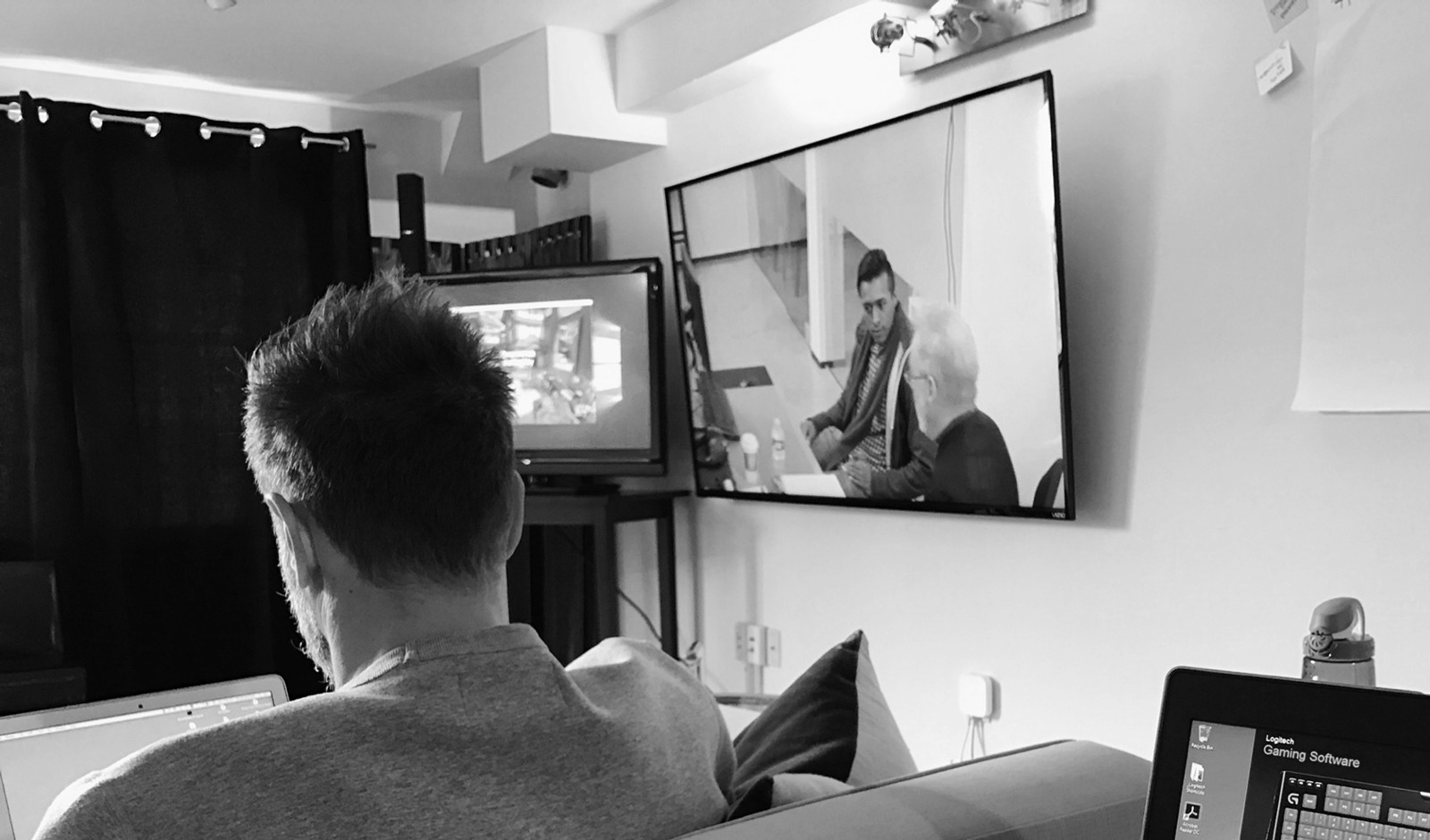
We developed a series of missions and questions to better understand where our designs resonated, where they failed, and where we could improve. We held the sessions in a two-room unit: a moderator and the user ran through the prototype in one room, while our team observed the sessions through a video feed in the other room. For a sense of realism, we controlled the devices from our room to match the configuration choices users were making real-time.
We developed a series of missions and questions to better understand where our designs resonated, where they failed, and where we could improve. We held the sessions in a two-room unit: a moderator and the user ran through the prototype in one room, while our team observed the sessions through a video feed in the other room. For a sense of realism, we controlled the devices from our room to match the configuration choices users were making real-time.
We developed a series of missions and questions to better understand where our designs resonated, where they failed, and where we could improve. We held the sessions in a two-room unit: a moderator and the user ran through the prototype in one room, while our team observed the sessions through a video feed in the other room. For a sense of realism, we controlled the devices from our room to match the configuration choices users were making real-time.
We developed a series of missions and questions to better understand where our designs resonated, where they failed, and where we could improve. We held the sessions in a two-room unit: a moderator and the user ran through the prototype in one room, while our team observed the sessions through a video feed in the other room. For a sense of realism, we controlled the devices from our room to match the configuration choices users were making real-time.
We developed a series of missions and questions to better understand where our designs resonated, where they failed, and where we could improve. We held the sessions in a two-room unit: a moderator and the user ran through the prototype in one room, while our team observed the sessions through a video feed in the other room. For a sense of realism, we controlled the devices from our room to match the configuration choices users were making real-time.
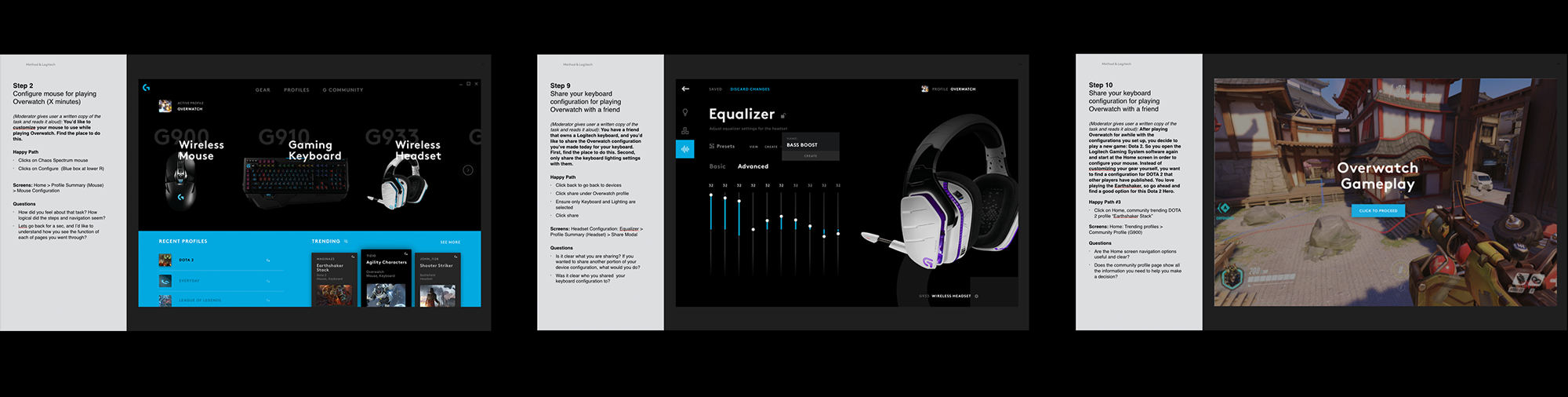
We interviewed three users per day, sythesized our learnings, and rapidly iterated on the prototype in preparation for the next day. See an example below:
We interviewed three users per day, sythesized our learnings, and rapidly iterated on the prototype in preparation for the next day. See an example below:
We interviewed three users per day, sythesized our learnings, and rapidly iterated on the prototype in preparation for the next day. See an example below:
We interviewed three users per day, sythesized our learnings, and rapidly iterated on the prototype in preparation for the next day. See an example below:
We interviewed three users per day, sythesized our learnings, and rapidly iterated on the prototype in preparation for the next day. See an example below:
A CINEMATIC FOCUS
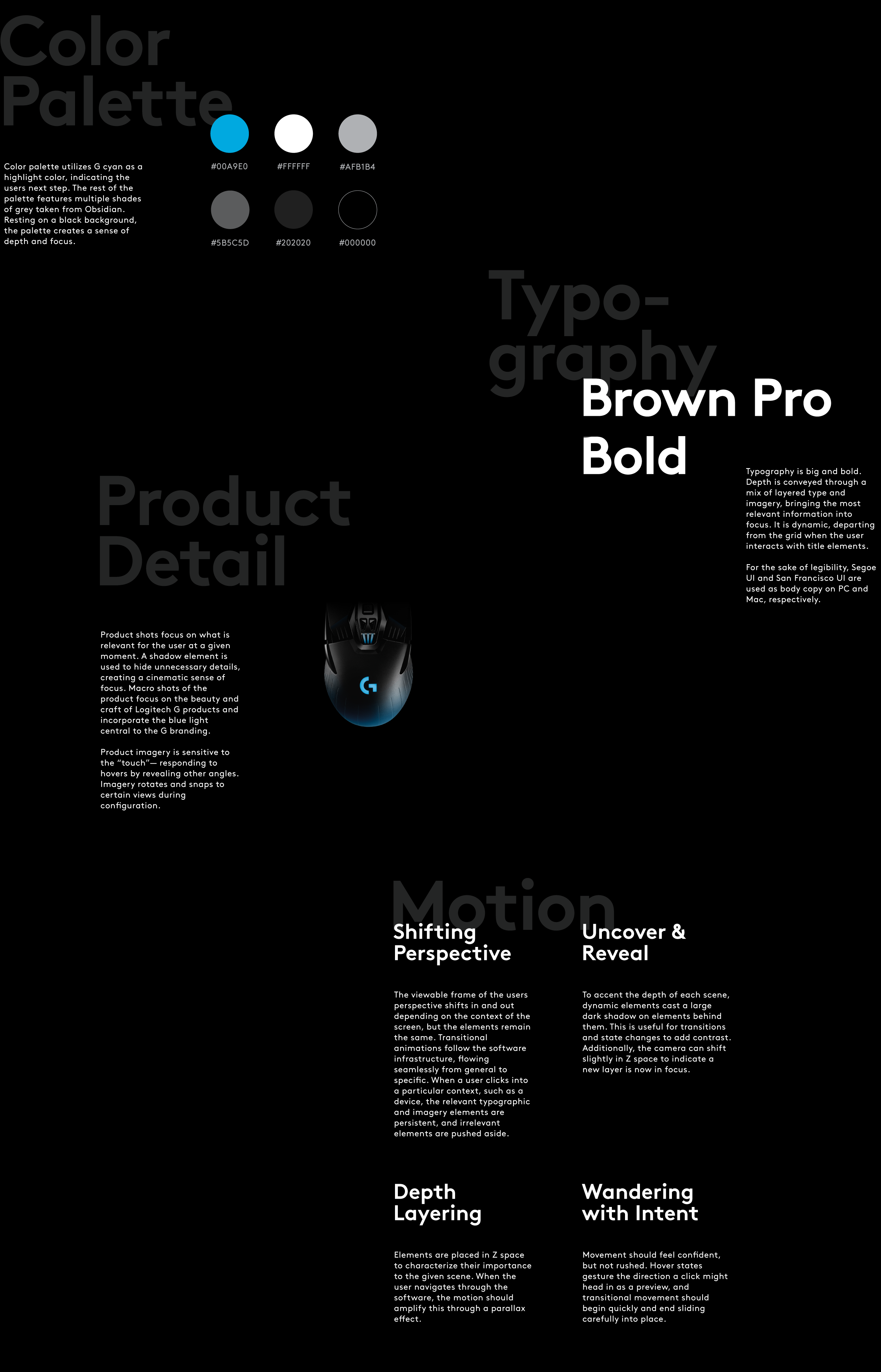
The Logitech G team sought to explore a direction with "floating" UI. Without the structure of content cards and panels, this visual direction finds hierarchy through depth and perspective. All elements are displayed within a black void, and zoom in and out to direct focus. Cinematic, macro product shots rotate 360 degrees, highlighting the beauty of the products and the locations of their features.
A CINEMATIC FOCUS
The Logitech G team sought to explore a direction with "floating" UI. Without the structure of content cards and panels, this visual direction finds hierarchy through depth and perspective. All elements are displayed within a black void, and zoom in and out to direct focus. Cinematic, macro product shots rotate 360 degrees, highlighting the beauty of the products and the locations of their features.
A CINEMATIC FOCUS
The Logitech G team sought to explore a direction with "floating" UI. Without the structure of content cards and panels, this visual direction finds hierarchy through depth and perspective. All elements are displayed within a black void, and zoom in and out to direct focus. Cinematic, macro product shots rotate 360 degrees, highlighting the beauty of the products and the locations of their features.
A CINEMATIC FOCUS
The Logitech G team sought to explore a direction with "floating" UI. Without the structure of content cards and panels, this visual direction finds hierarchy through depth and perspective. All elements are displayed within a black void, and zoom in and out to direct focus. Cinematic, macro product shots rotate 360 degrees, highlighting the beauty of the products and the locations of their features.
A CINEMATIC FOCUS
The Logitech G team sought to explore a direction with "floating" UI. Without the structure of content cards and panels, this visual direction finds hierarchy through depth and perspective. All elements are displayed within a black void, and zoom in and out to direct focus. Cinematic, macro product shots rotate 360 degrees, highlighting the beauty of the products and the locations of their features.
ANIMATION PRINCIPLES
Motion is what brings our interaction model to life. By mirroring depth and perspective in the real world, we cultivate an understanding of space within the void and increase the tangibility and intuitiveness of our information architecture. Macro and micro views define areas of focus and hierarchy. We mimicked game experiences through delightful micro-interactions and gamification, deliberately injected into the design to help users explore the benefits of configuration. A sense of dynamism is maintained throughout with subtle parallax transitions and a shifting type grid, careful to not overpower the experience.
ANIMATION PRINCIPLES
Motion is what brings our interaction model to life. By mirroring depth and perspective in the real world, we cultivate an understanding of space within the void and increase the tangibility and intuitiveness of our information architecture. Macro and micro views define areas of focus and hierarchy. We mimicked game experiences through delightful micro-interactions and gamification, deliberately injected into the design to help users explore the benefits of configuration. A sense of dynamism is maintained throughout with subtle parallax transitions and a shifting type grid, careful to not overpower the experience.
ANIMATION PRINCIPLES
Motion is what brings our interaction model to life. By mirroring depth and perspective in the real world, we cultivate an understanding of space within the void and increase the tangibility and intuitiveness of our information architecture. Macro and micro views define areas of focus and hierarchy. We mimicked game experiences through delightful micro-interactions and gamification, deliberately injected into the design to help users explore the benefits of configuration. A sense of dynamism is maintained throughout with subtle parallax transitions and a shifting type grid, careful to not overpower the experience.
ANIMATION PRINCIPLES
Motion is what brings our interaction model to life. By mirroring depth and perspective in the real world, we cultivate an understanding of space within the void and increase the tangibility and intuitiveness of our information architecture. Macro and micro views define areas of focus and hierarchy. We mimicked game experiences through delightful micro-interactions and gamification, deliberately injected into the design to help users explore the benefits of configuration. A sense of dynamism is maintained throughout with subtle parallax transitions and a shifting type grid, careful to not overpower the experience.
ANIMATION PRINCIPLES
Motion is what brings our interaction model to life. By mirroring depth and perspective in the real world, we cultivate an understanding of space within the void and increase the tangibility and intuitiveness of our information architecture. Macro and micro views define areas of focus and hierarchy. We mimicked game experiences through delightful micro-interactions and gamification, deliberately injected into the design to help users explore the benefits of configuration. A sense of dynamism is maintained throughout with subtle parallax transitions and a shifting type grid, careful to not overpower the experience.
01. Shifting Perspective
The viewable frame of the users perspective shifts in and out depending on the context of the screen, but the elements remain the same. Seamless flowing from general to specific. Relevant typographic and imagery elements are persistent, and irrelevant elements are pushed aside.
01. Shifting Perspective
The viewable frame of the users perspective shifts in and out depending on the context of the screen, but the elements remain the same. Seamless flowing from general to specific. Relevant typographic and imagery elements are persistent, and irrelevant elements are pushed aside.
01. Shifting Perspective
The viewable frame of the users perspective shifts in and out depending on the context of the screen, but the elements remain the same. Seamless flowing from general to specific. Relevant typographic and imagery elements are persistent, and irrelevant elements are pushed aside.
01. Shifting Perspective
The viewable frame of the users perspective shifts in and out depending on the context of the screen, but the elements remain the same. Seamless flowing from general to specific. Relevant typographic and imagery elements are persistent, and irrelevant elements are pushed aside.
01. Shifting Perspective
The viewable frame of the users perspective shifts in and out depending on the context of the screen, but the elements remain the same. Seamless flowing from general to specific. Relevant typographic and imagery elements are persistent, and irrelevant elements are pushed aside.
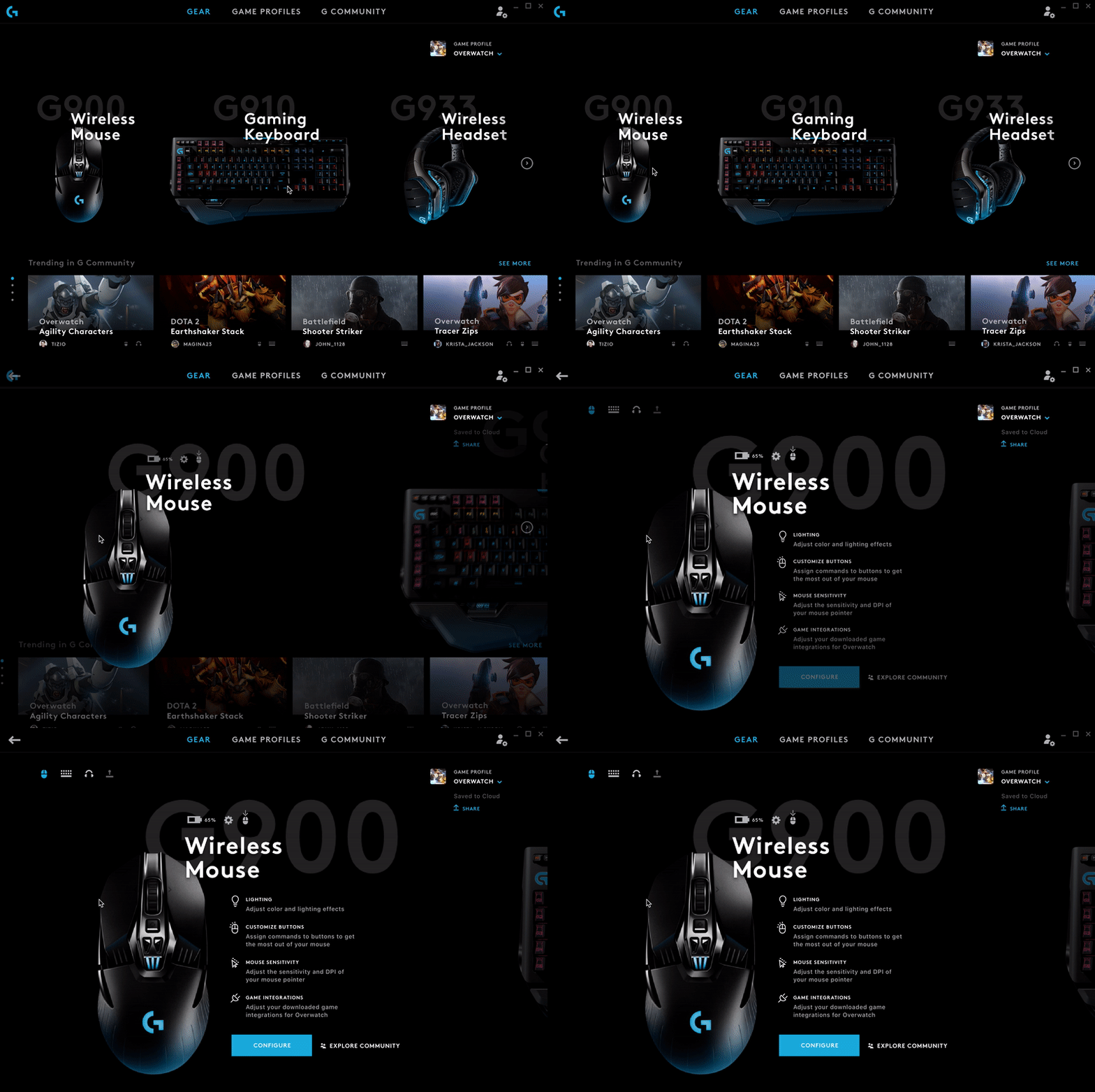
02. Depth Layering
Elements are placed in Z space to characterize their importance to the given scene.When the user navigates through the software, the motion should amplify this through a parallax effect.
02. Depth Layering
Elements are placed in Z space to characterize their importance to the given scene. When the user navigates through the software, the motion should amplify this through a parallax effect.
02. Depth Layering
Elements are placed in Z space to characterize their importance to the given scene. When the user navigates through the software, the motion should amplify this through a parallax effect.
02. Depth Layering
Elements are placed in Z space to characterize their importance to the given scene. When the user navigates through the software, the motion should amplify this through a parallax effect.
02. Depth Layering
Elements are placed in Z space to characterize their importance to the given scene. When the user navigates through the software, the motion should amplify this through a parallax effect.
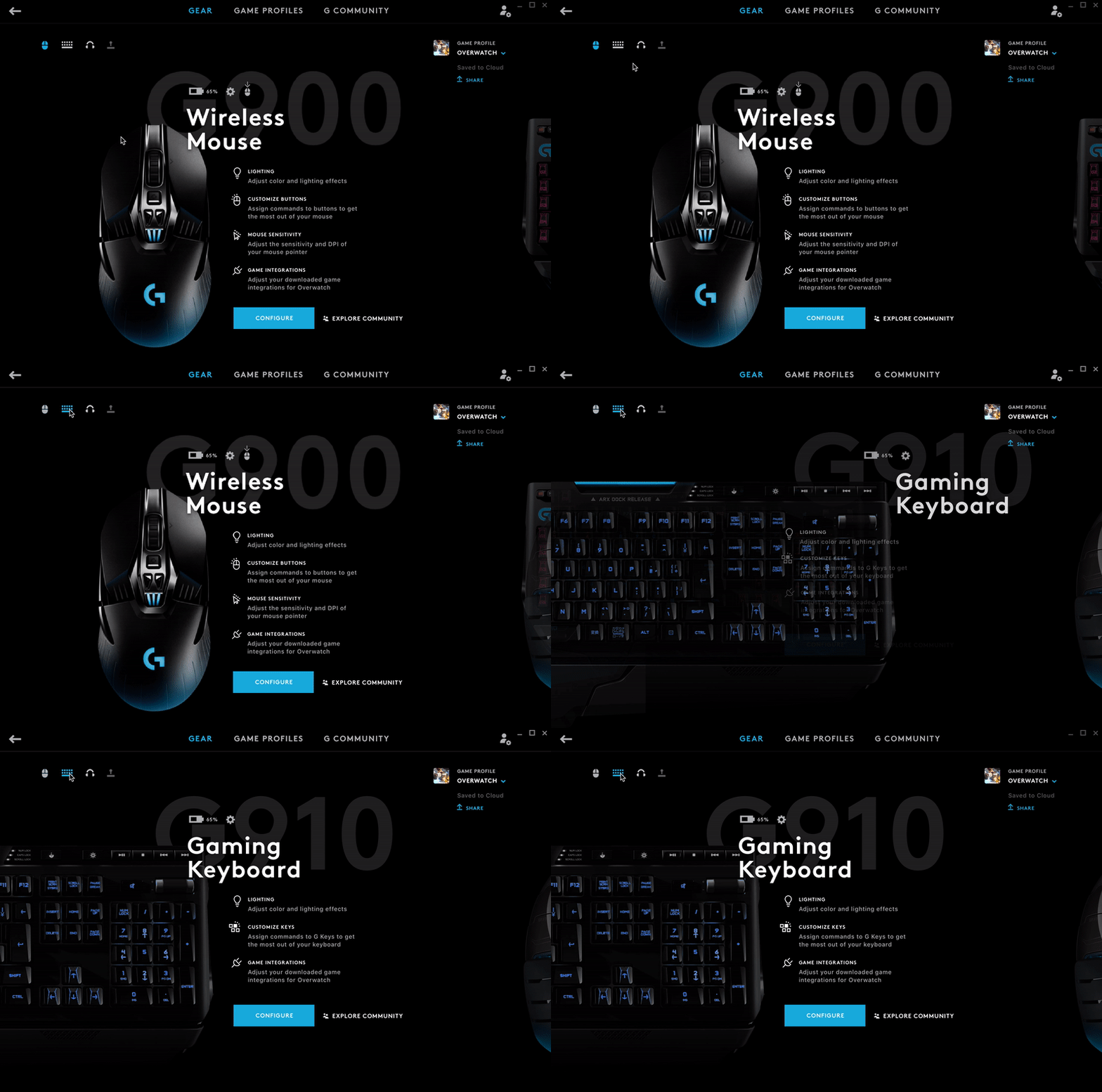
03. Uncover & Reveal
To accent the depth of each scene, dynamic elements cast a large dark shadow on elements behind them. This is useful for transitions and state changes to add contrast. Additionally, the camera can shift slightly in Z space to indicate a new layer is now in focus.
03. Uncover & Reveal
To accent the depth of each scene, dynamic elements cast a large dark shadow on elements behind them. This is useful for transitions and state changes to add contrast. Additionally, the camera can shift slightly in Z space to indicate a new layer is now in focus.
03. Uncover & Reveal
To accent the depth of each scene, dynamic elements cast a large dark shadow on elements behind them. This is useful for transitions and state changes to add contrast. Additionally, the camera can shift slightly in Z space to indicate a new layer is now in focus.
03. Uncover & Reveal
To accent the depth of each scene, dynamic elements cast a large dark shadow on elements behind them. This is useful for transitions and state changes to add contrast. Additionally, the camera can shift slightly in Z space to indicate a new layer is now in focus.
03. Uncover & Reveal
To accent the depth of each scene, dynamic elements cast a large dark shadow on elements behind them. This is useful for transitions and state changes to add contrast. Additionally, the camera can shift slightly in Z space to indicate a new layer is now in focus.
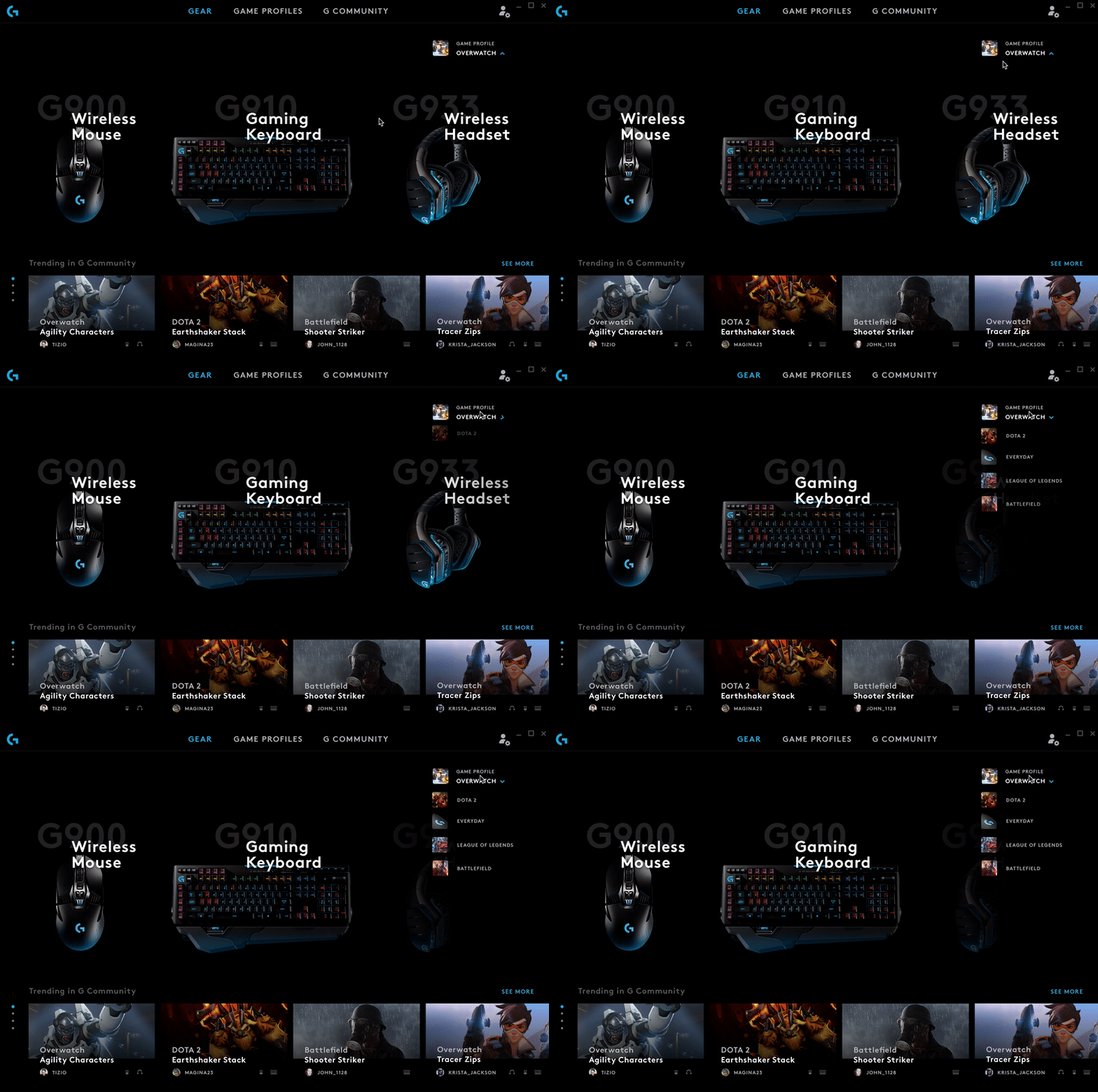
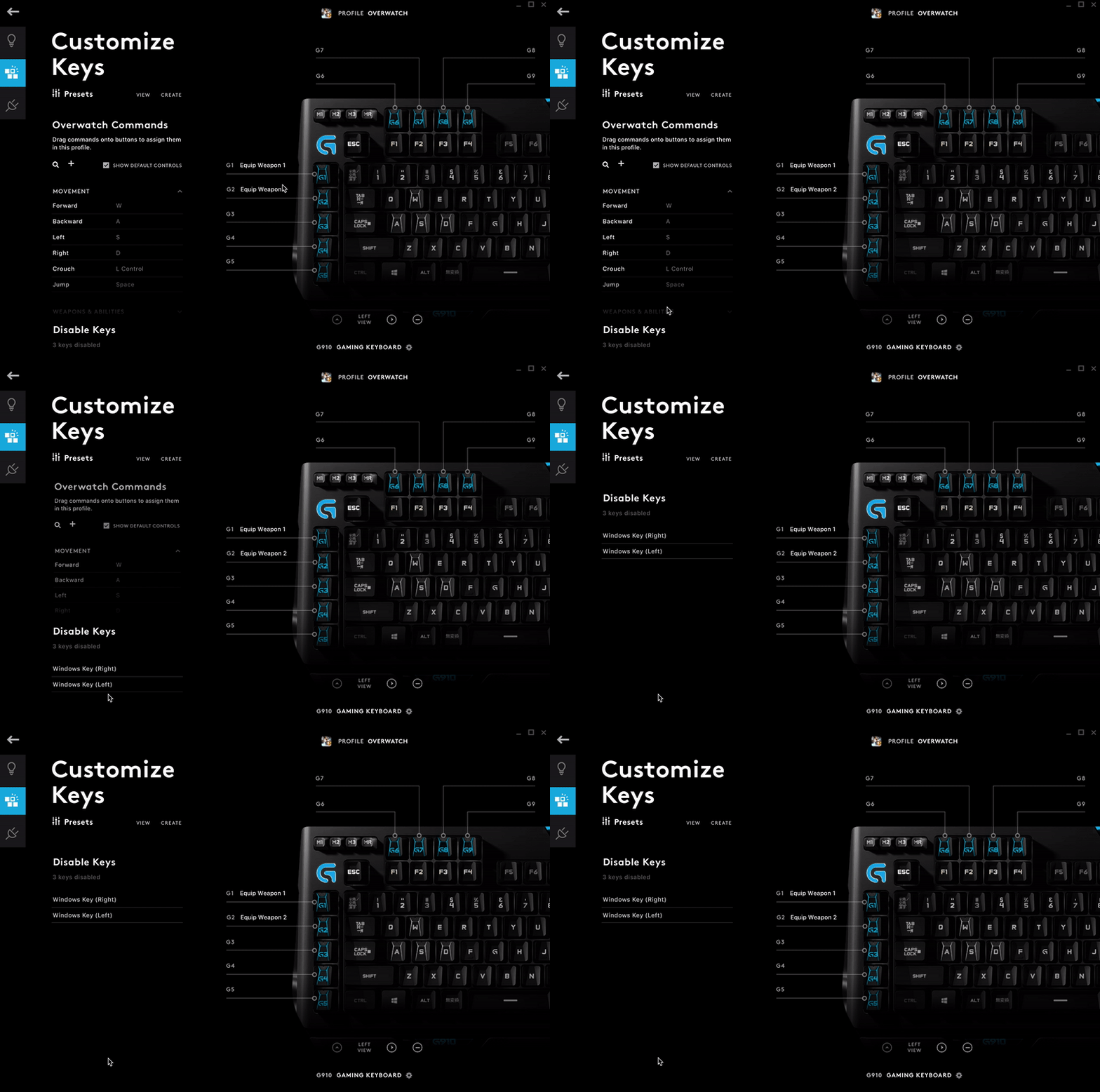
FINAL DELIVERY
At the end of our partnership, we delivered a comprehensive refined, tested, and validated concept for the new LGS, along with materials to set the Logitech team up for a smooth development process.
Logitech G Hub v.1 was released mid-2018 and is used by gamers around the world.
FINAL DELIVERY
At the end of our partnership, we delivered a comprehensive refined, tested, and validated concept for the new LGS, along with materials to set the Logitech team up for a smooth development process.
Logitech G Hub v.1 was released mid-2018 and is used by gamers around the world.
FINAL DELIVERY
At the end of our partnership, we delivered a comprehensive refined, tested, and validated concept for the new LGS, along with materials to set the Logitech team up for a smooth development process.
Logitech G Hub v.1 was released mid-2018 and is used by gamers around the world.
FINAL DELIVERY
At the end of our partnership, we delivered a comprehensive refined, tested, and validated concept for the new LGS, along with materials to set the Logitech team up for a smooth development process.
Logitech G Hub v.1 was released mid-2018 and is used by gamers around the world.
FINAL DELIVERY
At the end of our partnership, we delivered a comprehensive refined, tested, and validated concept for the new LGS, along with materials to set the Logitech team up for a smooth development process.
Logitech G Hub v.1 was released mid-2018 and is used by gamers around the world.
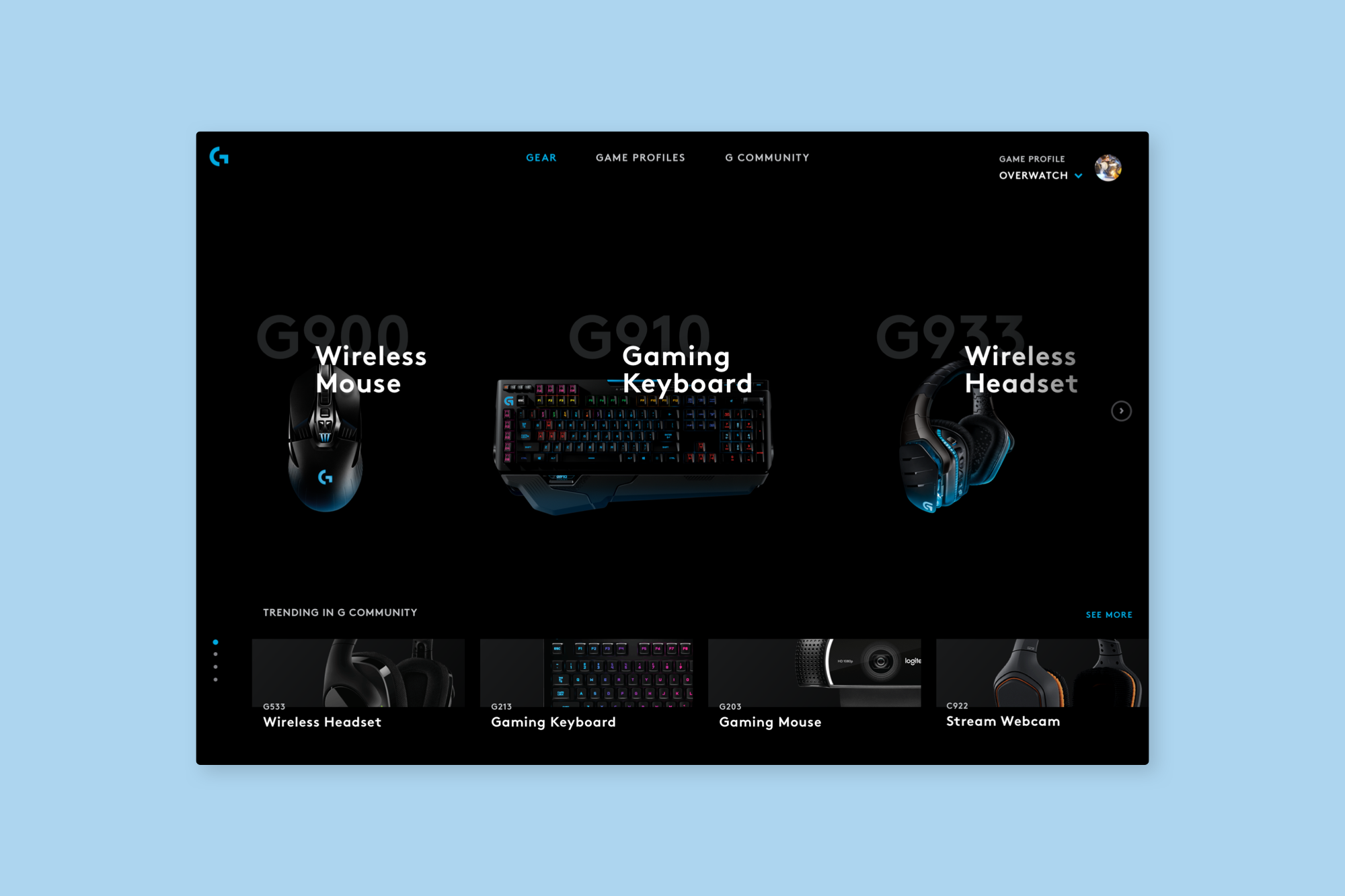
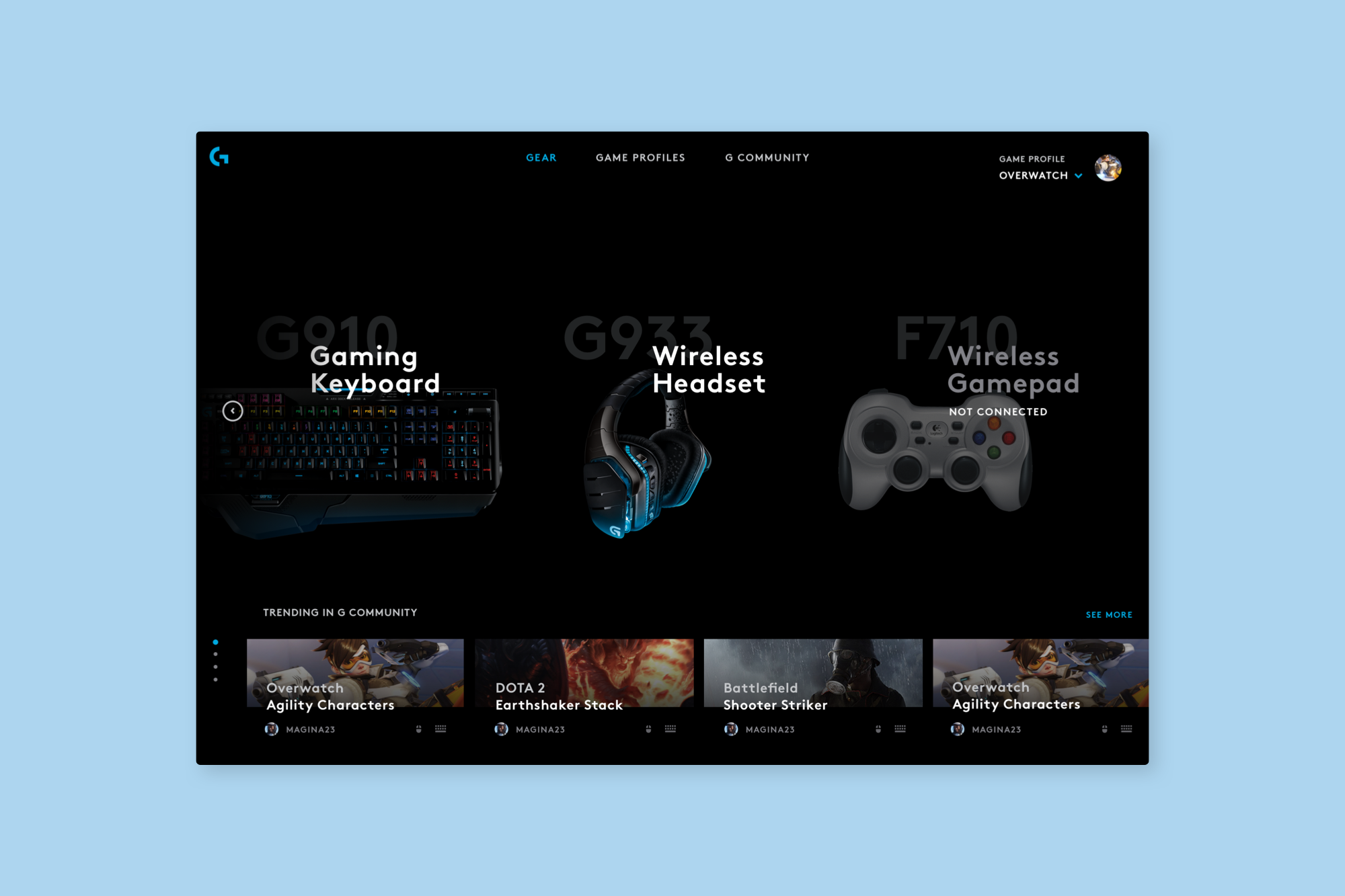
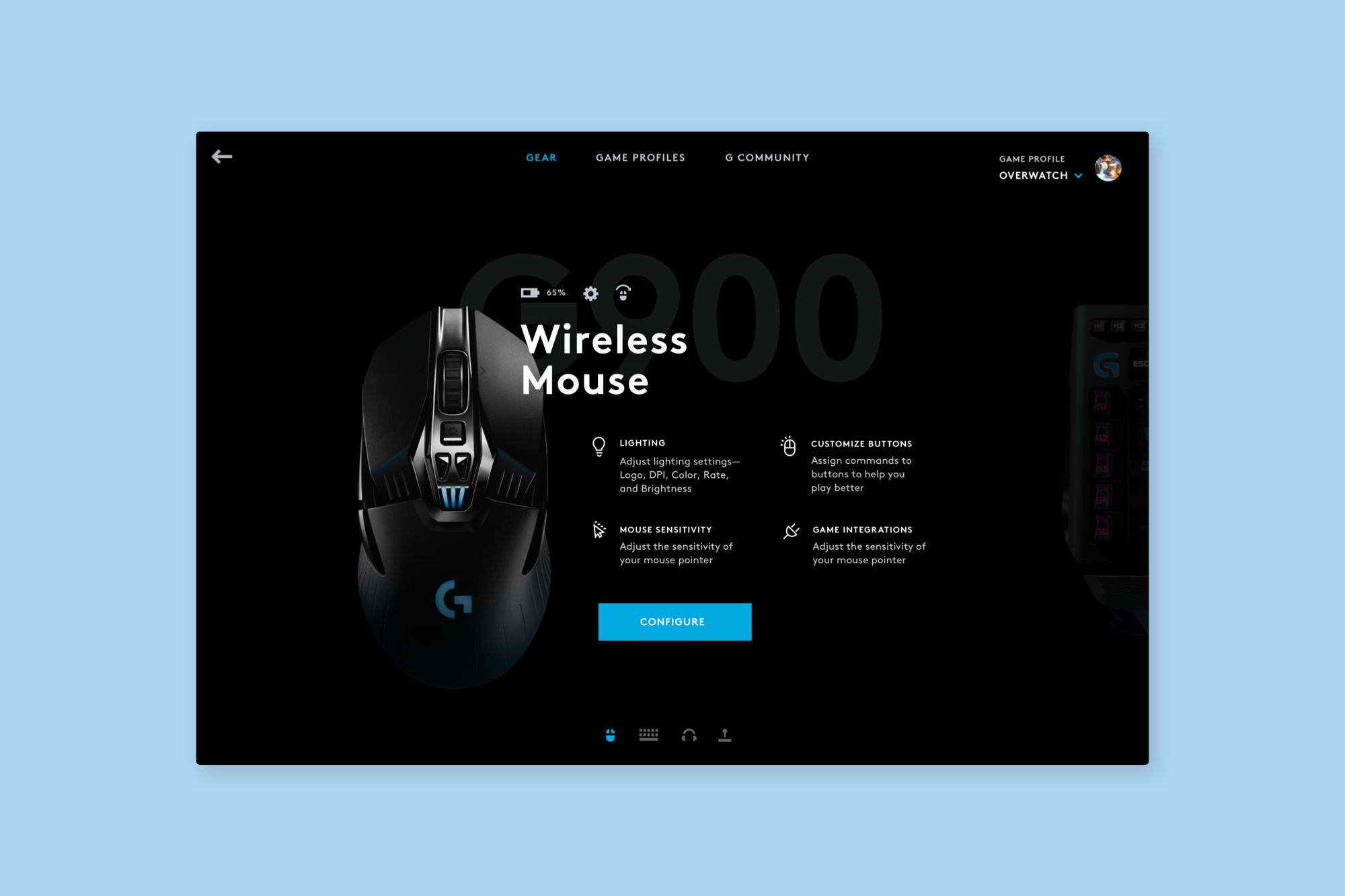
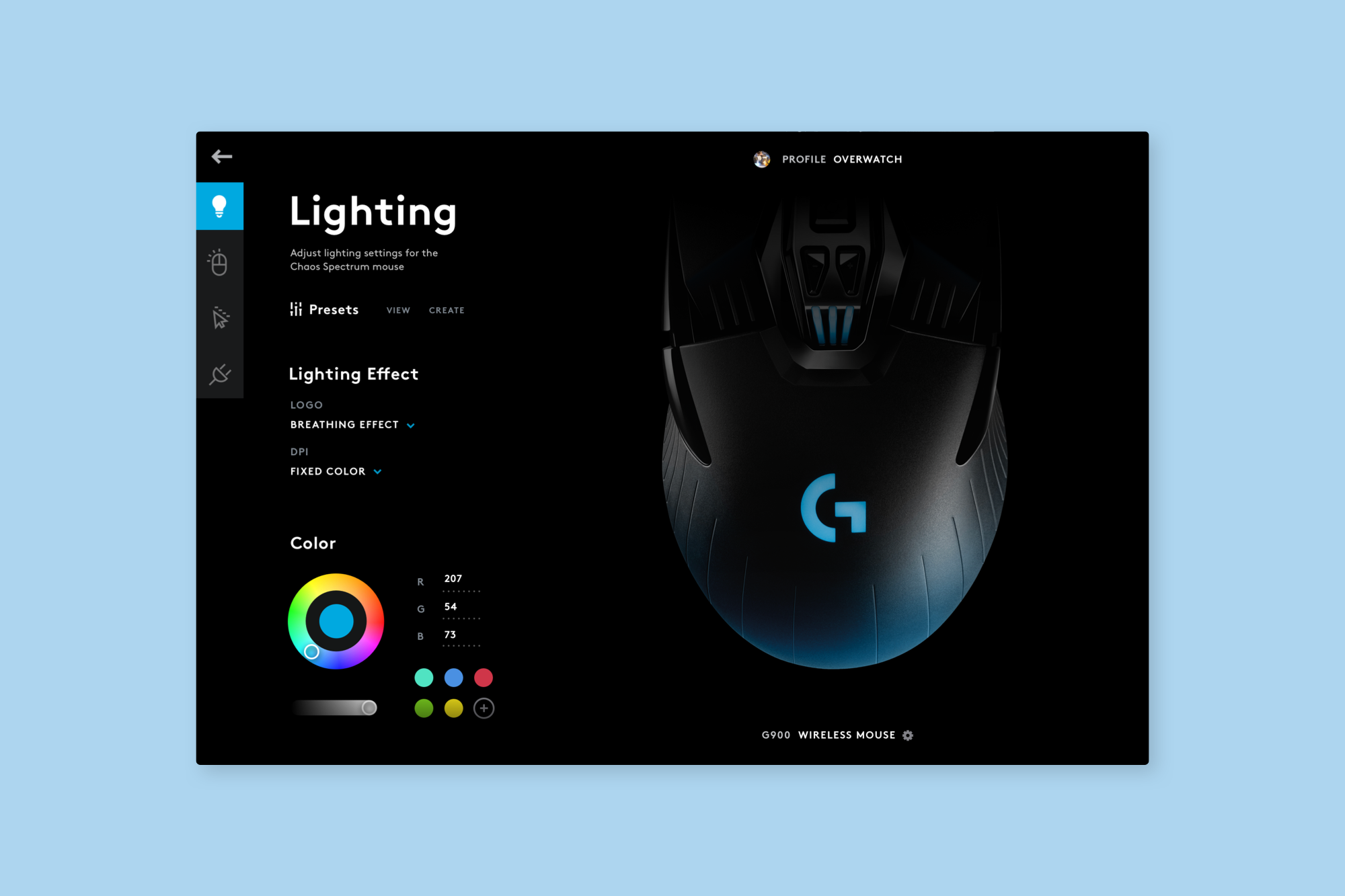
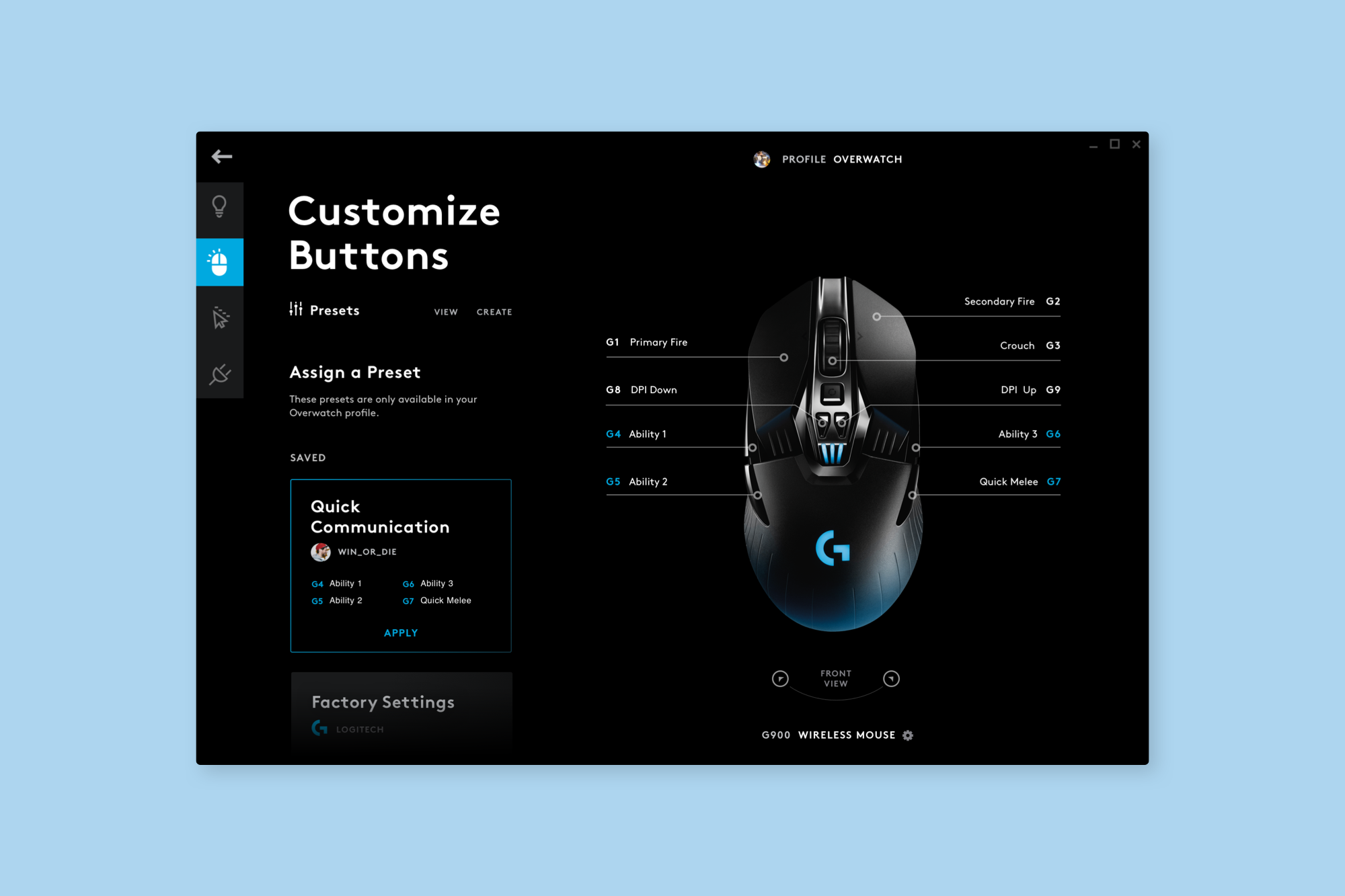
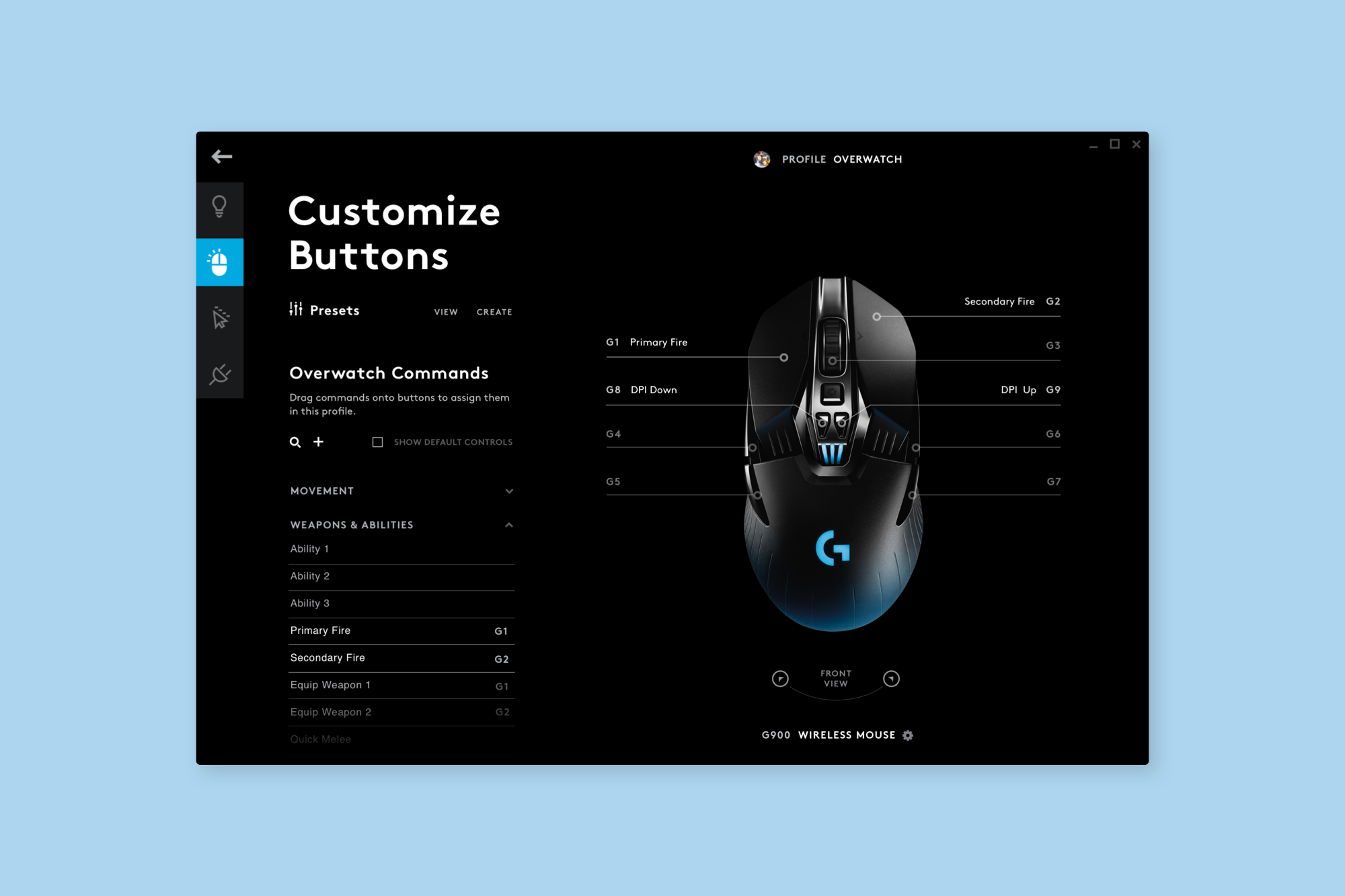
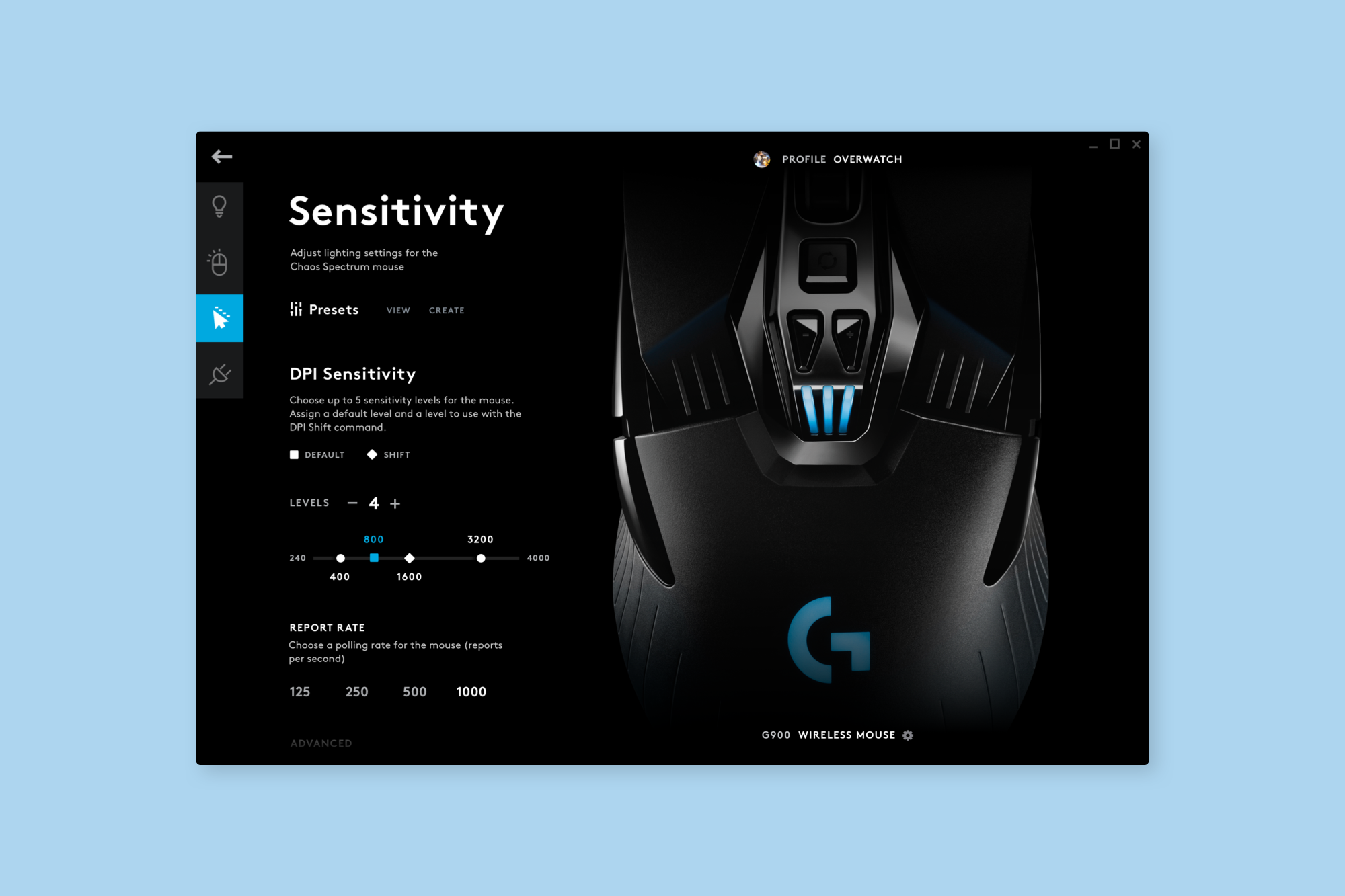
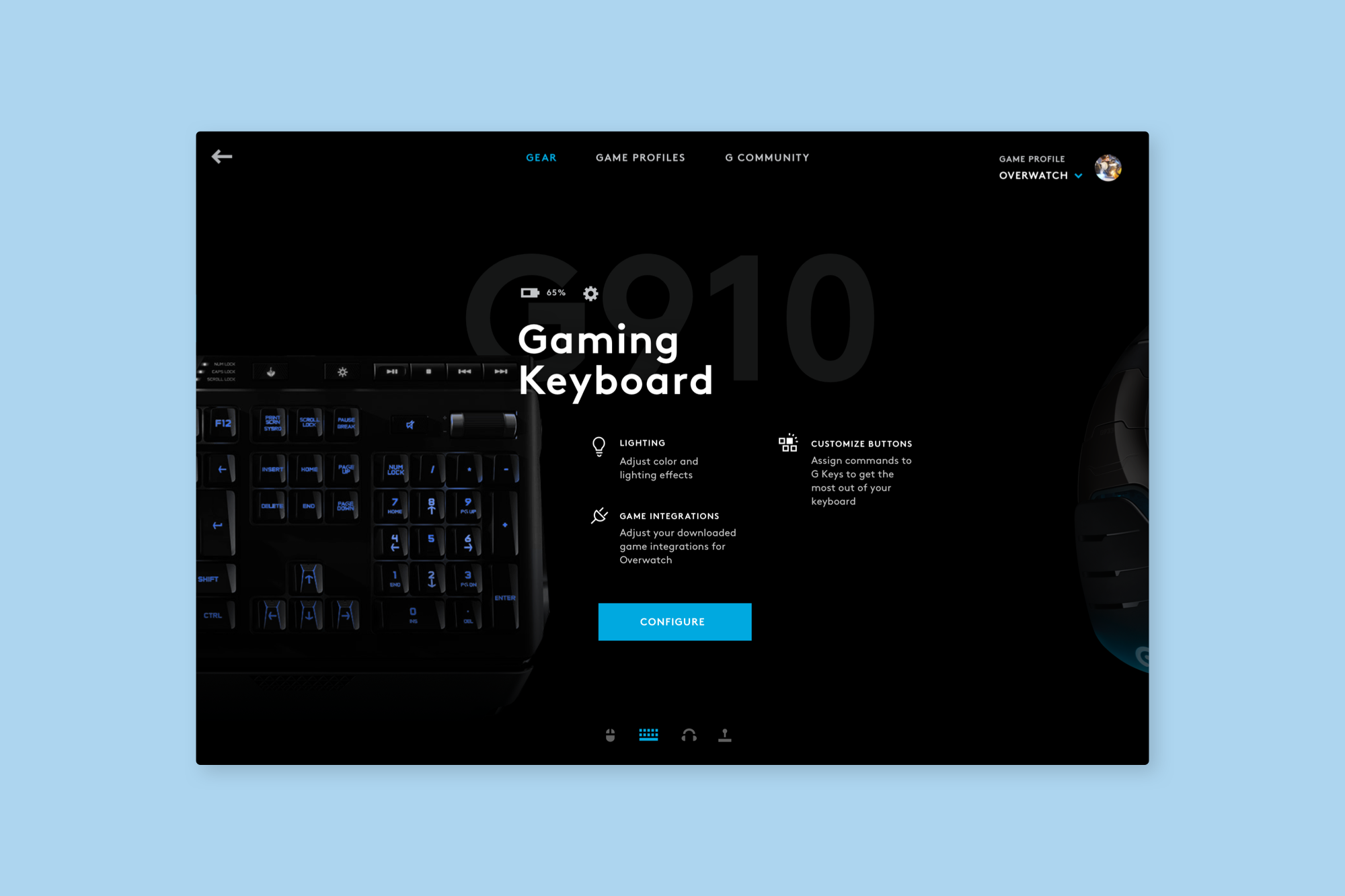
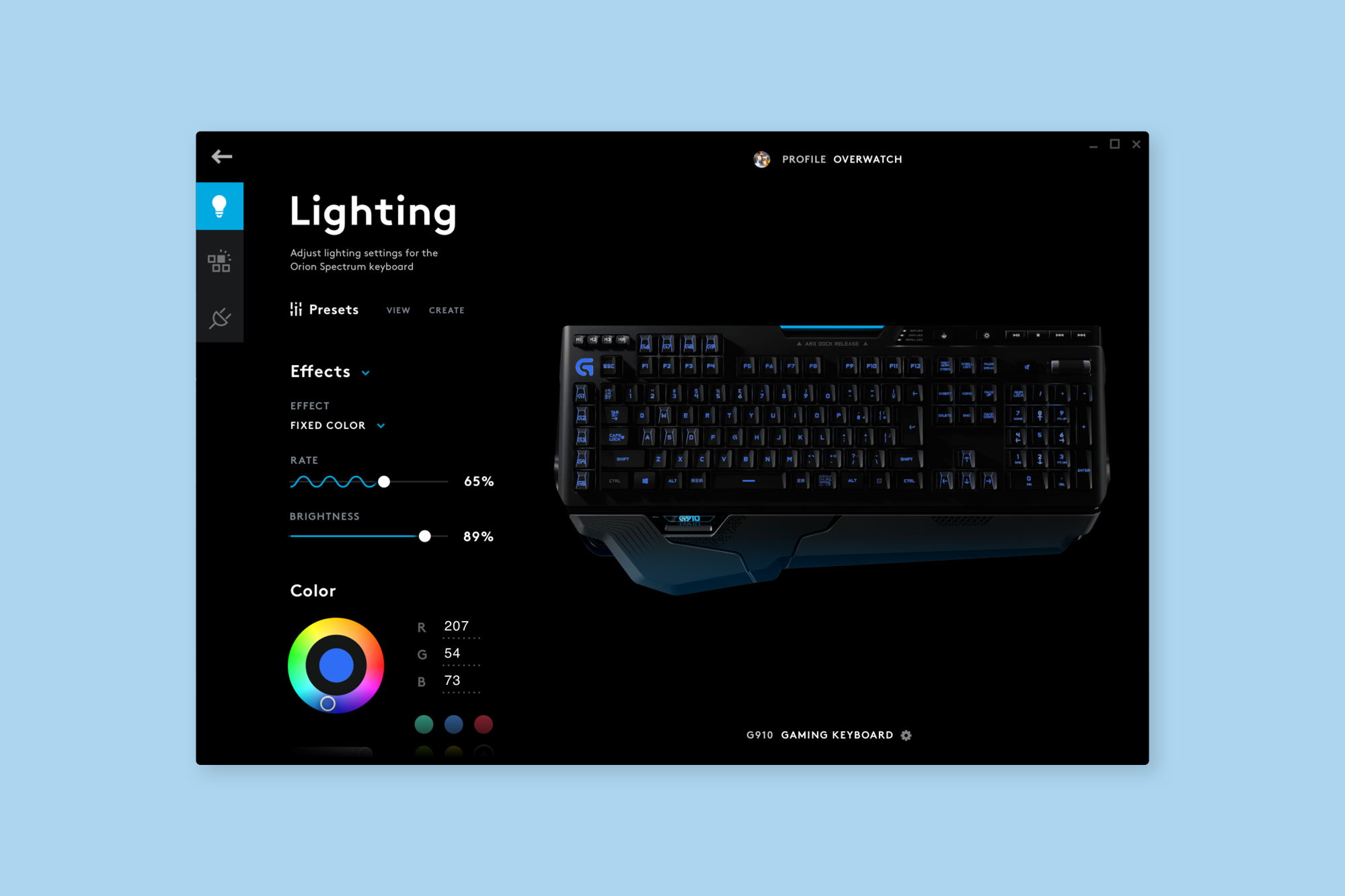
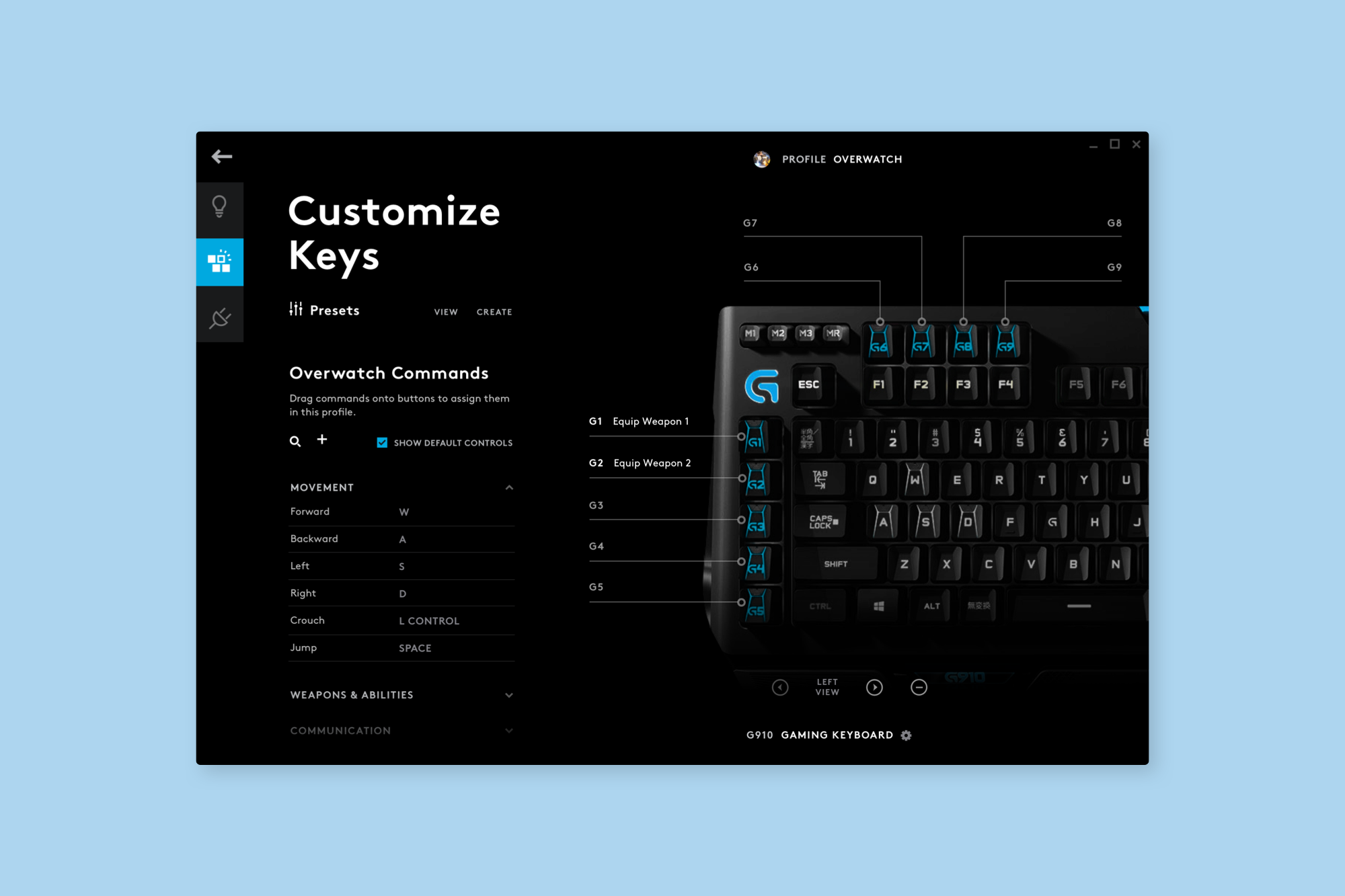
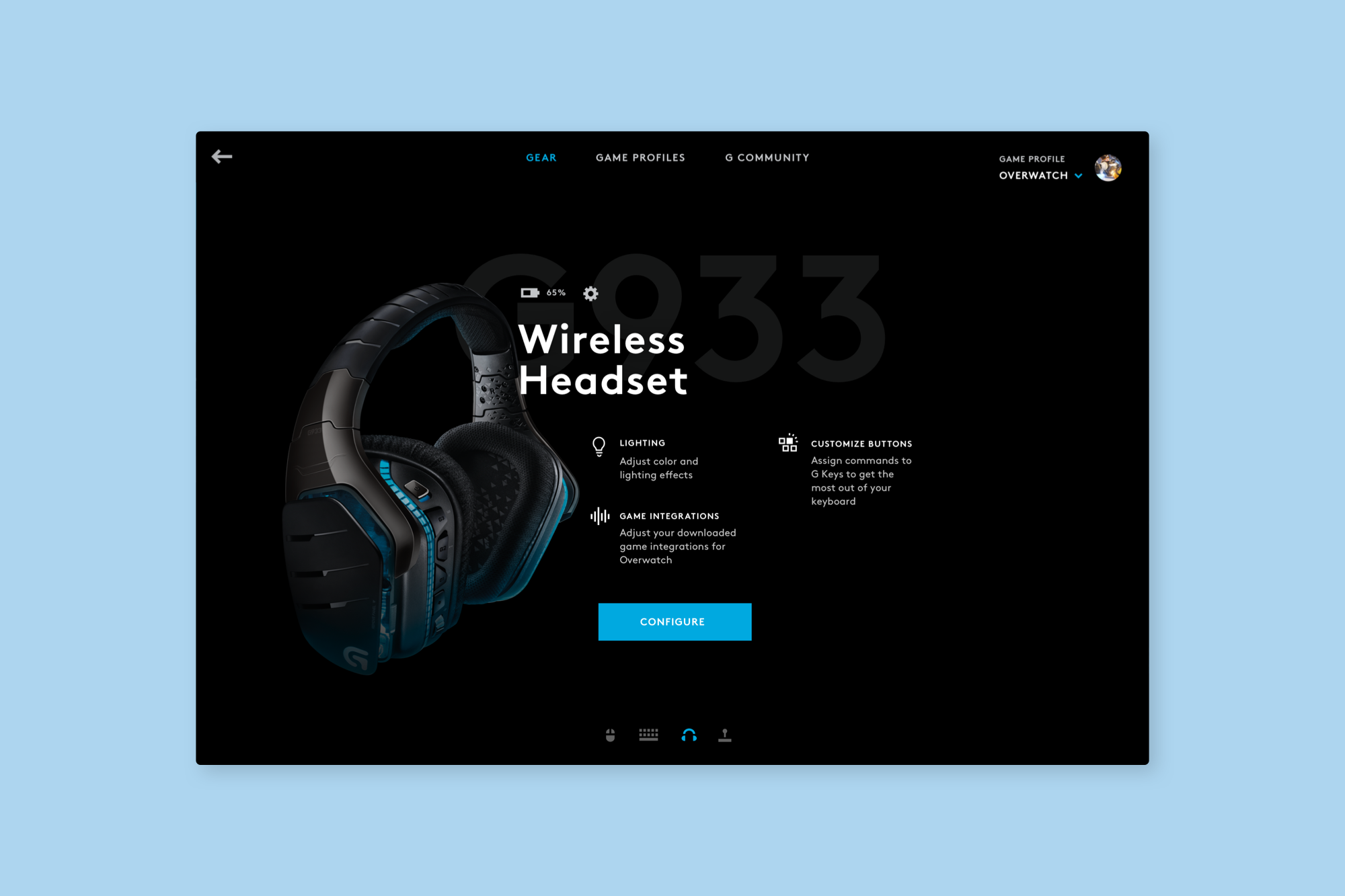
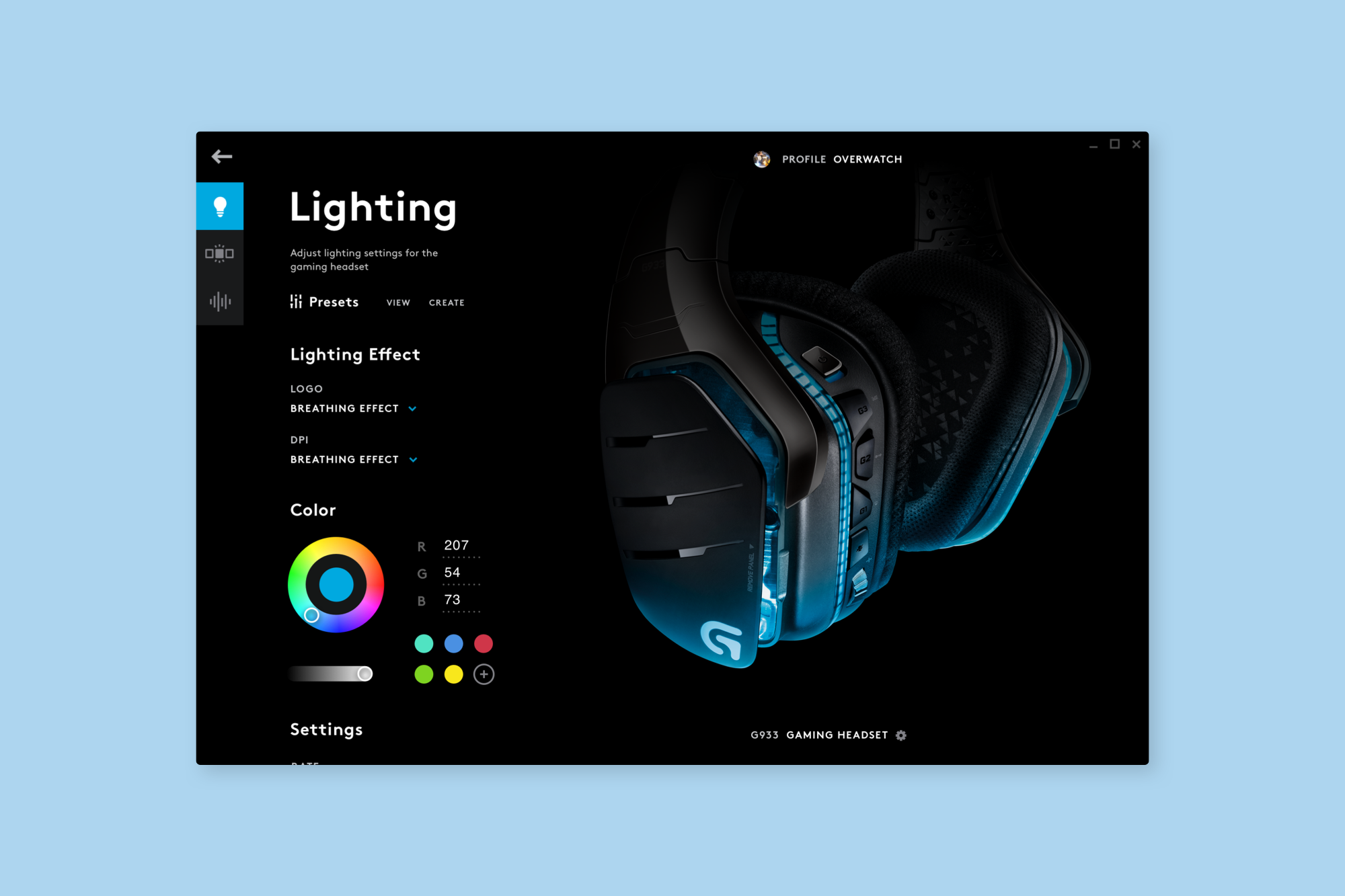
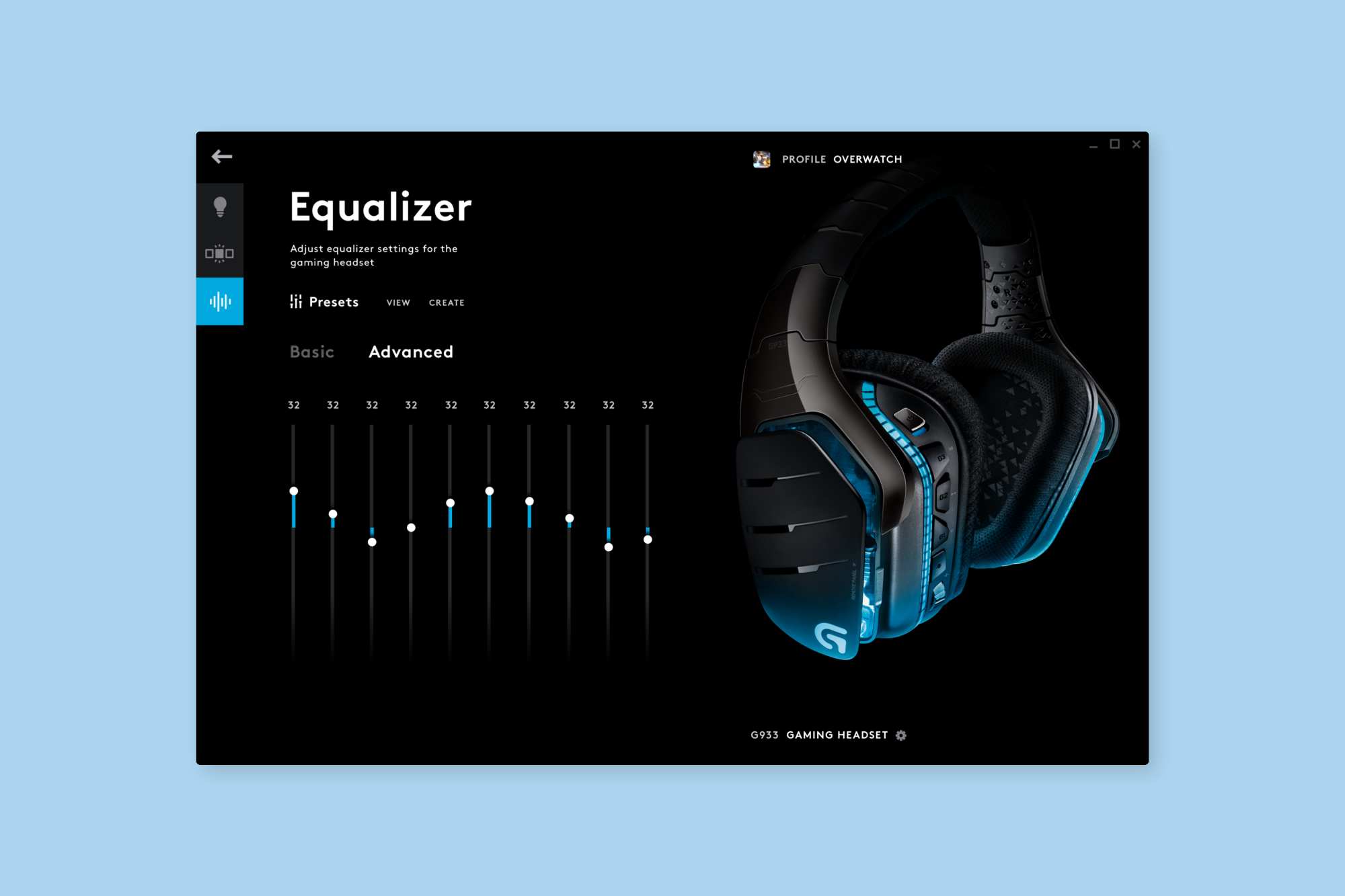
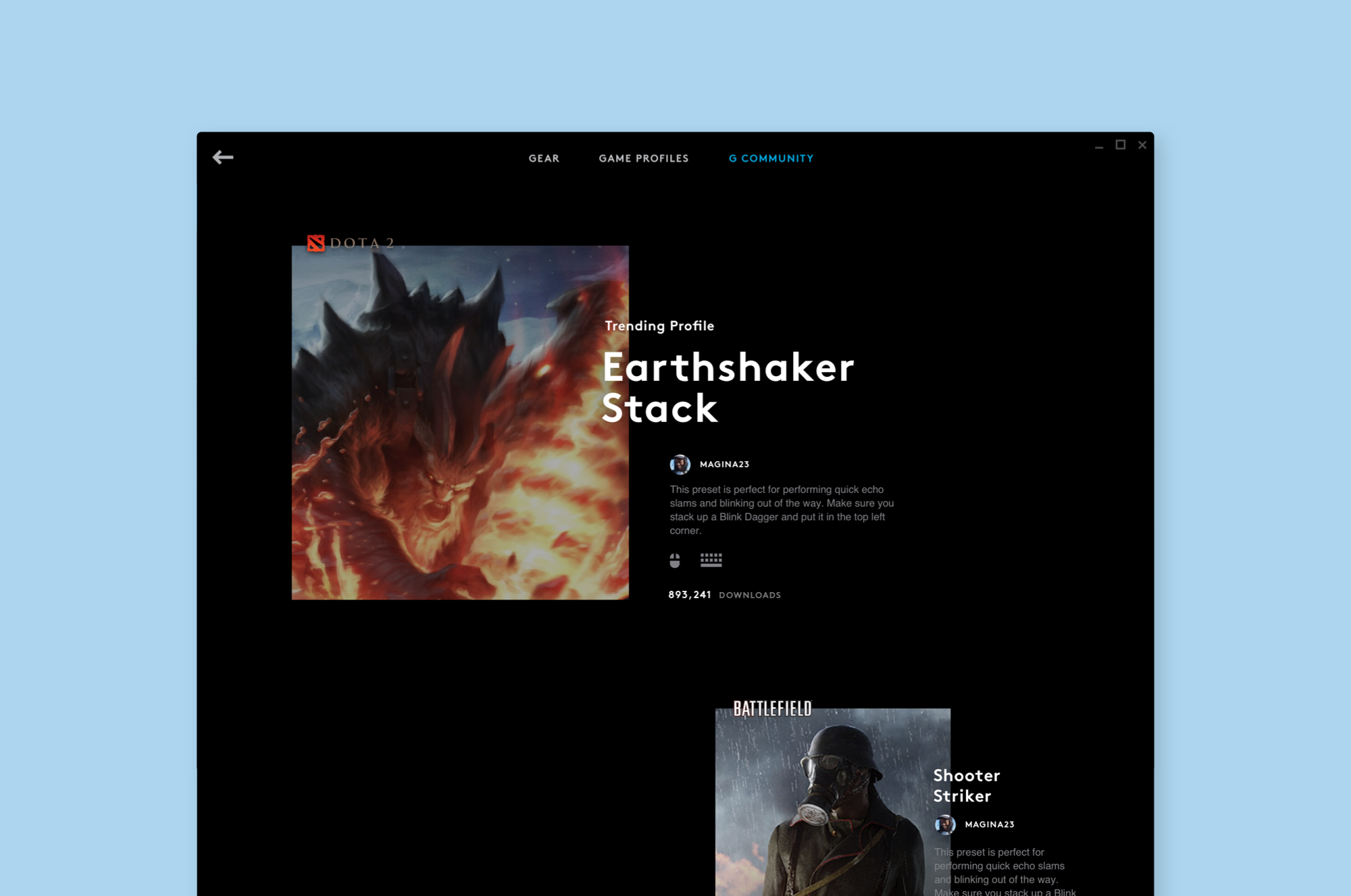
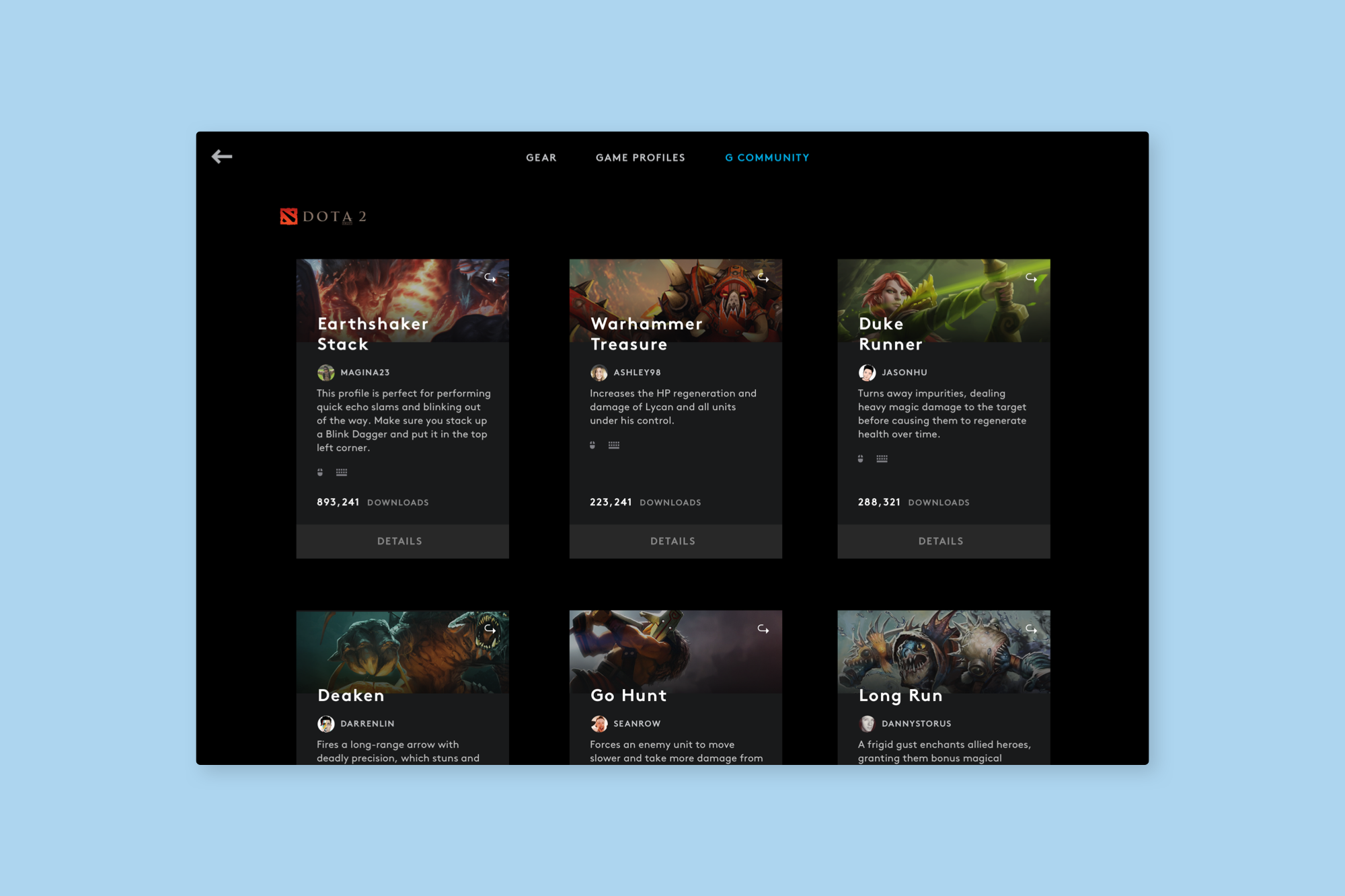
Here's a preview of the release!
↓
Here's a preview of the release!
↓
Here's a preview of the release!
↓
Here's a preview of the release!
↓
Here's a preview of the release!
↓